FL Studio 2 Template
Key Features
- Full FL Studio 2.0 (.flp) project file with a complete tech house arrangement — intro, breakdown, build-up, and drop all included
- Core tech house elements: punchy kick, groovy bassline, intricate hi-hat patterns, and atmospheric synth layers
- All mixer channels are labeled and color-coded for easy navigation
- Automation clips clearly marked so you can study exactly how transitions and filter sweeps are built
- Each channel processed with EQ, compression, reverb, and other stock effects for a polished starting point
- MIDI files included so you can swap in your own synths and rework melodic elements
Description
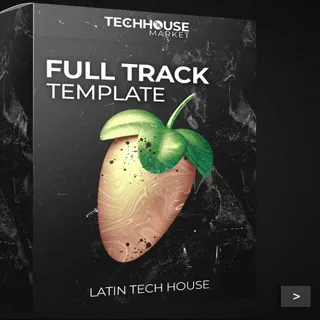
The FL Studio 2.0 Template by Techhouse Market is a project file designed for music producers who want to create professional-sounding tech house tracks.
This template includes a fully arranged track with all the essential elements of tech house music, such as punchy kicks, groovy basslines, intricate percussion, and atmospheric synths.
Each element within the template is processed with EQ, compression, reverb, and other effects to ensure a polished sound.
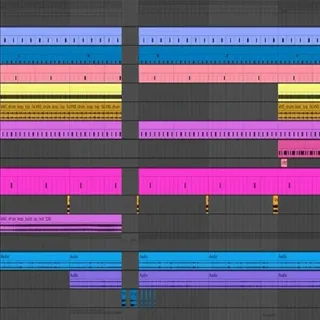
The template is organized into different sections, including intro, breakdown, build-up, and drop, making it easy to see how a professional tech house track is structured.
The mixer channels are labeled and color-coded for easy use, and all automation clips are clearly marked.
Additionally, the template includes a variety of samples, presets, and MIDI files that you can use and customize to fit your own productions.
Video Preview

Tips
- Customize the Bassline: The bassline is key in tech house music. Experiment with different bass presets and MIDI patterns provided in the template to create a unique groove that fits your track.
- Layer Your Drums: Enhance the drum section by layering additional samples from the template. Try combining different kick samples or adding extra hi-hats and percussion to create a fuller, more dynamic drum pattern.
- Utilize Automation Clips: The template includes several automation clips for parameters like filter cutoff, reverb, and volume. Study these automation clips to understand how they contribute to the track's dynamics and try creating your own to add movement and interest to your music.
- Explore the Synth Presets: The template comes with various synth presets that are perfect for tech house. Use these presets as a starting point and tweak the parameters to create your own signature sounds.
- Analyze the Arrangement: Pay close attention to the arrangement of the template. Notice how the different sections flow smoothly and how elements are introduced and removed to maintain listener interest. Use this as a guide to arrange your own tracks effectively.
Frequently Asked Questions
Which version of FL Studio do I need to open this template?
The file is a FL Studio 2.0 project (.flp). It should open in any version of FL Studio from 2.0 onwards. Newer versions of FL Studio are backward-compatible with older .flp files, so FL Studio 20 or 21 will open it without issues.
Does this template require any third-party plugins?
The template is built with Techhouse Market's own samples and FL Studio stock instruments and effects. If you're missing any samples on opening, check the file path — you may need to point FL Studio to where you extracted the download.
Can I use this template in a commercial release?
Techhouse Market releases this template for educational and production use. You can use the arrangement structure as inspiration, but you should replace the included samples and presets with your own sounds before releasing commercially. Check Techhouse Market's terms for their specific license.