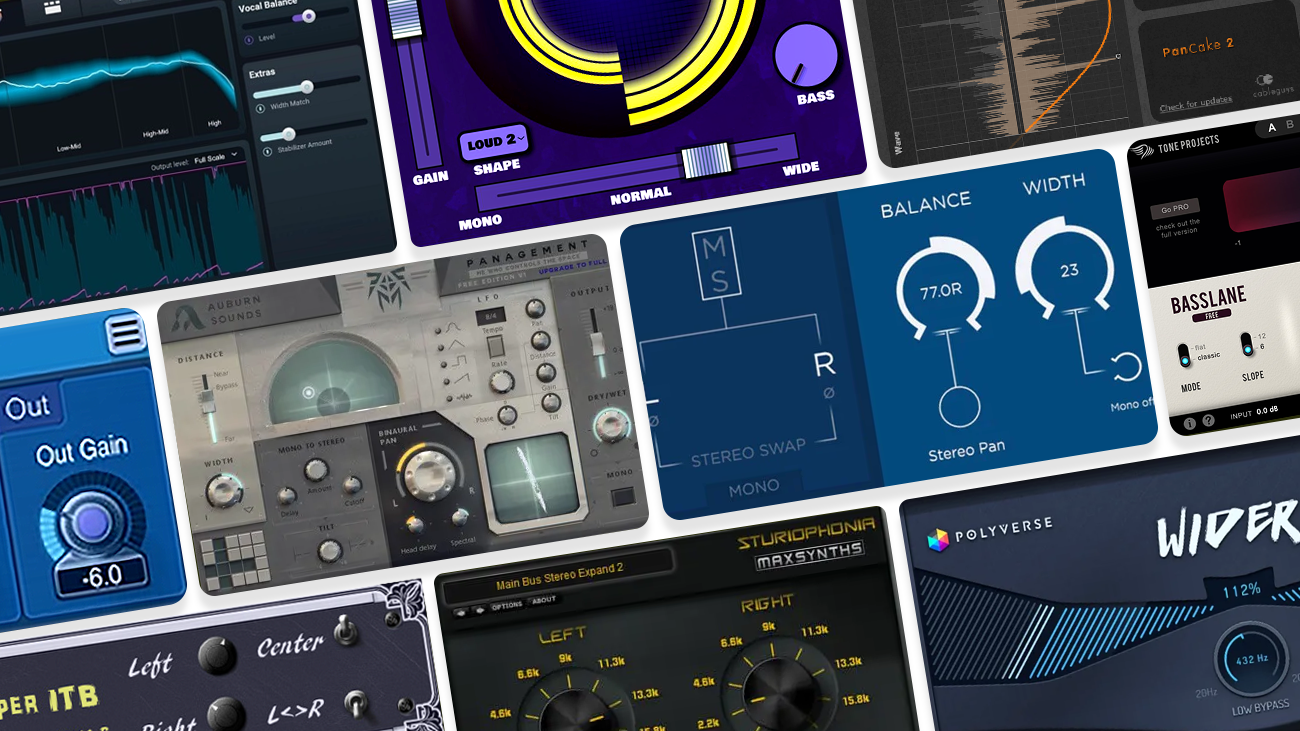
Stereo width plugins can make a mix feel wider, deeper, and more finished, but they can also wreck mono compatibility if you push them without checking. The best free stereo width VST plugin depends on what you need: a clean imager, a one-knob widener, an autopanner, a spatial placement tool, or something that keeps your low end under control.
This list covers free stereo imagers, stereo wideners, autopanners, and utility tools that are useful for producers mixing vocals, synths, guitars, drums, effects returns, and full arrangements. Start subtle, check the mix in mono, and avoid widening sub bass unless the plugin is built for low-end control.
Quick Picks
| Best for | Try first | Why |
|---|---|---|
| Visual stereo imaging | Ozone Imager V2 | Clean width control with a vectorscope and stereoize modes. |
| Fast one-knob widening | Wider 2.0 | Simple mono-compatible widening for mono or narrow sounds. |
| Modern macOS width control | Wideboi | One knob moves from mono through original stereo to extra-wide M/S processing. |
| Rhythmic stereo movement | PanCake 2 | Drawable autopanning for motion, sweeps, and synced left-right movement. |
| Mono-to-stereo depth | Voxengo Stereo Touch | Turns mono sources into wider stereo using delay-based mid/side processing. |
| Low-end width control | Basslane | Helps keep bass frequencies centered while managing perceived width. |
How To Choose A Free Stereo Width Plugin
Use a stereo imager when you want to see and adjust the width of an existing stereo signal. Use a widener when a mono or narrow part needs to feel bigger. Use an autopanner when you want movement, not just width.
Use a spatializer when you want to place a sound in a more three-dimensional space. Use a low-end width tool when bass, kick, or low synth layers need to stay focused.
The safest workflow is simple:
- Widen individual sounds before widening the whole mix.
- Keep kick, bass, and sub layers mostly centered.
- Check mono after every big width move.
- Use a meter or correlation tool when widening important mix elements.
- Turn the effect down after it sounds exciting; most widening sounds better when it is subtle.
1. Ozone Imager V2 by iZotope
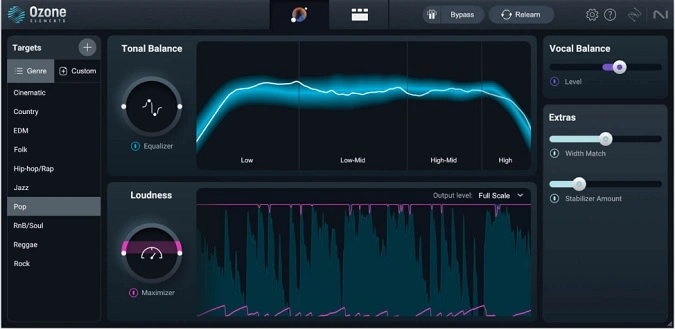
Ozone Imager V2 is the best first download if you want a free stereo imager that also shows you what is happening. The width control makes narrow sounds wider or pulls overly wide sounds back toward the center, while the vectorscope helps you spot phase and balance problems before they become mix issues.
It is especially useful on synths, pads, keys, cymbals, guitars, and effects returns. The Stereoize modes can add width to mono or narrow sources without needing chorus or reverb, but you should still check the result in mono before committing.
Choose Ozone Imager if you want visual feedback and controlled stereo width instead of a mystery "make it wider" knob.
2. Wider 2.0 by Polyverse Music
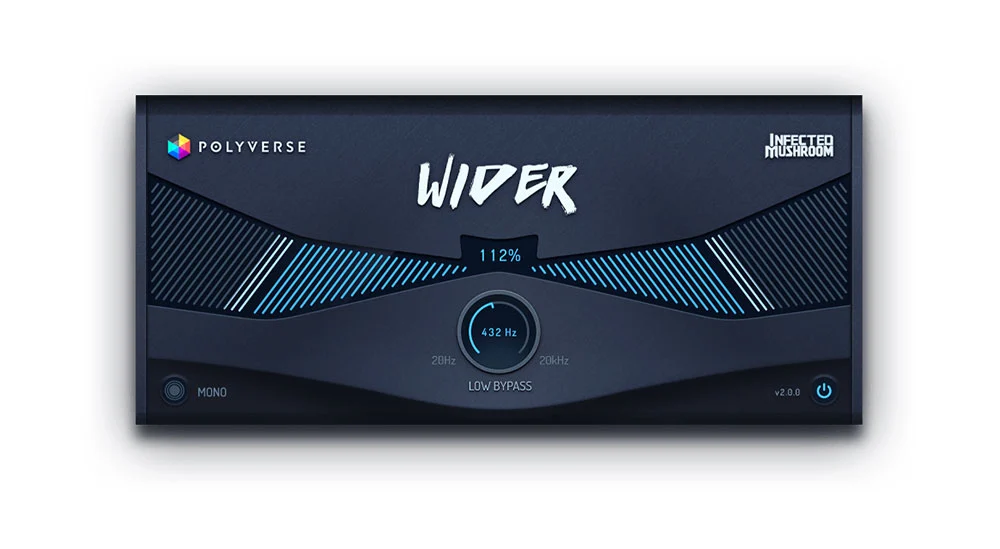
Wider 2.0 is the fastest option here for making a mono or narrow part feel wider. It is built around one main width control, so you can dial in the effect quickly without getting buried in settings.
The reason Wider remains popular is its mono-friendly design. It is made to create width that collapses cleanly when summed to mono, and version 2.0 adds helpful controls like low-frequency bypass and mono checking.
That makes it a strong pick for vocals, synths, guitars, percussion layers, and reverb or delay returns. Use Wider when you want a sound to spread out quickly, but avoid throwing it across every channel.
3. PanCake 2 by Cableguys
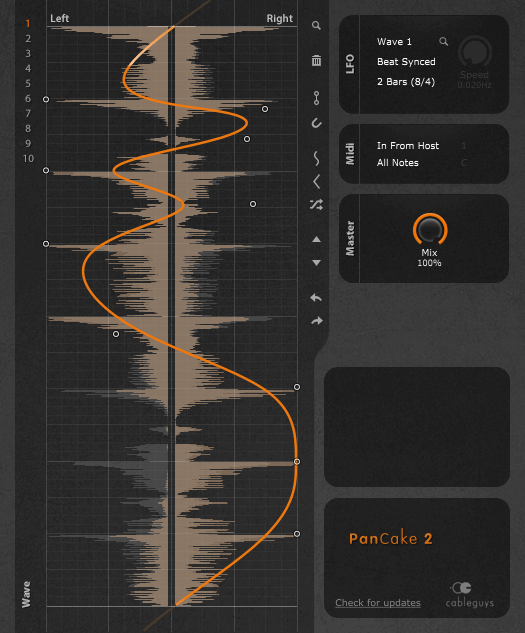
PanCake 2 is not a traditional stereo widener. It is a free autopanner, which means it moves a sound left and right over time.
The main strength is its drawable LFO. You can sketch smooth sweeps, hard rhythmic jumps, pulsing patterns, or tempo-synced movement, then control how strongly the panning affects the sound.
It works well on synth stabs, percussion loops, guitars, vocal throws, risers, and ear-candy layers that need movement. Choose PanCake 2 when a part feels too static.
4. Voxengo Stereo Touch
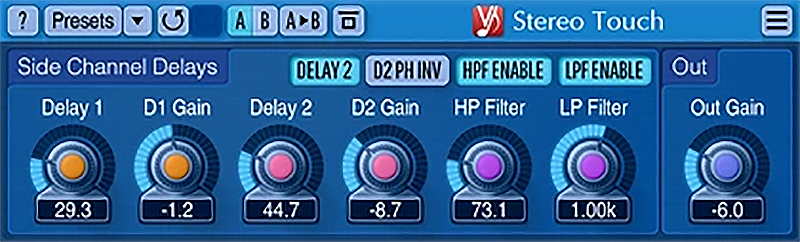
Voxengo Stereo Touch is useful when you want to turn a mono source into a wider stereo signal. It uses delay-based mid/side processing, so it can create space around mono guitars, pads, vocals, and synthetic sounds without needing to double the recording.
This is a good tool when a mono sound is sitting too tightly in the center and needs a bit of spread. It is less ideal for sharp transient-heavy sounds if the delay effect starts to feel smeared, so use your ears and check the result against the rest of the mix.
Stereo Touch is best treated as a mono-to-stereo color tool, not a default mix-bus widener.
5. UpStereo by QuikQuak
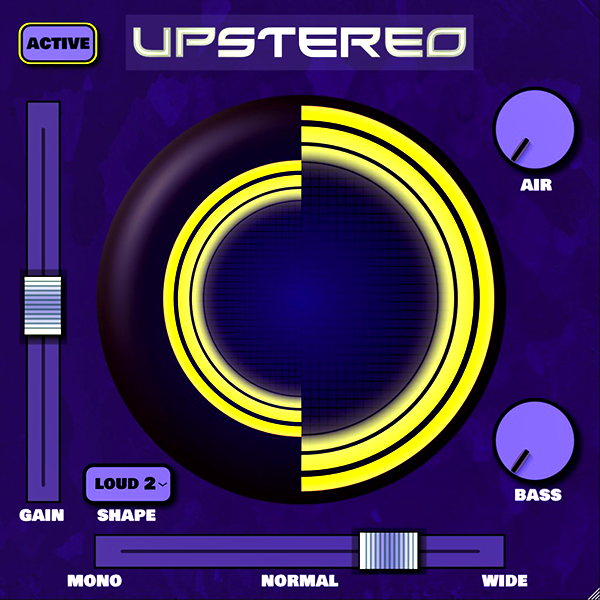
UpStereo is a simple stereo enhancer for making sounds feel wider, brighter, and a little louder. It combines stereo width with tone shaping and wave-shaping, so it can add presence as well as size.
That makes it useful on dull synths, loops, effects, and buses that need a quick lift. The tradeoff is that the loudness and shaping can get heavy if pushed too far.
Keep an eye on the output level and back the effect down if the mix starts to lose punch. Use UpStereo when you want quick width and energy.
6. Panagement Free Edition by Auburn Sounds
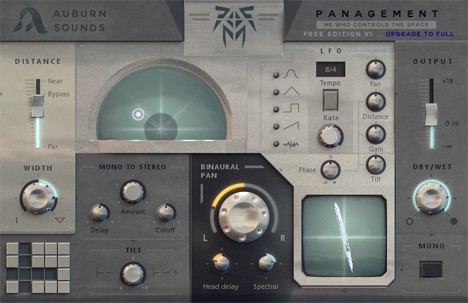
Panagement Free Edition is more of a spatial placement plugin than a basic stereo widener. It gives you binaural panning, distance control, width, tilt, reverb, modulation, and visual feedback.
Try it on pads, sound effects, background vocals, transitions, percussion, and atmospheric layers. It can make a sound feel like it has a position and distance instead of just being wider.
The Free Edition does not include everything in the paid version, so describe it as a free spatialization tool rather than the full Panagement feature set.
7. UltimUtility by JD Factory
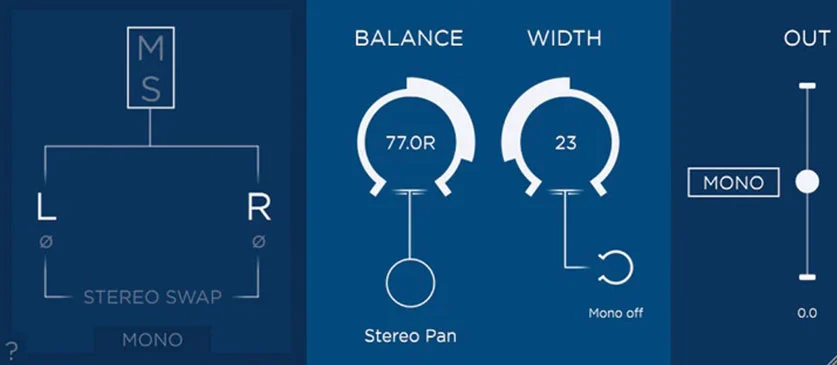
UltimUtility is a stereo utility plugin rather than a flashy widening effect. It gives you practical controls for checking and shaping the stereo signal: left/right, mid/side, polarity, stereo swap, panning, width, and mono bass.
That makes it useful when you are trying to diagnose a stereo problem, tighten the center, flip polarity, check mid/side balance, or keep the low end from getting messy. It is less of a creative "wow" plugin and more of a mix-control tool.
Use UltimUtility when you want to understand and correct what is happening in the stereo field.
8. Sturiophonia by MaxSynths
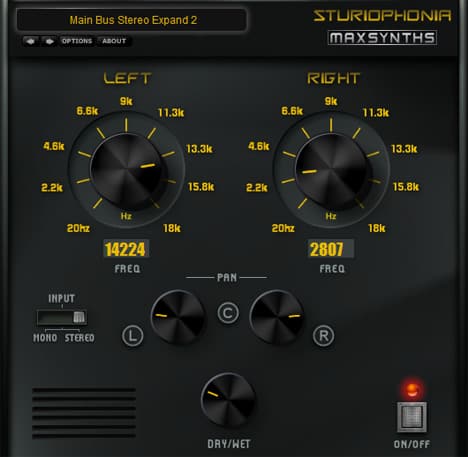
Sturiophonia is a legacy Windows VST for widening mono sources and placing sounds across the stereo field. It can still be useful if you are working in an older Windows setup or a 32-bit-compatible plugin host.
The appeal is its frequency-splitting approach, which can add width and placement to mono guitars, vocals, synths, and other single-channel sounds. The limitation is support and compatibility.
Treat it as a legacy option for older sessions rather than a modern all-purpose widener. If you want a more current cross-platform tool, start with Ozone Imager, Wider, Stereo Touch, Panagement, or UltimUtility first.
9. Basslane by Tone Projects
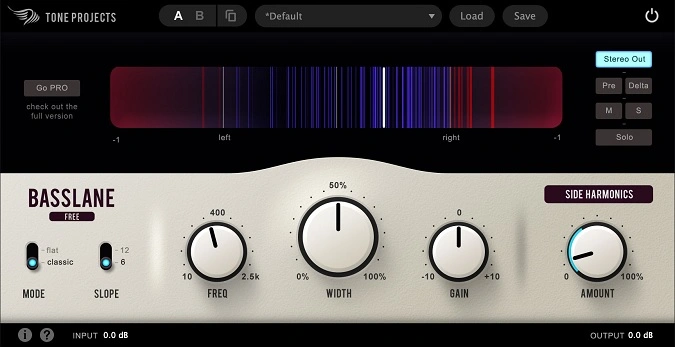
Basslane solves a specific stereo-width problem: the low end getting too wide. Wide sub bass can make a mix feel unfocused, disappear in mono, or translate badly on club systems, phones, and small speakers.
Basslane helps narrow or control low-frequency stereo information while preserving the impression of width higher up. That makes it useful on bass synths, kick/bass groups, drum buses, mix buses, and any track where the low end feels smeared.
Use Basslane when you like the width of a sound but need the bottom end to stay centered and solid.
10. Wideboi by Peak Twilight
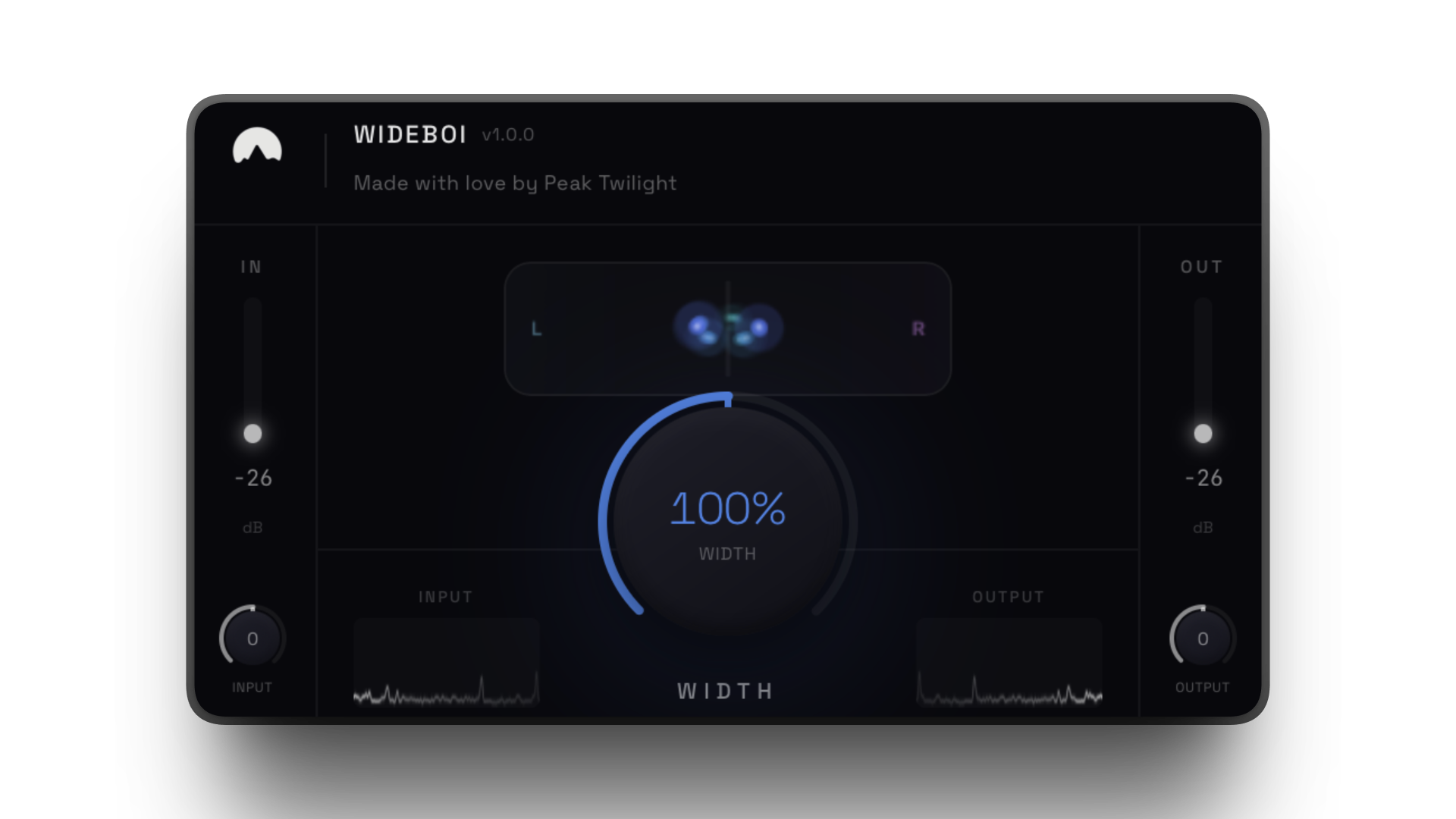
Wideboi is a newer free stereo widener for macOS. It uses one large width control that moves from mono through the original stereo signal to an extra-wide setting.
The plugin is useful when you want quick width changes without a dense control panel. Its M/S processing keeps the center focused while the side signal expands, and the widest settings add a subtle Haas-style effect for extra dimension.
Use it on synth pads, guitar doubles, drum overheads, or gentle master bus width. It is macOS-only, so Windows users should start with Wider 2.0, Ozone Imager, Voxengo Stereo Touch, Panagement, or UltimUtility instead.
Free Stereo Width Plugin Caveats
Stereo widening is easy to overdo. If your mix sounds huge in headphones but weak on speakers, the widener may be causing phase or balance problems.
Before you keep a wide setting:
- Check the mix in mono.
- Listen on speakers, not only headphones.
- Keep the lead vocal, kick, bass, and main snare focused.
- Avoid widening sub frequencies unless you know why you are doing it.
- Use a metering plugin if the stereo image feels unstable.
For visual checks, pair these tools with a correlation meter or one of our free metering VST plugins. Sturiophonia remains a legacy Windows option, while Wideboi is the newer macOS-only replacement for the previous 32-bit VeeWidener slot.
Frequently Asked Questions
What is the best free stereo imager plugin?
Ozone Imager V2 is the best first choice for most producers because it combines width control with visual feedback. If you want the fastest one-knob widener, try Wider 2.0. If you want rhythmic movement instead of static width, try PanCake 2.
What is the difference between a stereo imager and a stereo widener?
A stereo imager usually helps you control or visualize the width of an existing stereo signal. A stereo widener creates or exaggerates width, often from a mono or narrow source. Some plugins do both, but the distinction helps you choose the right tool.
Are free stereo width VST plugins safe to download?
They can be safe when downloaded from trusted developer pages or other reputable official sources. Avoid random reupload sites, cracked installers, and old files from unknown mirrors. If a plugin is legacy or Windows-only, make sure it matches your DAW and operating system before installing it.
Do stereo wideners cause phase problems?
Some can. Wideners that use delay, phase, or Haas-style tricks may sound exciting in stereo but lose power in mono. Always check mono compatibility, especially on vocals, bass, drums, and anything important to the song.
Should a stereo widener go before or after EQ?
Put corrective EQ before a stereo widener when you need to clean up harshness, rumble, or resonances first. Put tone-shaping EQ after the widener when the widening changes the balance and you need to rebalance the result. In either case, check the widened sound in mono before committing.
Should I use a stereo widener on bass?
Usually, keep sub bass centered. If you want width on bass, use a tool designed for low-end width control, or widen only the upper harmonics while keeping the deepest frequencies mono. Basslane is useful for this kind of job.
Can I use free stereo width plugins in commercial music?
Usually yes, but each developer has its own license. Check the license or terms on the developer page before using a plugin in commercial releases, client work, or sample-pack production.
Final Thoughts
If you only download two plugins from this list, start with Ozone Imager V2 and Wider 2.0. Ozone Imager gives you visual control, while Wider gives you fast, simple width.
Add PanCake 2 when you want movement, Basslane when the low end needs control, and Wideboi when you want a newer macOS one-knob option. Panagement or Stereo Touch are better when you want more spatial depth.
The goal is not to make every sound wide.
The goal is to make the right sounds wide while keeping the center strong. For more tools, browse the full stereo width VST plugins category or explore more free VST plugins.