

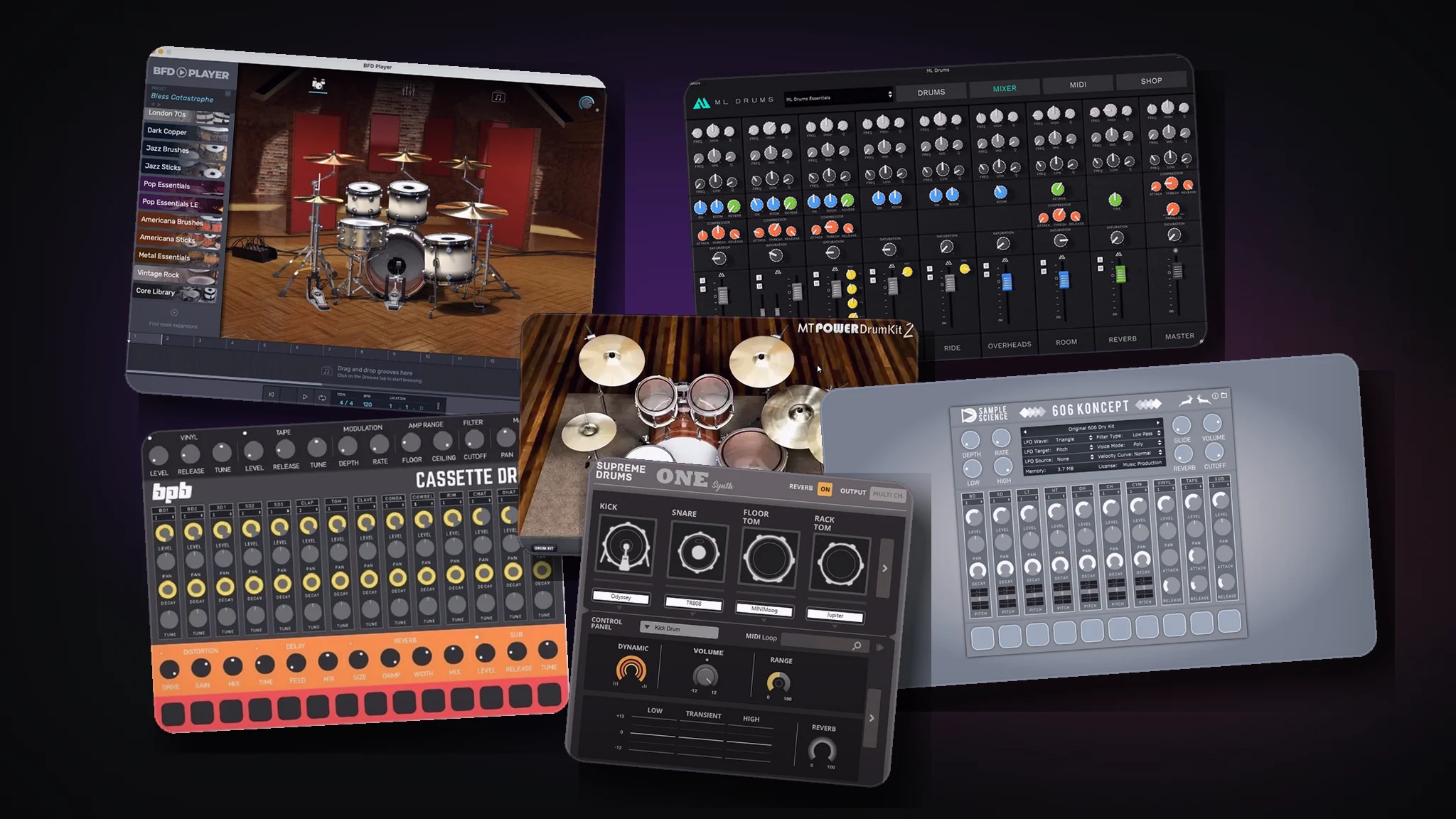
The best free drum plugin depends on the workflow: realistic acoustic kit, electronic drum machine, or sampler-based one-shot setup. Start with the category, then pick the tool that fits the track.
Most free drum plugin lists make the same mistake: they put acoustic drum kits, vintage drum machines, drum synths, ROMplers, and samplers into one long list.
That is useful if you already know what you want. It is less useful if you are staring at a blank session and trying to decide whether you need a realistic kit, a punchy 808-style machine, or a simple sampler for one-shots.
The better question is not "what is the best free drum VST?" It is "what kind of drum workflow do I need for this track?"
This guide separates the main options so you can choose faster. Start with a category, then pick a plugin that fits the job.
Start Here: Which Free Drum Plugin Type Do You Need?
There are three broad types of free drum plugins worth thinking about:
| Plugin type | Best for | Tradeoff | Examples to check |
|---|---|---|---|
| Acoustic drum VSTs | Rock, pop, metal, songwriter demos, realistic programmed drums | Can need careful MIDI programming and mixing | MT Power Drum Kit 2, BFD Player, ML Drums Free |
| Drum machines and drum synths | Hip-hop, trap, techno, house, synthwave, lo-fi, electronic beats | Less realistic if you need a live drummer sound | BPB Cassette Drums, 606 Koncept, Supreme Drums One Synth |
| Drum samplers and ROMplers | Custom kits, one-shots, drum racks, sample-based workflows | You may need to supply or organize your own sounds | Sitala, Speedrum Lite, Drumplayer, Drum8 |
If you want realistic kit parts, start with an acoustic drum instrument. If the drum tone itself is part of the genre, start with a drum machine. If you already have a folder full of kicks, snares, hats, and percussion, use a sampler and build your own kit.
You can browse more free drum VST plugins and broader free VST plugins inside the SoundShockAudio library, but the sections below will help you choose the right starting point first.
Best Free Acoustic Drum VST Plugins
Choose an acoustic drum VST when you want the track to feel like it has a real kit behind it. This is usually the right choice for rock, pop, metal, indie, singer-songwriter productions, and any beat where the drums need cymbals, fills, toms, ghost notes, and a room sound.
The main thing to compare is not only "does it sound real in solo?" A drum plugin has to work in a full mix. Look for useful grooves, velocity response, separate mixer channels, room or overhead control, and a tone that survives guitars, bass, vocals, synths, and mastering compression.
MT Power Drum Kit 2
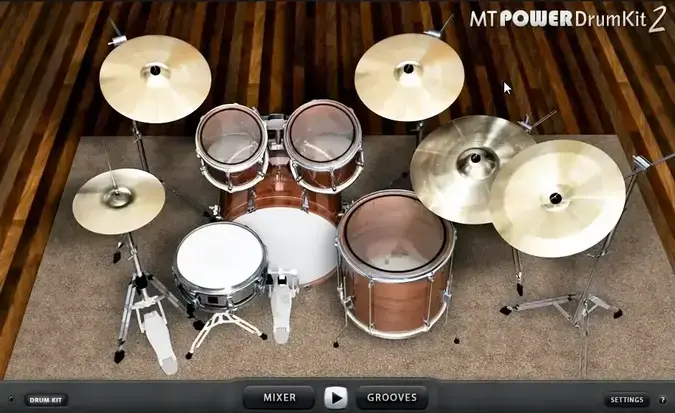
MT Power Drum Kit 2 is the obvious first stop if you want a free acoustic kit for pop, rock, or metal. Its strength is speed: load it, pull up a pattern or program a part, and you have a mix-ready drum kit that already leans toward dense productions.
That also means it is not the most delicate option for every track. If you want soft jazz brushwork or a very natural room recording, you may eventually want something else. But for producers who need a free rock-friendly kit that does not disappear behind guitars, it is a practical choice.
BFD Player
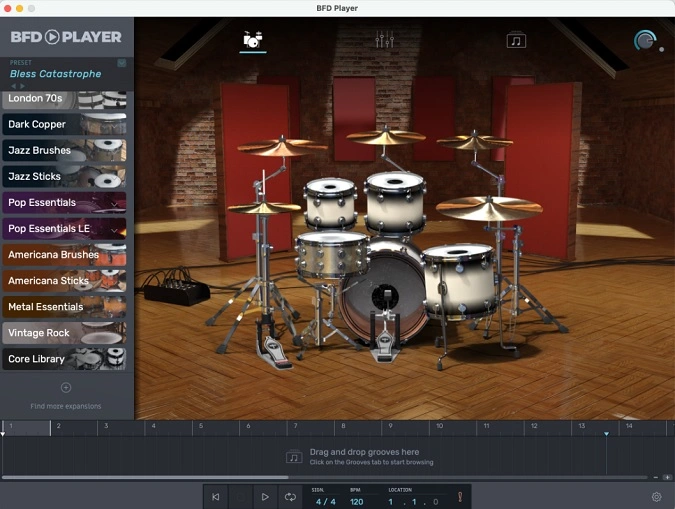
BFD Player is a better fit when you want a more realistic acoustic drum instrument with grooves, kit mixing, and a more "real drummer in a room" direction. The official BFD page positions it as a free drum plugin for songwriters and producers, with kits, grooves, and mixing options.
This is the kind of plugin to try if the drum part needs to feel less like a loop and more like a performance. It makes the most sense when you want an acoustic drum instrument that feels closer to arranging a drummer than triggering a fixed loop.
ML Drums Free
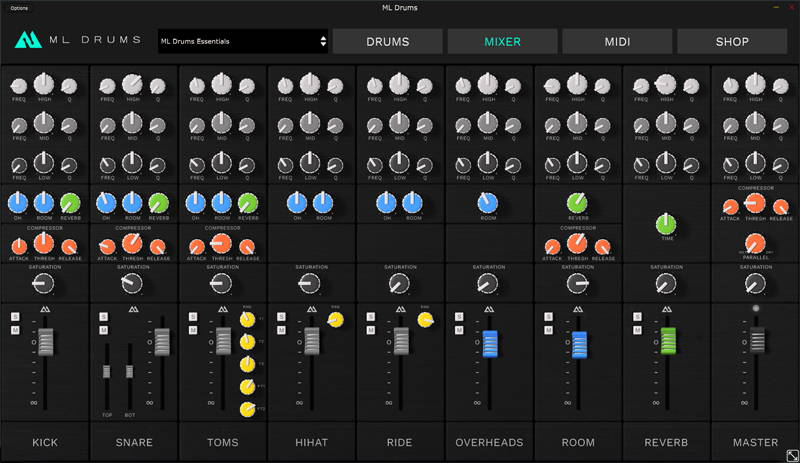
ML Drums Free is another acoustic option worth checking when you want a straightforward free kit that stays focused on getting usable drum parts into a session quickly.
Use it as a realistic drum-kit alternative if MT Power Drum Kit 2 feels too processed or if BFD Player is more than you need. As with any free tier, check what is included before building a project around it.
Best Free Drum Machine VSTs for Electronic Beats
Drum-machine plugins solve a different problem. They are not trying to sound like a drummer in a studio. They are trying to give you a specific drum identity quickly.
That matters in electronic music. An 808 kick, a 909 hat, a 606-style pattern, a cassette-processed kit, or a synthesized kick can define the whole track. For hip-hop, trap, techno, house, synthwave, electro, and lo-fi, a drum machine often makes more sense than an acoustic kit.
BPB Cassette Drums
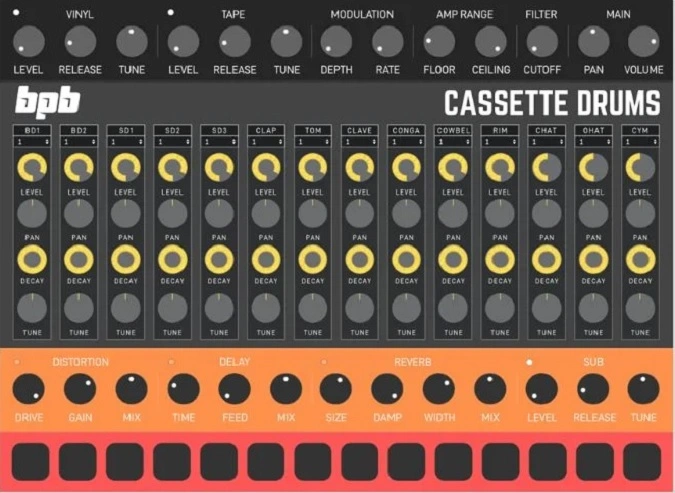
BPB Cassette Drums is a strong example of a free drum machine plugin with a clear personality. It is built around vintage drum-machine sounds processed through tape-style character, so it fits lo-fi, hip-hop, synthwave, and electronic tracks better than realistic band productions.
That makes it a useful recommendation when you want classic drum-machine flavor without setting up a larger sampler workflow.
606 Koncept
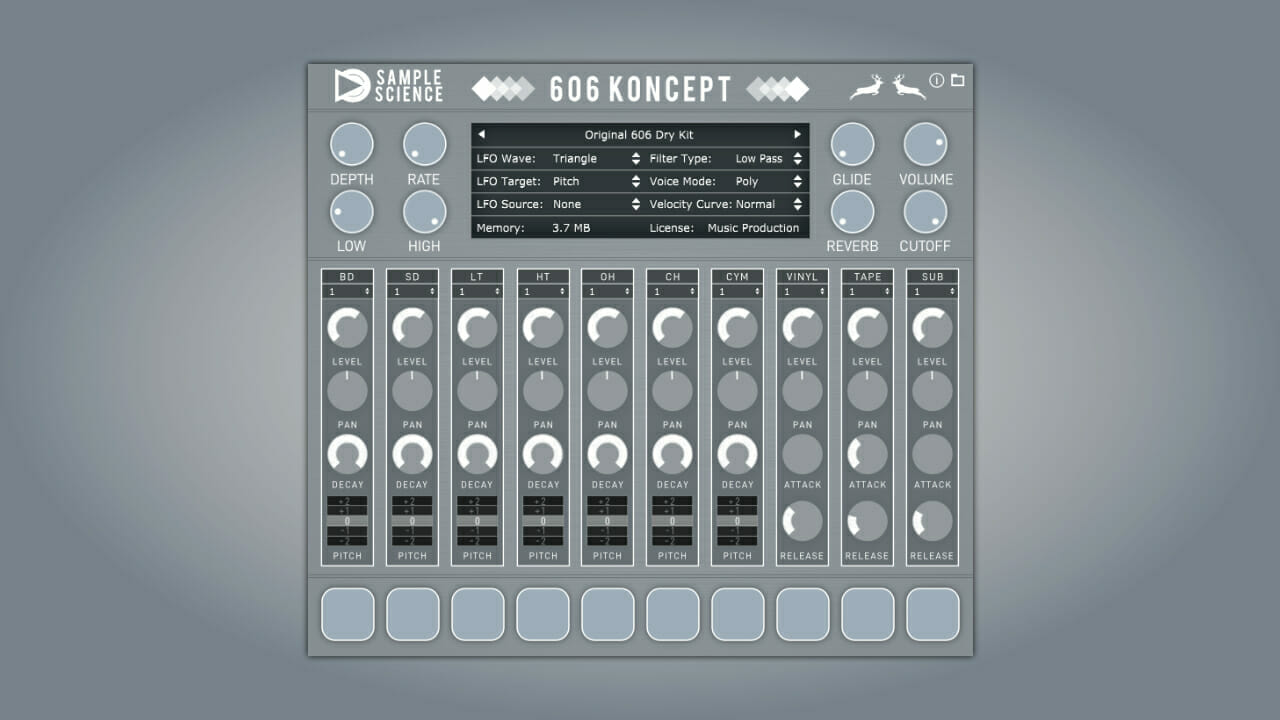
606 Koncept is the one to consider when you want a classic 606-style drum-machine sound. SampleScience describes it as a plugin based on a famous analog drum machine from the eighties, with the sounds mapped to General MIDI and extra vinyl, tape, and sub layers.
This type of plugin is useful for producers who want a specific electronic drum color fast. It is not the right choice if you need realistic cymbal articulations or full acoustic kit dynamics.
Supreme Drums One Synth
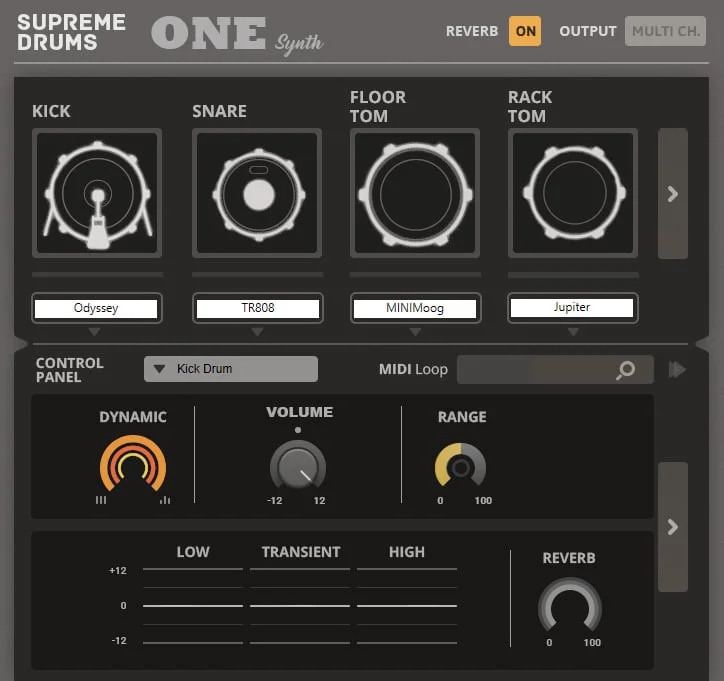
Supreme Drums One Synth fits the drum-synth side of the category. Instead of focusing on sampled acoustic drums, it is aimed at synthesized percussion and analog-style drum tones.
That can be useful when you want kicks, snares, and percussion that feel designed rather than recorded. The tradeoff is that drum synths usually need more sound-shaping judgment. They can be punchy and distinctive, but they will not automatically give you a natural drummer feel.
Best Free Drum Samplers and One-Shot Workflows
A drum sampler is the right choice when you already have sounds you like. Instead of accepting the kit inside a drum plugin, you load your own kicks, snares, claps, hats, percussion, and FX into pads or cells.
This is often the better workflow for hip-hop, trap, lo-fi, house, techno, and any genre where the exact one-shot matters more than acoustic realism. It also makes layering easier. You can use one kick for low-end weight, another for click, and a clap or snare layer for width.
Sitala and Speedrum Lite are common examples of simple pad-based drum sampler workflows. Drumplayer and Drum8 sit closer to ROMpler territory, where the sounds are already bundled and you play them quickly rather than building every kit from scratch.
The sampler route pairs naturally with free samples. If you go this way, start with the free drum sample packs hub or the blog post on the best free drum sample packs. If you want more sampler options, use the free sampler VST plugins hub rather than turning this drum-plugin search into a full sampler roundup.
How to Make Free Drum VSTs Sound Less Fake
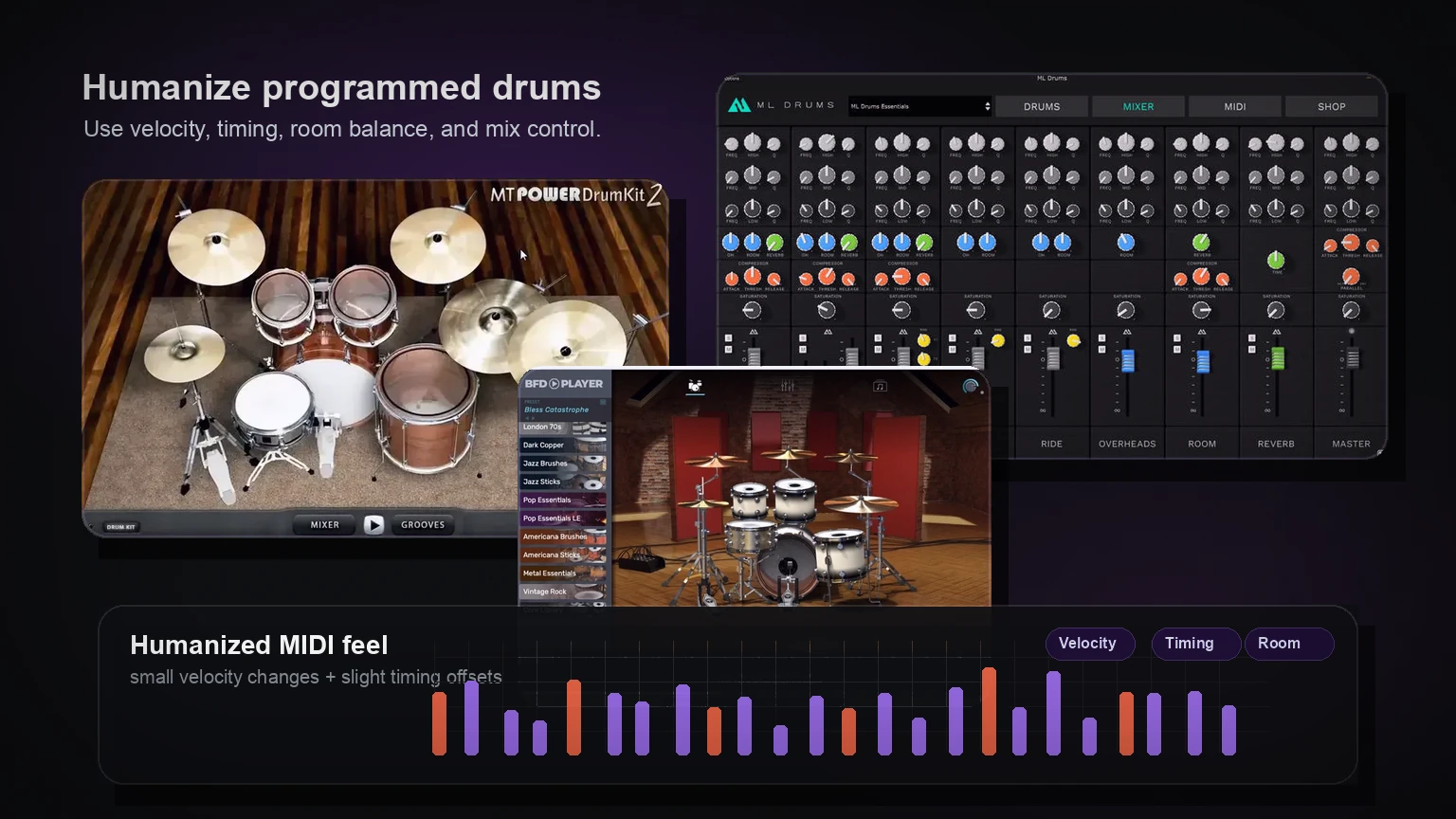
A better plugin helps, but most fake-sounding drums come from programming and mixing decisions. Before you spend hours swapping drum instruments, fix the performance.
Start with velocity. Real drummers do not hit every hi-hat, snare, and kick at exactly the same strength. Pull some hits down, push accents up, and make the backbeat stronger than the in-between notes. Hi-hats especially need movement. If every hat is the same volume and perfectly locked to the grid, the part will sound programmed even with good samples.
Then look at timing. You do not need to make everything sloppy, but tiny shifts can help. Let some ghost notes sit a little behind the beat. Keep the kick and snare tight where the groove needs authority. If the plugin includes MIDI grooves, use them as a starting point, then edit them so they fit the song.
For acoustic drum plugins, pay attention to the mixer. Close mics give punch, overheads give cymbal shape, room gives size, and reverb gives space. Too much room can push the kit away from the listener. Too little room can make the kit feel like disconnected samples.
When mixing, use processing lightly at first. EQ can clean up low-mid mud or add snare crack, but huge boosts often make programmed drums sound smaller. Compression can add energy, but over-compression can flatten the groove. Saturation is often more forgiving because it adds density without forcing every transient into the same shape.
If the snare is the weak point, use a dedicated guide on how to EQ snare drums. If the acoustic kit feels narrow or disconnected, review how overheads and room sound contribute to the image before over-processing individual hits.
Layering can help, but only when every layer has a job. Add a short click layer if the kick disappears on small speakers. Add a body layer if the snare feels thin. Do not stack five snares because each sounds impressive alone. Too many layers can smear the transient and make the drum feel smaller in the mix.
Free Drum Plugin Caveats to Check Before You Download
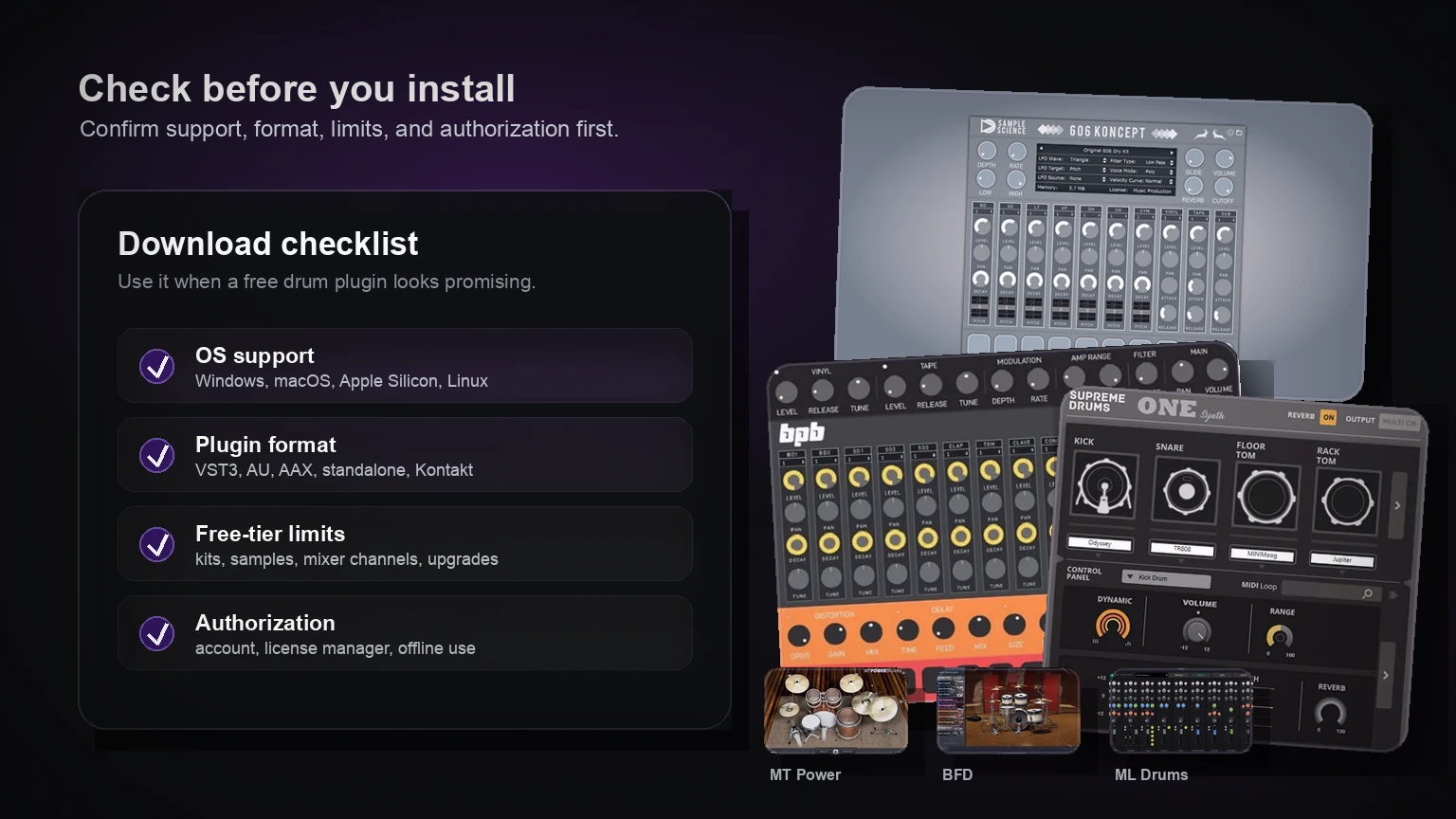
Free drum plugins change over time. Some stay maintained for years. Others disappear, switch formats, require a license manager, or work only on older systems. Before you install a plugin, check a few things.
First, check your operating system. A plugin that works on Windows may not work on macOS, and a macOS plugin may not support modern Apple Silicon systems. If you use Linux, do not assume support unless the developer says so.
Second, check the plugin format. Ableton Live, FL Studio, Cubase, Studio One, Reaper, Logic Pro, and Pro Tools do not all use the same formats. VST3 is broadly useful, AU matters for Logic, and AAX matters for Pro Tools.
Third, check whether the plugin is standalone, a normal plugin, a Kontakt instrument, or a library that needs another host. A free Kontakt Player instrument can be excellent, but it is not the same workflow as installing a normal VST3 drum plugin.
Fourth, check the free-tier limitation. Some free drum plugins include one kit, a smaller sample library, fewer mixer controls, or an upgrade path into a paid version. That is fine as long as you know before starting the track.
Finally, check authorization. Some free tools download directly. Others require an account, a license manager, an email checkout, or an internet connection for authorization. None of that is automatically bad, but it should factor into your choice if you need something fast.
Quick Recommendations by Producer Type
If you produce rock, pop, metal, or songwriter demos, start with an acoustic drum plugin. Try MT Power Drum Kit 2 if you want a fast, processed kit. Try BFD Player or ML Drums Free if you want a more realistic drum-instrument workflow.
If you produce hip-hop, trap, techno, house, synthwave, or lo-fi, start with a drum machine or sampler. BPB Cassette Drums is useful when you want vintage/tape character. 606 Koncept is better when you specifically want a 606-style drum-machine direction.
If you already have drum samples, do not overthink the plugin list. Use a sampler, build a kit, and spend your time choosing the right one-shots. The drum sample packs section will probably help more than another acoustic drum instrument.
If you are a beginner and want the least friction, pick one acoustic kit and one drum-machine/sampler option. Learn both. That gives you a realistic path and an electronic path without turning your plugin folder into a distraction.
FAQ
What is the best free drum VST plugin?
The best free drum VST depends on the job. For acoustic rock or pop drums, start with an acoustic drum plugin such as MT Power Drum Kit 2, BFD Player, or ML Drums Free. For electronic music, start with a drum machine or sampler instead.
What is the difference between a drum VST, drum machine VST, and drum sampler?
A drum VST is a broad term for any drum plugin. A drum machine VST usually focuses on electronic or vintage drum-machine sounds. A drum sampler lets you load your own one-shots and build custom kits.
Are free drum VST plugins good enough for real songs?
Yes, but the programming and mix matter. A free drum plugin can work in a finished track if the MIDI performance, velocity, timing, room balance, EQ, and compression are handled well.
What is the best free drum VST for rock or metal?
Start with acoustic drum plugins. MT Power Drum Kit 2 is useful for fast rock and metal demos because it has a processed, mix-ready direction. BFD Player and ML Drums Free are also worth checking if you want a more detailed acoustic drum workflow.
What is the best free drum machine VST for hip-hop or electronic music?
BPB Cassette Drums is a good starting point for lo-fi, hip-hop, synthwave, and electronic tracks with vintage/tape character. 606 Koncept is useful if you want a classic 606-style drum-machine sound.
Can I use free drum plugins in Ableton, FL Studio, Logic Pro, or Reaper?
Usually, but you need to check the format. Ableton, FL Studio, Reaper, Cubase, and Studio One commonly support VST/VST3 formats. Logic Pro uses AU. Pro Tools uses AAX. Always check the developer's current compatibility notes before downloading.
Should I use a drum plugin or free drum samples?
Use a drum plugin if you want a ready-made instrument. Use free drum samples if you want to build custom kits or layer one-shots. Many producers use both: a drum plugin for the main kit and samples for extra punch or character.
Final Thoughts
Do not start by downloading every free drum plugin you can find. Start by choosing the workflow.
If you need realistic drums, pick an acoustic drum VST. If you need electronic character, pick a drum machine. If you already have sounds you love, pick a sampler and build around them.
Once the category is clear, the plugin choice becomes much easier, and your drums will improve faster because you are solving the right problem.
Related guides
- Drums VST Plugins - browse free drum plugins in the SSA library
- Drum Sample Packs - find free one-shots and drum kits for sampler workflows
- Sampler VST Plugins - choose a sampler if you want to build custom kits
- Free VST Plugins - browse the full free plugin library