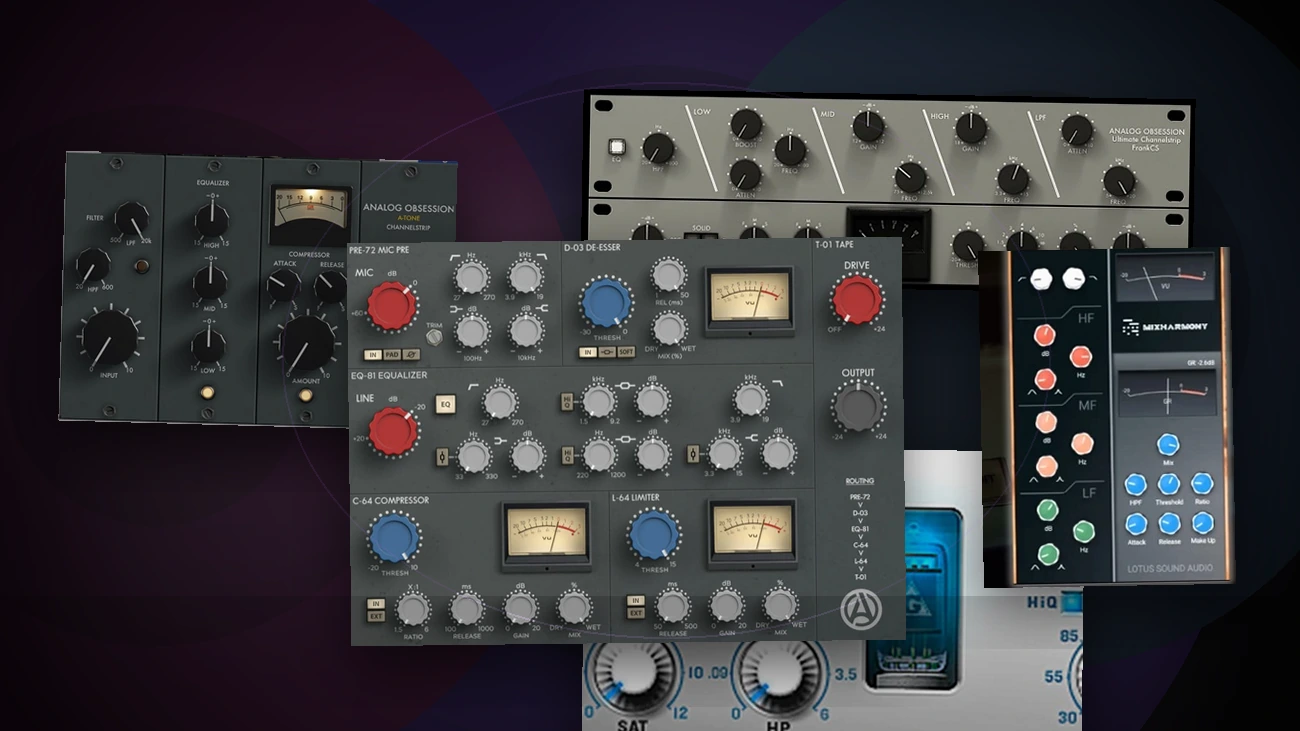
A good channel strip plugin gives you the main pieces of a mix chain in one window: filtering, EQ, compression, saturation, gating, de-essing, limiting, or preamp color depending on the plugin. That makes it useful when you want to shape a vocal, drum bus, bass, synth, or full mix without stacking five separate plugins.
The best free channel strip VST plugins are not all trying to do the same job. Some feel like a full console channel. Some are better as a vintage tone box. Some work best when you want quick EQ and compression decisions instead of detailed surgical control.
Below are five free channel strip plugins worth starting with, mixing three strong Analog Obsession picks with two options from other developers.
Quick Picks
| Plugin | Best for | Main workflow | SSA download |
|---|---|---|---|
| CHANNEV | Full British-console style channel processing | Preamp, de-esser, EQ, compressor, limiter, tape saturation | Download CHANNEV |
| ATONE | Vintage tone shaping and tube-style compression | Filters, three-band EQ, 436-style compressor, input drive | Download ATONE |
| FrankCS | Flexible analog EQ with preamp and compression | Multi-console EQ bands, selectable preamp, compressor | Download FrankCS |
| MixHARMONY | Cross-platform British-console style EQ and compression | Filters, three-band EQ, compressor, parallel mix control | Download MixHARMONY |
| NastyVCS | Windows console-strip color and dynamics | Saturation, filters, EQ, compressor, limiter, phase tools | Download NastyVCS |
If you want more options beyond this list, browse the full channel strip VST plugins section.
How To Choose A Free Channel Strip Plugin
Start with the job you need the plugin to do.
If you want one insert that can handle most of a track, choose a fuller strip like CHANNEV or NastyVCS. These are useful when you want cleanup, dynamics, tone, and output control without building a chain from scratch.
If you want color more than utility, choose ATONE, FrankCS, or MixHARMONY. These are better when the goal is console-style tone, broad EQ moves, or a specific analog workflow rather than transparent correction.
If you searched for a free SSL channel strip plugin, remember that SSL-style is only one flavor of channel strip. A channel strip can be SSL-inspired, Neve-inspired, API-inspired, Altec-inspired, or a custom design. The better question is whether you need punchy compression, broad musical EQ, saturation, a gate, or a fast all-in-one workflow.
Best Free Channel Strip VST Plugins
1. CHANNEV by Analog Obsession
| Type | Full channel strip |
|---|---|
| Platform | macOS, Windows |
| Format | VST3, AU, AAX |
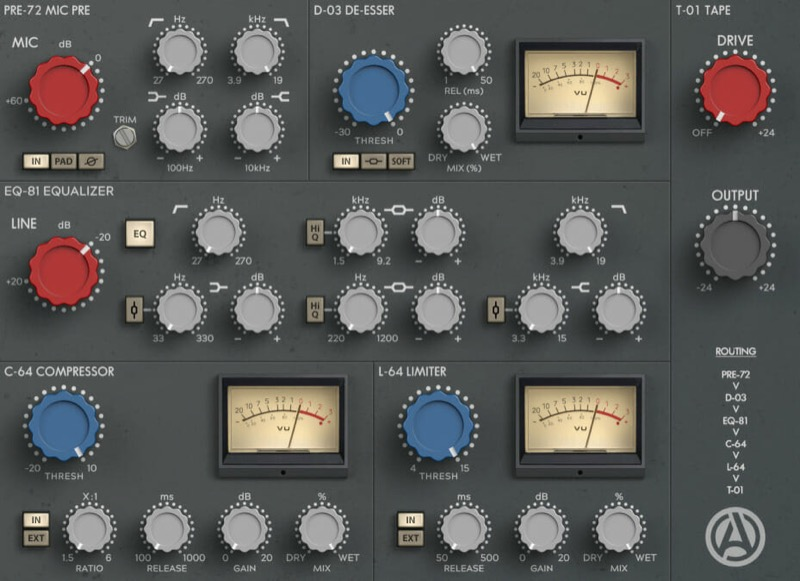
CHANNEV is the strongest pick here if you want a complete front-to-back channel strip in one plugin. It covers the kind of signal path you would normally build with several inserts: preamp color, de-essing, EQ, compression, limiting, and tape-style saturation.
That makes it useful on vocals, drums, guitars, and buses where you want a finished chain quickly. The de-esser and dynamics sections make it especially practical on sources that need both tone and control, while the saturation stage can add a little glue at the end of the chain.
Use CHANNEV when you want the most complete free channel strip on this list.
2. ATONE by Analog Obsession
| Type | Vintage EQ and compressor channel strip |
|---|---|
| Platform | macOS, Windows |
| Format | VST3, AU, AAX |
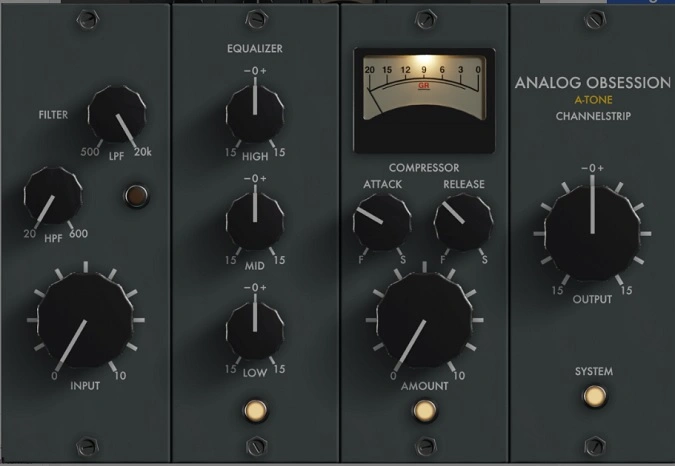
ATONE is a better choice when you want vintage color without a complicated interface. It pairs filters, a simple three-band EQ, and a 436-style compressor, so it feels more like a tone-shaping channel than a surgical mixing tool.
The appeal is speed. Instead of tweaking every possible parameter, you make broad tone moves, trim unwanted lows or highs, and let the compressor add movement. It works well when a source already sounds good but needs warmth, thickness, or a little old-school compression character.
Try ATONE on drum buses, bass, acoustic guitars, and vocals that need vibe more than precise correction.
Download ATONE
3. FrankCS by Analog Obsession
| Type | Analog EQ, preamp, and compressor strip |
|---|---|
| Platform | macOS, Windows |
| Format | VST, VST3, AU, AAX |
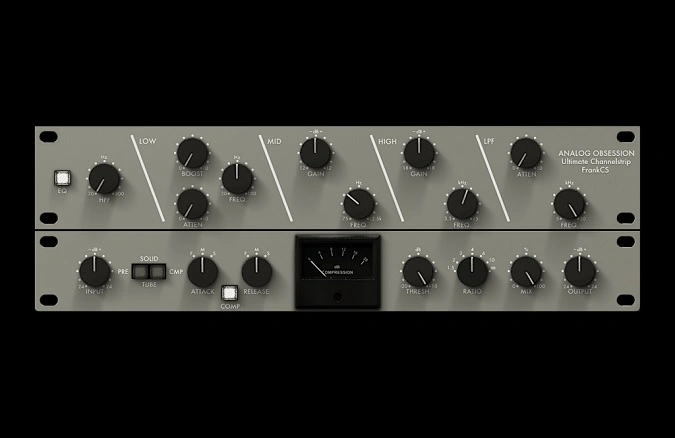
FrankCS is the pick for producers who want more control over EQ tone. It combines EQ bands inspired by different analog console styles with selectable preamp and compressor behavior, so it sits between a character EQ and a full channel strip.
Use it when you want to shape a vocal, drum bus, synth, or mix bus with broad analog-style moves but still need more flexibility than a fixed-frequency vintage EQ. The preamp section can add color before the compressor, and the compressor gives you enough range to smooth a source or push it harder.
FrankCS is also a good choice if you like the idea of an SSL, Neve, API, or Pultec-style workflow but do not want to lock yourself into only one console flavor.
4. MixHARMONY by Lotus Sound Audio
| Type | British-console style EQ and compressor strip |
|---|---|
| Platform | macOS, Windows |
| Format | VST3 on Windows; AU and VST3 on macOS |
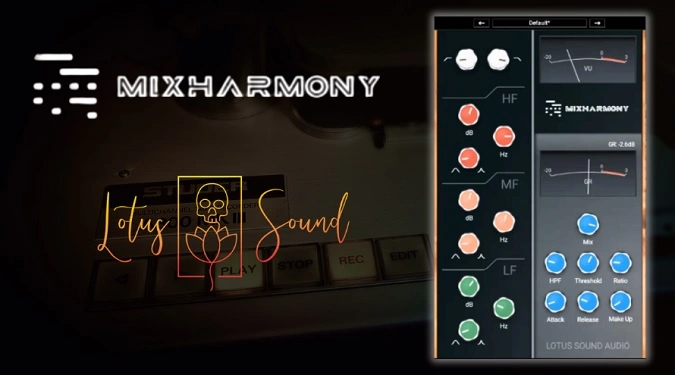
MixHARMONY is the most useful non-Analog Obsession pick if you want a modern, clean channel strip that still leans into British console flavor. It keeps the workflow focused: filters, a three-band parametric EQ, compression, and a mix control for blending the processed signal.
That makes it a good everyday choice for vocals, drums, guitars, and mix bus moves where you want EQ and compression in one place without committing to a heavily colored vintage sound.
Use MixHARMONY when you want a free channel strip that works on both macOS and Windows and feels closer to a straightforward mix tool than a specialty color box.
Download MixHARMONY
5. NastyVCS by Variety of Sound
| Type | Virtual console strip |
|---|---|
| Platform | Windows |
| Format | VST, VST3 |
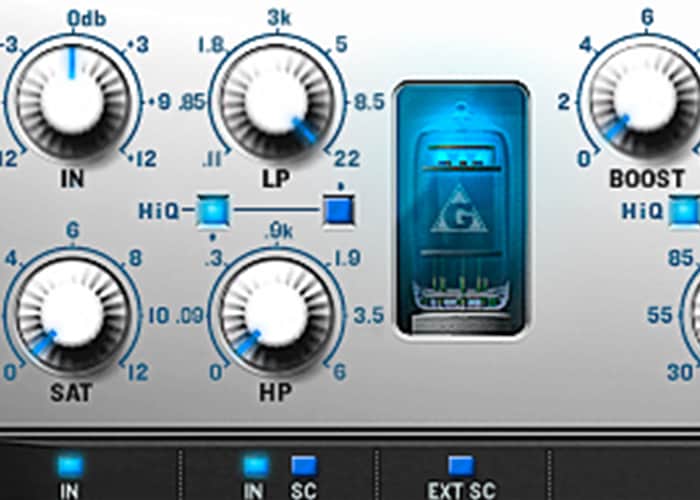
NastyVCS is the Windows pick for producers who want a more character-heavy console strip. It combines saturation, filtering, EQ, compression, limiting, and phase tools, so it can do more than simple EQ-and-compressor channel strips.
The reason to choose it is tone and control. You can use it subtly for console-style shaping, or push the saturation and dynamics harder when a drum bus, guitar, vocal, or synth needs more attitude.
Use NastyVCS when you are on Windows and want a free channel strip with more analog color and mixing-console personality.
Free Channel Strip Caveats
Free channel strip plugins can be excellent, but a few details matter before you install them.
Check the plugin format before downloading. Some free plugins are VST3, AU, or AAX, while older freebies may only be VST or Windows-only. If you use Logic Pro, you need AU support. If you use Pro Tools, you need AAX. If you use FL Studio, Ableton Live, Studio One, Cubase, or Reaper, VST3 is usually the safest modern format.
Also pay attention to workflow. A simple vintage-style strip can sound great, but it may not include a gate, de-esser, limiter, or detailed compressor controls. A fuller strip can do more, but it can also slow you down if you only needed a quick EQ and compressor.
If a channel strip does not cover the exact job you need, you can build your own chain from separate free EQ plugins and free compressor plugins.
Frequently Asked Questions
What is a channel strip plugin?
A channel strip plugin combines several mixing processors in one interface. Most channel strips include some mix of filters, EQ, compression, saturation, gating, limiting, or preamp color. The idea comes from hardware mixing consoles, where each channel has a set of built-in controls for shaping the sound.
Are free channel strip plugins worth using?
Yes, if the plugin matches your workflow and supports your DAW. Free channel strips can be useful for everyday mixing, quick tone shaping, and learning console-style signal flow. Paid channel strips may still offer deeper modeling, better support, more presets, or more polished interfaces, but you do not need a paid plugin just to start mixing with a channel strip workflow.
What should I put first in a channel strip?
Most channel strips are designed around a built-in signal flow, so start with the controls that clean up the source. Use filters to remove unwanted lows or highs, make broad EQ moves, set compression so the level feels controlled, then add saturation or output drive if the plugin includes it.
Do I need an SSL channel strip specifically?
Not necessarily. SSL-style channel strips are popular because they are fast, punchy, and familiar, but they are only one type of channel strip. Neve-style, API-style, Altec-style, British-console style, and custom designs can all be useful. Choose the plugin based on the source and the workflow you want, not just the console name.
Can I use a channel strip on vocals?
Yes. Vocals are one of the best uses for a channel strip because they often need filtering, EQ, compression, de-essing, and output control. CHANNEV is the most complete vocal option in this list, while MixHARMONY is a good choice when you want a cleaner EQ-and-compressor workflow.
Can I use a channel strip on the master bus?
You can, but keep the moves subtle. A channel strip on the master bus is better for broad tone shaping, light compression, and gentle saturation than heavy correction. If you need detailed mastering, use dedicated mastering tools instead.
Does Logic Pro have a channel strip?
Logic Pro has built-in channel strip settings and stock processing that can cover EQ, dynamics, sends, and insert-chain workflows. You can still use third-party AU channel strip plugins if you want a different sound, a faster interface, or analog-style color.
Final Thoughts
If you want one free channel strip to start with, try CHANNEV first. It covers the most complete signal chain and works across a wide range of sources.
If you want color, try ATONE or FrankCS. If you want a more neutral cross-platform EQ-and-compressor strip, try MixHARMONY. If you are on Windows and want a more character-heavy console strip, try NastyVCS.
The best choice is the one that helps you make faster, better mixing decisions without filling every channel with separate plugins.