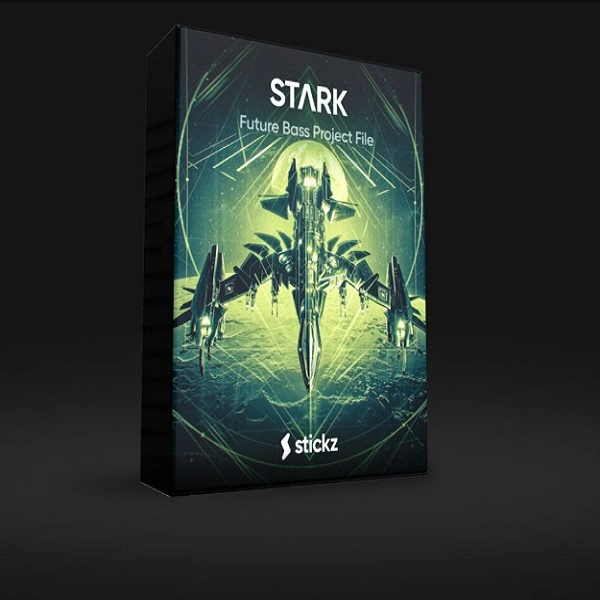
STARK
Audio Preview
Key Features
- Available simultaneously for FL Studio, Ableton Live, and Logic Pro in a single download
- Complete Future Bass production blueprint covering structure, mixing, mastering, and automation
- Premium samples and loops included — all crafted for modern Future Bass sound design
- Custom presets ready to use or customize to fit your own style
- Produced by Stickz, known for 900,000+ downloads of professional EDM production resources
- Each element is isolated and labeled so you can study sound design decisions individually
- Demonstrates professional-level sound selection and arrangement techniques for the genre
Description
STARK is a professional Future Bass project file by Stickz, released simultaneously for FL Studio, Ableton Live, and Logic Pro. It lays out the complete blueprint of a modern Future Bass hit from a producer whose free resources have been downloaded over 900,000 times by EDM producers worldwide.
The project file covers all the core disciplines: song structure, mixing, sound selection, mastering, automation, and sound design in a single cohesive package. Premium samples, loops, and presets are bundled alongside each DAW's project file, so you can solo individual elements and study exactly how each layer — from the supersaws to the kick processing — contributes to the finished sound.
Shipping for three DAWs simultaneously makes STARK unusual in the template space, letting FL Studio, Ableton, and Logic Pro users study the same production side by side. Every sound and preset is fully adjustable, so it functions as both a learning reference and a practical foundation for your own Future Bass productions.
Video Preview

Tips
- Reverse-Engineer the Project File: Open the project file in your DAW and study the arrangement, mixing techniques, and sound design choices. This will give you insights into how a professional Future Bass track is constructed and help you apply similar techniques to your own projects.
- Customize the Presets: Use the included presets as starting points and tweak the parameters to create your own unique sounds. Experiment with different settings to see how they affect the overall sound and fit into your mix.
- Layer the Samples: Combine different samples from the pack to create richer and more complex sounds. For example, layer multiple drum samples to achieve a fuller and more dynamic drum section.
- Utilize the Loops: Incorporate the loops into your tracks by chopping and rearranging them to create new patterns. This can add variety and keep your compositions interesting.
- Analyze the Automation: Pay close attention to the automation used in the project file. Automation can add movement and interest to your tracks, so try to replicate and adapt these techniques in your own productions.
Frequently Asked Questions
Which DAWs does STARK support?
STARK includes project files for FL Studio, Ableton Live, and Logic Pro. All three versions are included in the same download, so you can use whichever DAW you work in.
What plugins are needed to open the project?
The specific plugin requirements depend on which DAW version you open. Stickz builds are typically designed around common EDM production tools. If you're missing a plugin, the audio stems and WAV samples in the pack will still load and play back so you can hear the arrangement.
Can I use the included samples and presets in my own releases?
The samples and loops in Stickz releases are royalty-free production tools, meaning you can use them in your own commercial tracks without licensing fees. Check the stickz.co terms for the full license details.
How does STARK compare to Stickz's paid packs?
STARK is a complete, standalone free release — not a preview or lite version of a paid pack. It represents Stickz's full production approach and is the same quality as their commercial resources.