
Noise Canvas
Key Features
- Paint transformations and effects directly onto an audio-file spectrogram with brushes that work across time and pitch.
- Uses a beat-and-semitone grid with tempo, swing, and scale snapping for musically placed edits.
- Offers 11 stackable spectral effects, including dynamics, transform, blur, repeat, synthesise, evolve, binaural, convolve, and attract.
- Supports multi-step brushes, four macros, presets, hotkeys, pen pressure and tilt, plus per-pixel 2D modulation.
- Keeps branching edit history across restarts and can export audio from individual history branches.
- Splits material with harmonic/percussive, NMF, or AI separation methods before lossless merging.
- Works as an external sample editor in compatible DAWs and includes a beta Ableton Live 12 extension.
Description
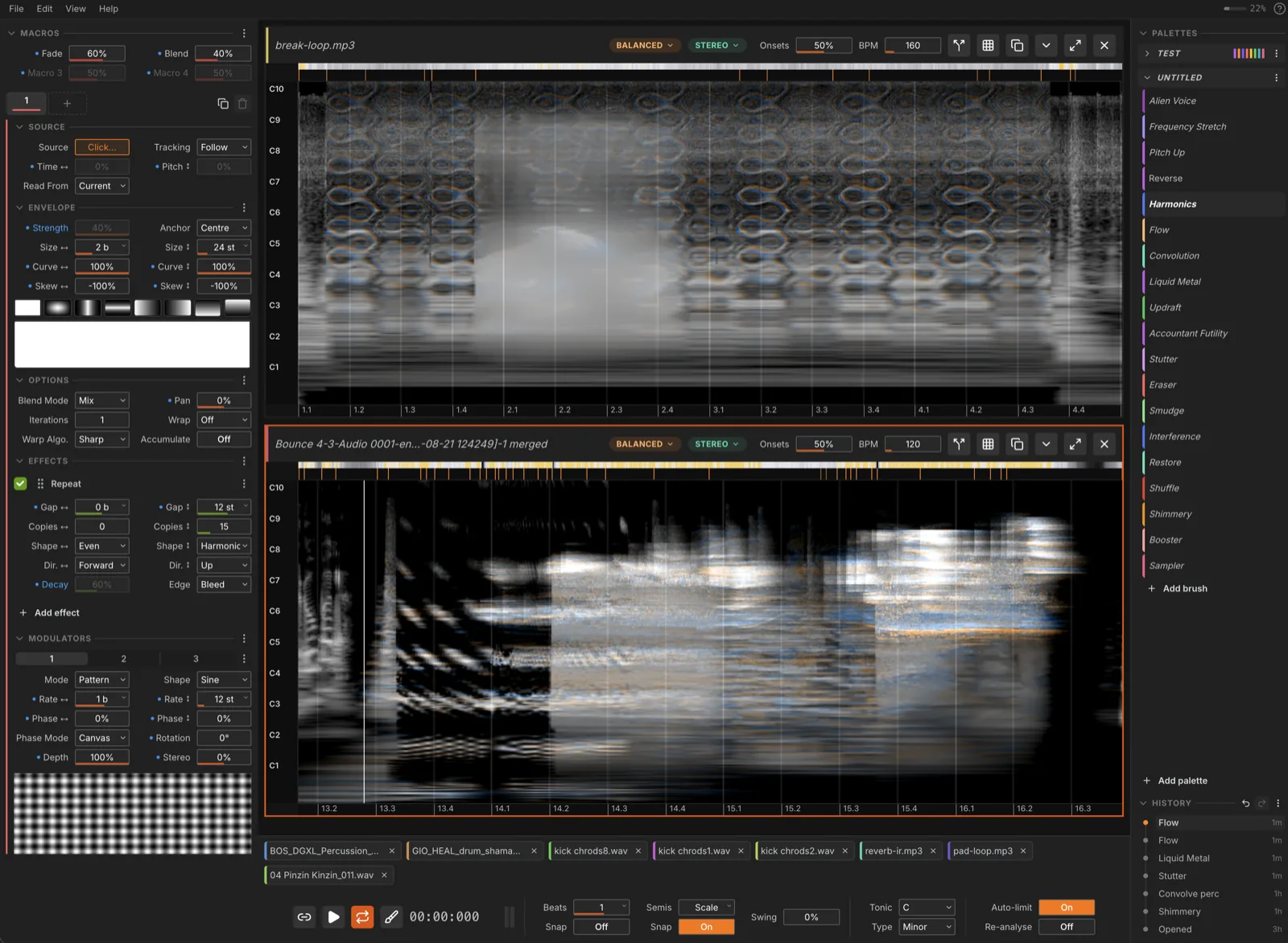
Noise Canvas is a standalone spectral sound-design editor by Rob Clouth that turns an audio file into a paintable spectrogram. Instead of reaching for a conventional effect chain, you use brushes across time and pitch to reshape, blur, repeat, synthesise, and otherwise transform the sound while hearing the result immediately.
Its musical grid is based on beats and semitones, so painted gestures can snap to tempo divisions and scale rather than behaving like arbitrary image edits. The app uses a Constant-Q Transform and preserves phase information, giving its canvas a workflow aimed at intentional pitch and time manipulation.
Eleven stackable spectral effects, multi-step brushes, macros, presets, and 2D modulation provide room for both small corrections and aggressive sound mangling. Branching history preserves alternate directions, while harmonic/percussive, NMF, and AI source separation can split material for individual treatment before merging it again.
Noise Canvas runs as an external sample editor for DAWs that support that hand-off, and its beta Ableton Live 12 extension can embed the editor inside Live. It is best approached as a hands-on audio-design workstation for samples, textures, and sound experiments, rather than as a conventional insert plugin.
Frequently Asked Questions
Is Noise Canvas a VST plugin?
No. Noise Canvas is a standalone desktop audio editor for macOS, Windows, and Linux, rather than a VST, VST3, AU, or AAX plugin. Compatible DAWs can use it as an external sample editor, and Ableton Live 12 has a separate beta extension.
What can I do with Noise Canvas?
Load an audio file, view it as a spectrogram, and paint spectral effects across time and pitch. The official project lists effects for dynamics, transform, blur, repeat, synthesis, evolution, binaural processing, sorting, transmutation, convolution, and attraction.
Which operating systems does Noise Canvas support?
The official download table provides builds for Apple Silicon Macs, Intel Macs, Windows 10 or 11, and Linux. The project states that the macOS app needs macOS 11 Big Sur or newer.
Does Noise Canvas work inside Ableton Live?
There is a beta Ableton Live 12 extension that embeds the editor in Live and can render edited audio back into a set. The standalone app remains the project’s stated stable route, and it can also be assigned as an external sample editor in compatible DAWs.


