Bitter by Stillwell Audio

Key Features
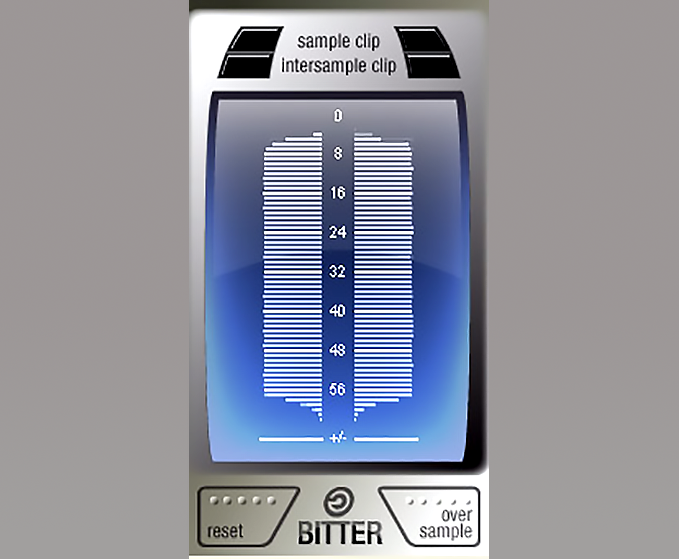
- Bit tree display showing per-bit usage density across both stereo channels in real time
- Intersample clipping detection via internal oversampling to catch peaks that exceed full scale during D/A conversion
- Digital clipping sample counter for tracking how many samples have clipped during a session
- Audio bitrate verification to confirm whether the actual signal bit depth matches the file or DAW engine setting
- Sample rate readout on hover for quick confirmation of your session's audio stream rate
- Stuck-bit error detection where a full-width line flags bits that are always on
- No registration or license key required for full functionality
Description
Bitter is a 64-bit bitscope and intersample clip monitor from Stillwell Audio (also known as Schwa). It visualizes how many of the available bits in your audio signal are actually being used, reports digital clipping samples, and estimates when digital-to-analog conversion would cause inter-sample peaks to exceed full code.
The plugin is built around a unique bit tree display where each bit's usage in each stereo channel appears as a horizontal line. Shorter lines indicate less usage of that bit, missing lines reveal completely unused bits, and full-width lines flag stuck-bit errors.
Within a given bit depth, the display doubles as a dynamic range meter. A signal that is always loud shows longer lines at the top, while quieter passages extend the lower bits.
Bitter also monitors for intersample clipping by oversampling the signal internally. This catches peaks that sit below 0 dBFS in the digital domain but would exceed full scale during D/A conversion, a common issue in loudly mastered material.
Hovering over the display reveals the audio stream's sample rate, making it easy to confirm your session is running at the expected rate. The plugin installs under the brand name Schwa in some DAWs, including Pro Tools.
Bitter requires no license key or registration. It ships as a fully functional download with support for VST, VST3, Audio Units, and AAX on both macOS and Windows.
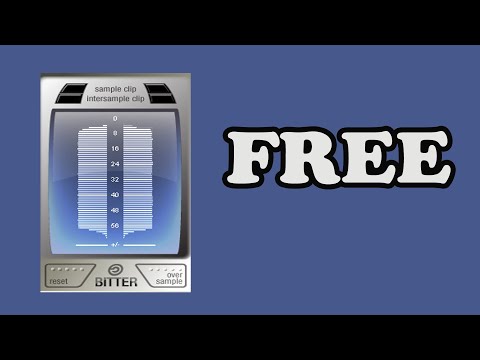
Video Preview
Frequently Asked Questions
Why does Bitter show 24-bit when I loaded a 16-bit file?
If your DAW session is set to 24-bit, the audio engine converts everything to the session's bit depth on playback. Bitter reads the signal as it passes through the plugin, so it reflects the DAW engine's bit depth rather than the source file's original resolution. To test a file's true bit depth, make sure no processing or conversion happens between the source and Bitter.
What is intersample clipping and why does it matter?
Intersample clipping occurs when neighboring samples near 0 dBFS create a peak between them that exceeds full scale during digital-to-analog conversion. This can cause audible distortion on playback hardware even though no individual sample actually clips. Bitter estimates these peaks by oversampling the signal internally.
Why does Bitter appear under the name Schwa in my DAW?
Stillwell Audio plugins are sometimes catalogued under the developer alias Schwa in certain DAWs, particularly Pro Tools. Both names refer to the same developer and the same plugin. Look for it under brand categories starting with S in your plugin manager.
Can Bitter detect if my dither is working correctly?
Yes. After rendering a file with dither applied, insert Bitter on the playback channel. A properly dithered signal will show activity across the expected bit depth with a characteristic noise floor pattern in the lower bits. If the lower bits are completely silent, the dither may not have been applied correctly.