
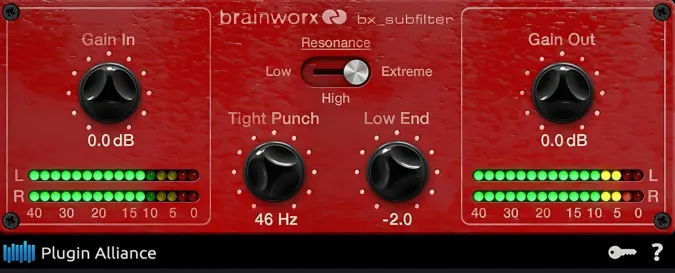
bx_subfilter
Key Features
- Tight Punch resonant high-pass filter (20-90 Hz) that simultaneously removes sub-bass mud and boosts punch at the cutoff frequency
- Three-position resonance selector (Low, High, Extreme) for controlling the intensity of the resonant peak
- Low End bandpass filter with +/- 10 dB range for fine-tuning bass body after the high-pass stage
- Input and output gain controls with metering to maintain consistent levels and prevent clipping
- Four snapshot slots with undo/redo and copy/paste for rapid A/B preset comparisons
- Preset library with genre-specific starting points for kick drums, bass guitars, and full mixes
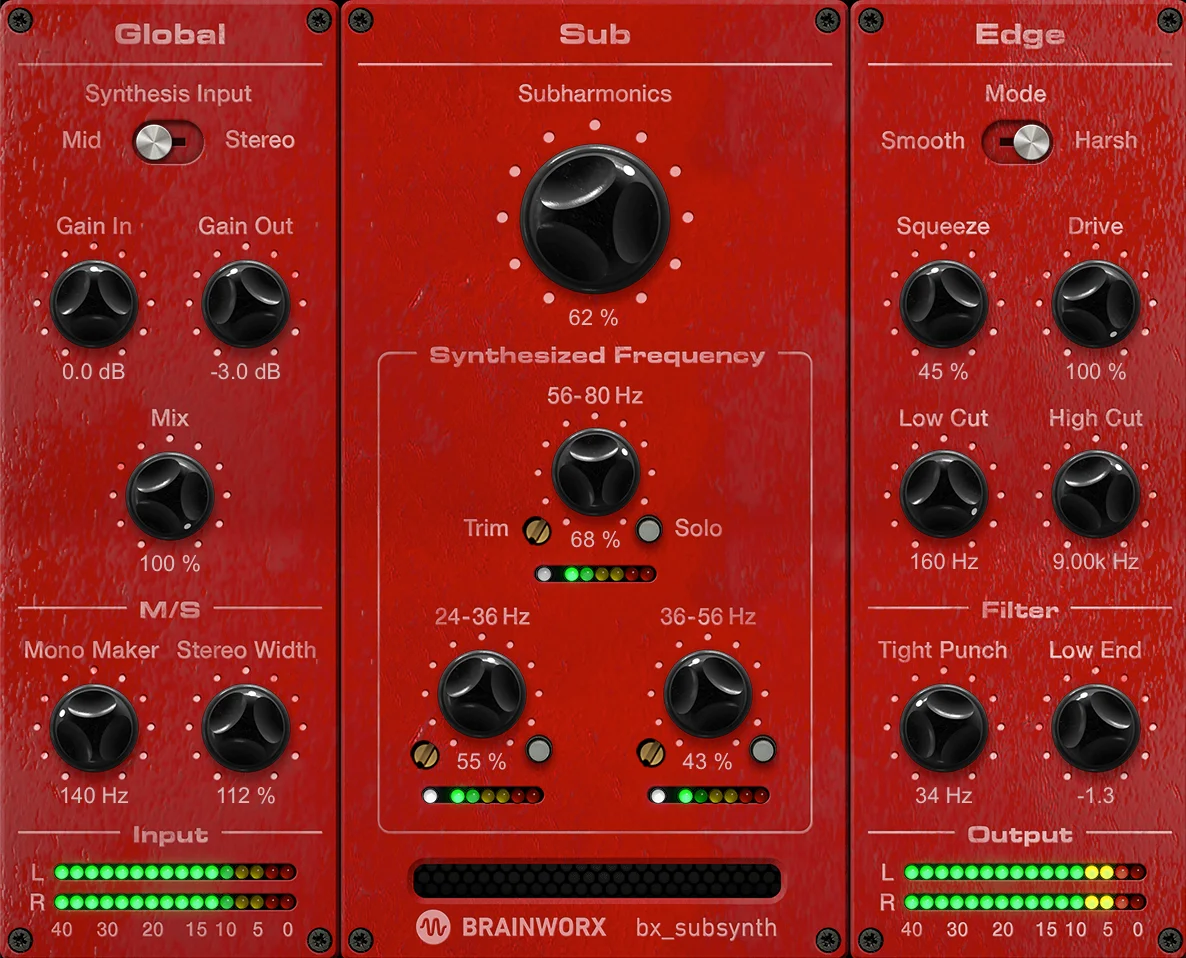
- Derived from the filter section of the paid bx_subsynth, delivering the same low-end filtering algorithm
Description
Brainworx bx_subfilter is a dedicated low-frequency sculpting tool from Plugin Alliance, built to tighten and define the sub-bass region of your mix. It borrows the filter section from the paid bx_subsynth, delivering focused bass control through a streamlined four-knob interface.
The Tight Punch knob acts as a resonant high-pass filter tuned between 20 and 90 Hz, cutting problematic rumble while boosting energy right at the cutoff point. A three-position resonance selector (Low, High, Extreme) lets you dial in how aggressively that resonant peak punches through.
The Low End knob applies a fixed bandpass filter after the Tight Punch stage, adding or removing body in the bass region by up to 10 dB. Matched input and output gain controls keep your levels consistent and prevent clipping when pushing the low end hard.
Mix engineers reaching for surgical parametric EQs to fix muddy kick drums or flabby bass DI tracks often find that a dedicated tool built specifically for this technique delivers faster results. The plugin ships with presets like "Bass Drum Tight" and "Bass Guitar Focused" that serve as reliable starting points for common low-end problems.
Brainworx includes four snapshot recall slots, undo/redo, and copy/paste functionality for quick A/B comparisons across different settings. The plugin runs in both 32-bit and 64-bit environments on Windows and macOS, supporting VST, AU, and AAX formats.
Video Preview


Frequently Asked Questions
How does bx_subfilter differ from a standard high-pass filter?
Unlike a basic high-pass filter that simply removes everything below the cutoff, bx_subfilter uses a resonant high-pass design that boosts energy at the cutoff frequency while cutting below it. This simultaneously cleans rumble and adds punch, which is why it outperforms a generic EQ for kick drum and bass tightening tasks.
What is the difference between bx_subfilter and bx_subsynth?
The bx_subfilter contains only the filter section from the larger bx_subsynth. The paid bx_subsynth adds subharmonic synthesis across three discrete frequency bands, an Edge processor with Smooth and Harsh modes, and more advanced controls. If you only need low-end filtering without subharmonic generation, bx_subfilter covers that use case entirely.
Do I need a Plugin Alliance account to use bx_subfilter?
Yes, you need a free Plugin Alliance account. The plugin is automatically added to your account upon registration and requires activation with your username and password on first launch. No iLok or dongle is needed.
Which resonance setting should I use for kick drums versus bass guitars?
For kick drums, the High or Extreme settings help the transient punch cut through a dense mix. For bass guitar, the Low setting provides gentler tightening that preserves sustained notes without overemphasizing the attack. Start with the built-in presets and adjust from there.


