
Eclipse Noise Suppressor
Key Features
- Three-control noise suppression with Threshold, Decay, and Reduction
- Reduction control can move from subtle cleanup to full noise-gate behavior
- Designed for quick EMI, hiss, hum, and room-noise control on common recording sources
- Works in a DAW without requiring Chaos Audio Stratus hardware
- Also integrates with the Tone Shop and Stratus ecosystem for pedalboard-style use
- Available through the Tone Shop Plugin Installer for macOS and Windows
Description
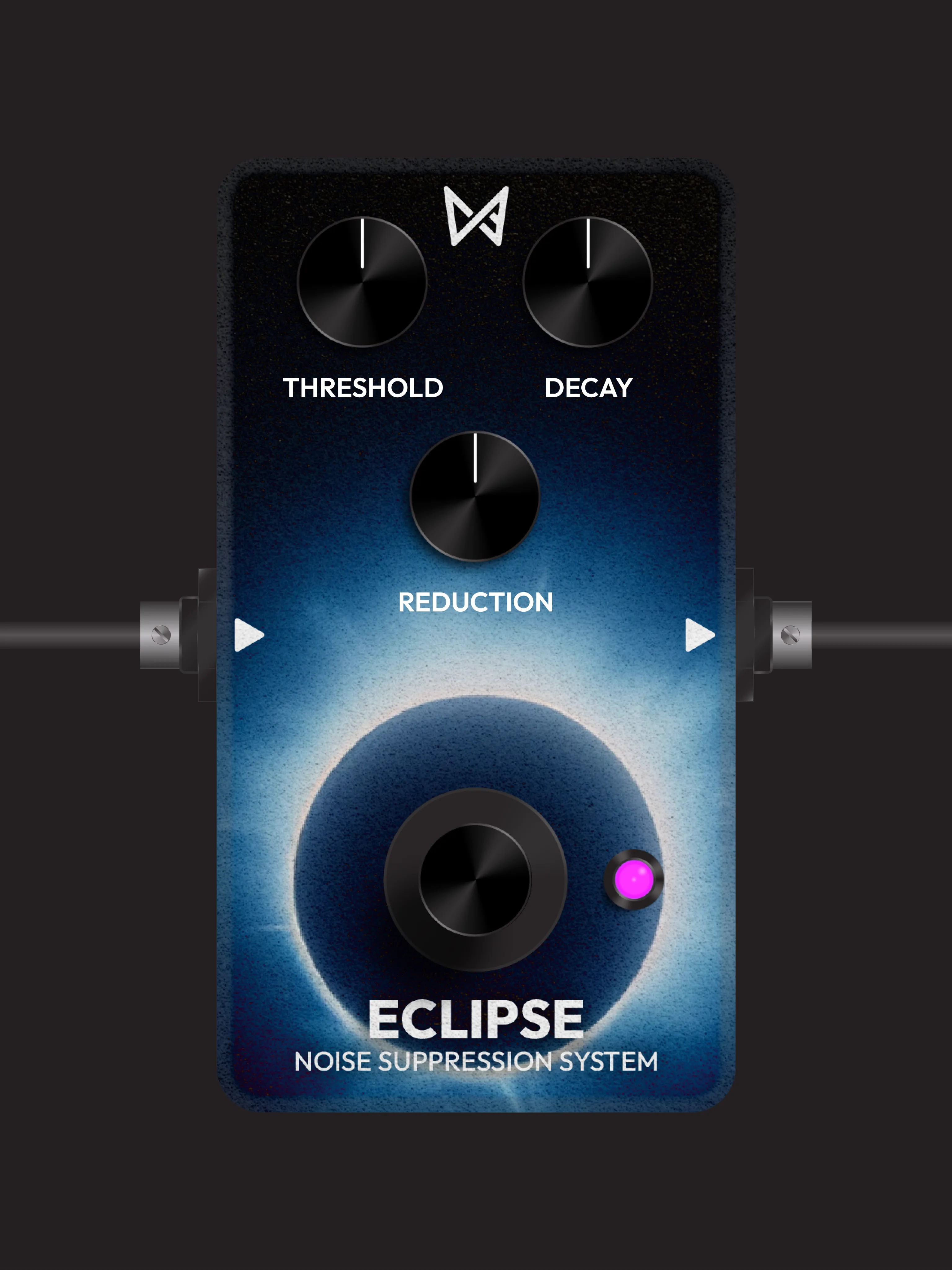
Eclipse Noise Suppressor is a compact gate-style cleanup plugin from Chaos Audio for reducing hum, hiss, and other low-level noise before it distracts from the source. It is built around three controls: Threshold sets the cutoff point, Decay controls how quickly reduction happens, and Reduction decides how much signal is turned down below the threshold.
The workflow is intentionally closer to a stompbox noise suppressor than a forensic restoration suite. Use lighter Reduction settings when you want transparent cleanup on guitars, bass, spoken voice, or home-studio recordings, then push Reduction to maximum when you need a harder noise-gate response.
Eclipse can run in a DAW and is also part of Chaos Audio's Tone Shop ecosystem for the Stratus hardware pedal. That makes it useful for players who want the same simple noise-control behavior while tracking, rehearsing, or building live pedalboard-style presets.
The main tradeoff is that installation goes through the Tone Shop Plugin Installer rather than a standalone Eclipse ZIP. Chaos Audio's installer page also currently notes a known Eclipse crashing issue, so treat this as a promising utility plugin that needs a quick compatibility check in your own DAW before relying on it for a session.
Frequently Asked Questions
Does Eclipse require the Chaos Audio Stratus pedal?
No. The BPB article and Chaos Audio product page both indicate that Eclipse can be used in a DAW, while also working with Chaos Audio's Stratus hardware ecosystem.
Is Eclipse a full spectral noise-repair tool?
No. Eclipse is presented as a noise suppression and gate-style effect with Threshold, Decay, and Reduction controls, so it is better suited to real-time cleanup than detailed restoration of damaged recordings.
How do you make Eclipse behave like a hard gate?
Chaos Audio states that setting Reduction to maximum fully gates noise. Lower Reduction settings are better when you want quieter material reduced rather than completely muted.
Is there anything to watch before installing it?
Yes. Chaos Audio's Tone Shop Plugin Installer page currently says Eclipse has a known crashing issue and that the company is working on a fix, so test it in your own host before using it in a critical project.


