
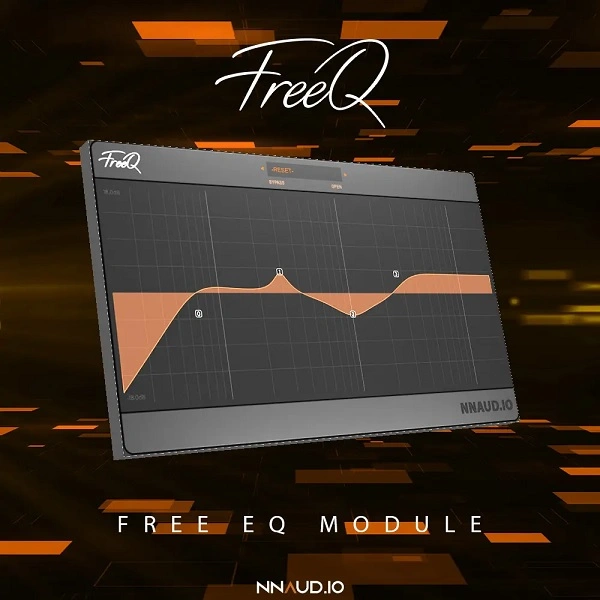
FreeQ EQ module
Key Features
- Click-and-drag interface for adding and positioning EQ bands directly on the frequency curve
- Unlimited EQ bands with no artificial cap on how many you can stack per instance
- Lightweight parametric design focused on speed and visual clarity during mixing
- Custom preset saving and recall for reusing EQ curves across sessions and projects
- Clean, modern GUI with a minimal layout that avoids visual clutter
- Available in both VST3 and AU formats for broad DAW compatibility
- Low CPU overhead suitable for running multiple instances across a large session
Description
FreeQ by New Nation Audio is a parametric equalizer module built around a click-and-drag interface for fast, intuitive frequency shaping. Each EQ band is added with a single click on the frequency curve and positioned by dragging, making band placement feel more like drawing than dialing in numbers.
The plugin supports unlimited EQ bands, which sets it apart from most equalizers that cap you at a fixed number. This means you can stack as many surgical cuts or broad boosts as your mix demands without running into artificial limitations.
Users describe FreeQ as a clean-sounding EQ with a modern, minimal GUI that stays out of the way during mixing sessions. One verified owner noted it works well as a step up from stock DAW equalizers, praising its visual clarity and responsive controls.
The draggable panel approach is well-suited for quick corrective moves like taming harsh frequencies or carving space between competing elements. It handles both broad tonal sweeps and narrow notch cuts, though it leans toward simplicity rather than deep parameter control.
FreeQ is available in VST3 and AU formats for macOS 10.14 and newer and Windows 10 and newer. The installation is straightforward on macOS, though some Windows users have reported needing to verify the plugin scan path in their DAW after installation.
Video Preview

Tips
- Use the click-and-drag functionality to quickly add and adjust EQ bands.
- Take advantage of the unlimited EQ bands to fine-tune your mix.
- Save your custom EQ settings as presets for future projects.
- Experiment with different EQ band placements to achieve the desired sound.
- Utilize the plugin's compatibility with various DAWs to integrate it seamlessly into your workflow.
Frequently Asked Questions
How does FreeQ compare to stock DAW equalizers?
FreeQ offers unlimited EQ bands and a more visual click-and-drag workflow than most stock DAW equalizers. Users have noted it as a step up from built-in options, particularly for its responsive drag interface and cleaner visual feedback when making corrective moves.
Does FreeQ include a spectrum analyzer?
FreeQ does not include a built-in spectrum analyzer. It focuses on a minimal drag-based interface for band placement. If you need real-time spectral feedback, you can pair it with a dedicated analyzer plugin on the same channel.
Are there any known issues with installing FreeQ on Windows?
Some Windows users have reported that their DAW does not immediately detect FreeQ after installation. The fix is typically to verify or manually add the VST3 plugin scan path in your DAW's settings and rescan. The macOS installer works without issues.
Can FreeQ handle both surgical and broad EQ adjustments?
Yes. The unlimited band count and draggable interface let you create both narrow notch cuts for problem frequencies and wide gentle boosts for tonal shaping. However, it does not expose advanced parameters like variable Q slope types or mid-side processing.


