Intermod
Key Features
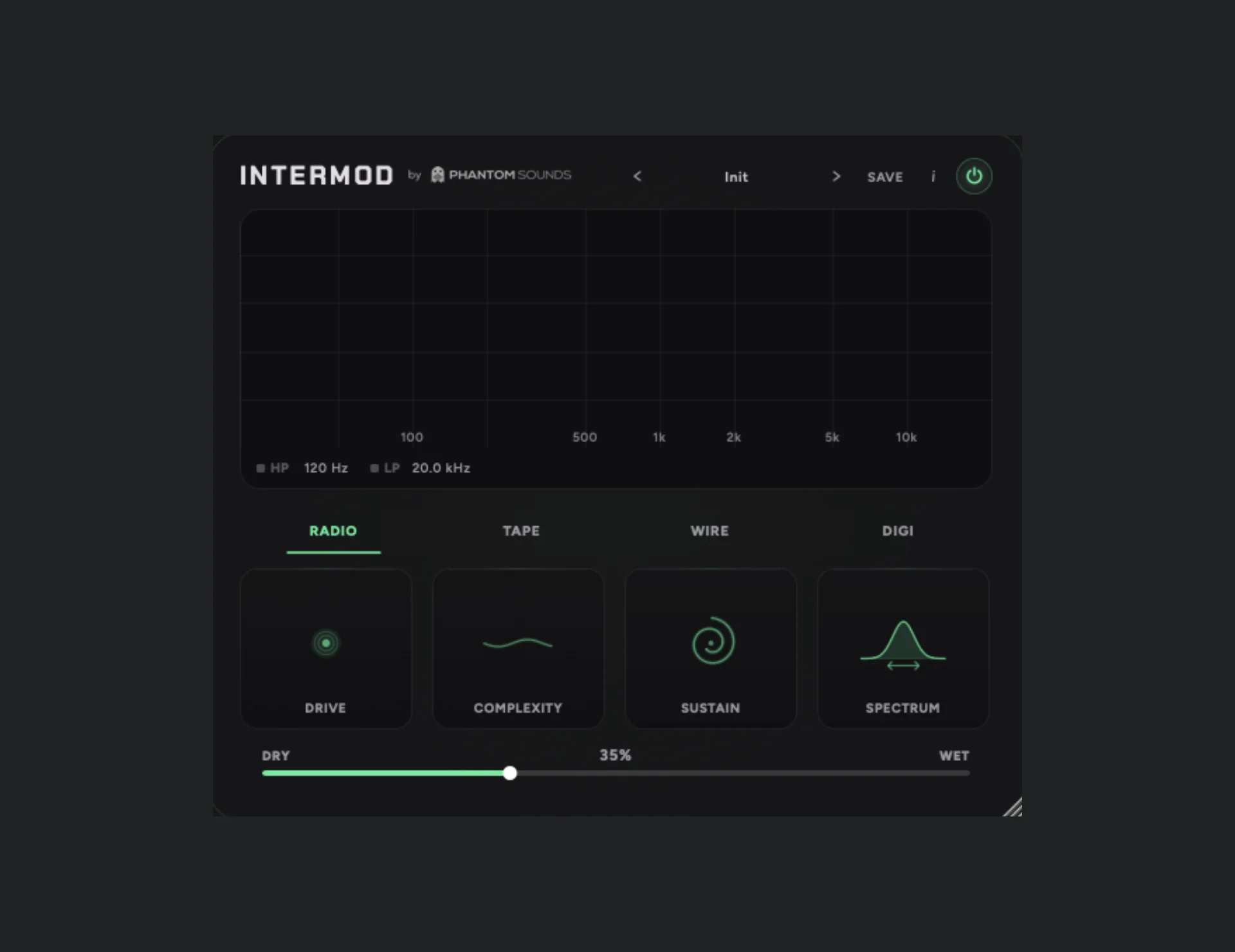
- Self-intermodulation engine generates new ghost frequencies from the signal's own strongest spectral components instead of using a separate carrier
- Four source modes named Radio, Tape, Wire, and Digital cover warmer degradation, unstable interference, and harsher digital destruction
- Drive, Complexity, Sustain, Spectrum, and Dry/Wet controls let you move from subtle textural enhancement to aggressive metallic mangling
- Integrated frequency display plus high-pass and low-pass filters help tame the added harmonics and focus the effect on the most useful range
- Preset bank includes starting points for bass, drums, guitar, piano, synths, vocals, strings, and sound effects
- Excels at turning short sounds into pulsing tails, unstable overtones, and lo-fi radio-style movement for creative sound design
Description
Intermod by Phantom Sounds is a spectral self-intermodulation effect that creates new ghost frequencies by multiplying the strongest parts of your signal against each other. Instead of acting like a standard saturator or ring mod, it turns the source material itself into the modulation engine, so the harmonic character shifts with every input.
The plugin gives you four source modes named Radio, Tape, Wire, and Digital, alongside Drive, Complexity, Sustain, Spectrum, and Dry/Wet controls for pushing the effect from gentle coloration into unstable sound-design territory. A built-in frequency display plus high-pass and low-pass filtering make it easier to shape the added grit instead of just flooding the whole signal with chaos.
In practice, Intermod seems strongest on short or percussive material where it can bloom into pulsing tails, metallic overtones, and lo-fi interference textures without feeling random for the sake of it. Phantom Sounds also includes presets aimed at bass, drums, guitar, piano, synths, vocals, strings, and SFX, which makes it easier to find restrained settings before exploring the harsher side of the processor.
Intermod is listed in Phantom Sounds' permanent Free Plugins section and is currently available for Windows and macOS in VST3, AU, and AAX formats. The catch is that Phantom Sounds distributes the download through an email signup page rather than a direct file link.
Video Preview


Frequently Asked Questions
What makes Intermod different from a normal distortion plugin?
Intermod generates new frequencies by multiplying strong parts of the incoming signal against each other, so the added harmonics depend on what you feed into it. That makes it feel less like a static saturation effect and more like a reactive sound-design processor.
What do the Radio, Tape, Wire, and Digital modes change?
They set the overall flavor of the intermodulation engine, ranging from softer decay and analog-style wear to harsher, more unstable digital destruction. BPB found Radio and Wire especially effective for pushing sounds into stranger, more otherworldly territory.
Can Intermod do subtle processing or is it mainly for extreme effects?
It can do both. Lower Complexity settings keep the movement more stable, and the Dry/Wet control plus onboard filters make it possible to blend in color without fully wrecking the source.
How do you download Intermod?
Phantom Sounds distributes Intermod through its Free Plugins signup page rather than a direct file link. You need to submit your email address to receive the download access from the developer.