Krush – Tasty Bitcrusher

Key Features
- Drive stage with analog-modeled saturation that adds warmth and harmonic character before the bitcrushing algorithms
- Bit depth and sample rate reduction with independent controls for fine-tuning the amount of digital degradation
- Resonant low-pass and high-pass filters spanning 20 Hz to 20 kHz for shaping the crushed signal's tonal character
- Tempo-synced or free-running modulation section with four waveforms and per-parameter depth control
- Fully resizable interface with real-time knob color changes that reflect active modulation depth
- File-based preset system with a preset browser, freezer for safe recall, and clipboard copy/paste
- Dry/wet mix control for parallel processing, blending the original signal with the processed output
Description
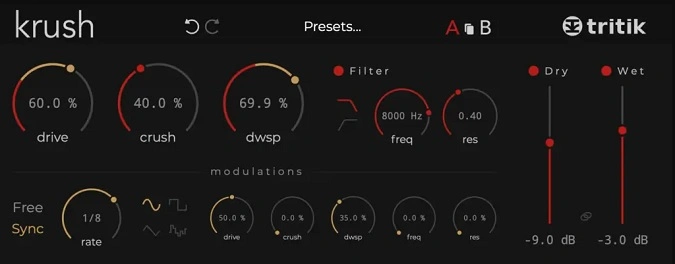
Krush by Tritik is a versatile bitcrusher plugin that pairs bit depth reduction and downsampling with a crunchy drive stage and analog-modeled resonant filters. The combination of digital distortion and analog-style warmth lets you dial in everything from subtle grit to aggressive lo-fi destruction.
The drive section adds saturation and harmonic richness before the signal hits the bitcrushing and downsampling algorithms. Low-pass and high-pass resonant filters with a 20 Hz to 20 kHz range shape the tone further, letting you sculpt the frequency content of the crushed signal.
A dedicated modulation section with four waveforms and tempo-sync capability adds movement to any parameter. Modulation depth controls are available for every knob, so you can create evolving textures and rhythmic stutters without any external automation.
Knob colors change in real time to reflect modulation depth, giving instant visual feedback on what is being modulated and by how much. The fully resizable interface stays clean and readable at any size.
Krush holds a perfect 5.0 rating across user reviews and has been recognized as one of the strongest bitcrushers in its category. The dry/wet control enables easy parallel processing to blend the crushed signal with the clean original.
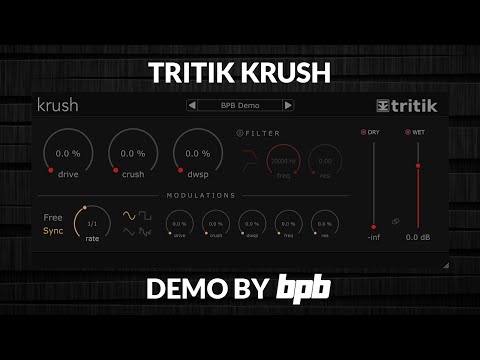
Video Preview

Tips
- Use the drive stage to add warmth and character to your sounds.
- Experiment with bit depth and sample rate reduction to achieve different levels of distortion.
- Utilize the analog-modeled resonant filters to shape the tone of your audio.
- Take advantage of the modulation section to add movement and complexity to your effects.
- Save your favorite settings using the preset system for quick recall in future projects.
- Use the dry/wet control for parallel processing to blend the original and processed signals.
- Explore the different modulation waveforms to create unique sound textures.
- Adjust the modulation depth for subtle or extreme effects depending on your needs.
Frequently Asked Questions
What makes Krush different from other bitcrusher plugins?
Krush stands out by combining three distortion types (drive, bitcrushing, and downsampling) with analog-modeled resonant filters and a full modulation section. Most bitcrushers only offer bit depth and sample rate reduction, while Krush adds a warm drive stage and per-parameter modulation that lets you create evolving, animated effects.
Can Krush do subtle processing or is it only for extreme effects?
Krush handles both extremes well. With the dry/wet mix control you can blend in a small amount of crushed signal for subtle warmth and texture. The drive stage on its own adds gentle analog-style saturation without any bitcrushing, making it useful for mild coloration as well as full-on destruction.
How does the modulation section work in Krush?
Krush has a single LFO that can run in free mode or sync to your DAW tempo. You choose from four waveforms, then set the modulation depth independently for each parameter. This means you can modulate the bit depth, sample rate, filter cutoff, and drive amount all at different intensities from one LFO.
What is the difference between Krush and KrushPro?
KrushPro adds multiple modulation sources including LFOs, step sequencers, and an envelope follower, plus a wavecrushing module, ring modulator, frequency shifter, and stereo modulation capabilities. Krush covers the essentials with one LFO and the core bitcrushing engine, while KrushPro expands into advanced sound design territory for €49.