
MixCompare
Key Features
- Switches between the DAW host signal and loaded reference audio files for focused A/B listening.
- Host-synced playback keeps mix and reference comparisons aligned during a project.
- A drag-and-drop playlist can hold, reorder, and retain multiple reference tracks with the DAW session.
- Playback controls include play, pause, seeking, looping, and fast navigation for repeatable comparisons.
- Peak, RMS, and momentary loudness meters make level differences visible alongside independent volume control.
- A built-in low-pass filter helps isolate low and midrange balance while evaluating a reference.
- Runs as VST3, AU, AAX, LV2, or CLAP, with a standalone build also available from the developer.
Description
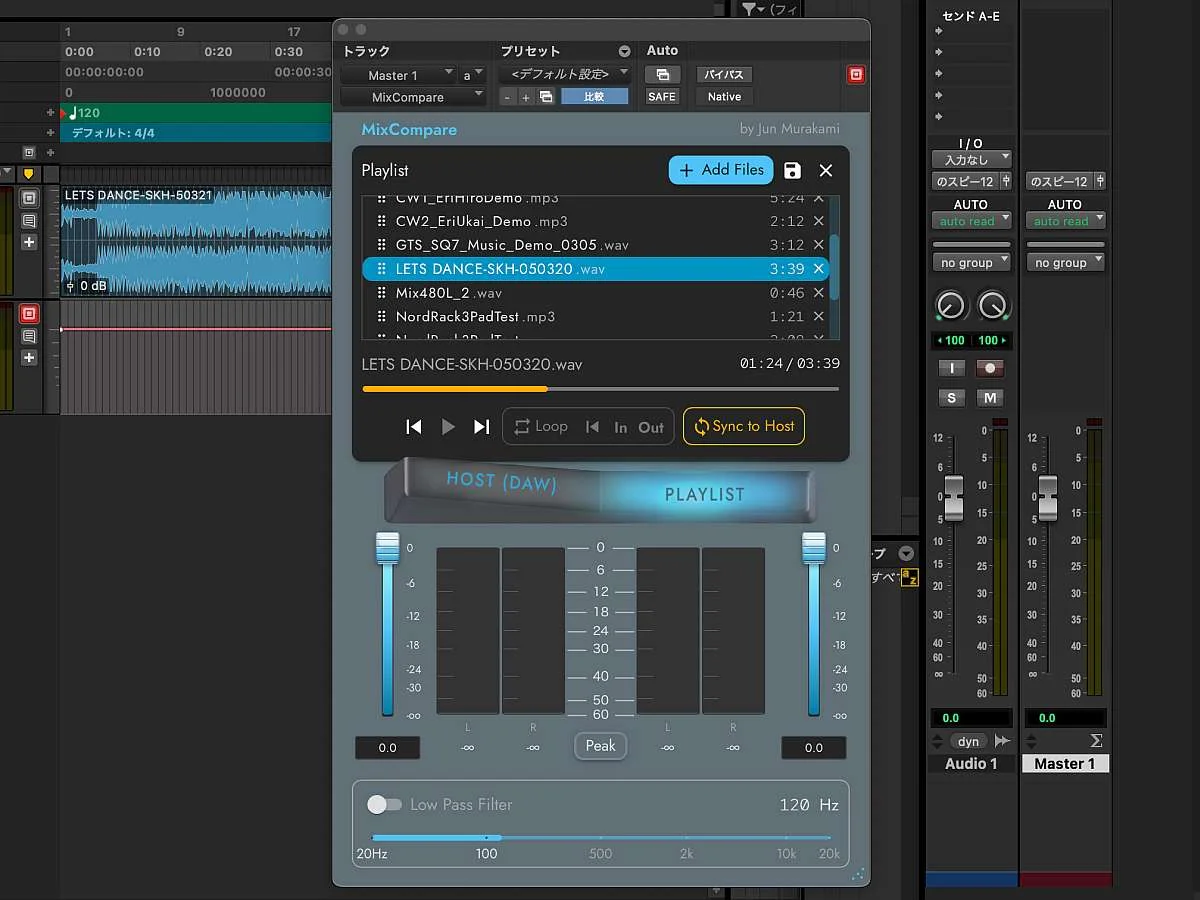
MixCompare is a reference-track comparison plug-in for the final stage of a DAW mix. Load audio files alongside the host signal, then switch between them without leaving the session, using host-synced playback to make A/B checks between a work in progress and reference material more precise.
A playlist lets you gather and reorder several references for a project, while transport controls provide play, pause, seeking, looping, and quick navigation. Because the reference list is saved with the DAW project, it suits repeatable mix-review and version-comparison sessions rather than a one-off export check.
Peak, RMS, and momentary loudness metering make level differences visible when comparing sources. Independent volume controls help keep a louder reference from becoming the automatic preference, and the low-pass filter offers a focused way to listen to low and midrange balance.
The developer positions MixCompare as a lightweight tool for recording engineers, music directors, and composers handling complex projects. It supports VST3, AU, AAX, LV2, and CLAP formats across Windows, macOS, and Linux, with a standalone build also listed by the developer.
MixCompare is permanently distributed by its developer under the AGPL-3.0-or-later license. The official product page provides the current download flow, while the linked public project records the source and release materials.
Frequently Asked Questions
What does MixCompare compare?
MixCompare switches between the signal from the DAW host and audio files loaded as references. It is intended for checking a work in progress against reference tracks or other mix versions on the final-stage bus.
Can I use more than one reference track?
Yes. The plug-in has a playlist for adding, removing, and reordering audio files, and the developer says reference sets can be saved with the DAW project.
How does it help make a fair A/B comparison?
MixCompare provides independent volume control plus peak, RMS, and momentary loudness meters. Those tools help identify level differences that can otherwise make the louder source seem preferable.
Can I compare different versions of the same mix in time?
Yes. The developer describes host-synced playback for precise comparison between mix versions, along with transport controls for seeking, looping, and jumping to useful sections.


