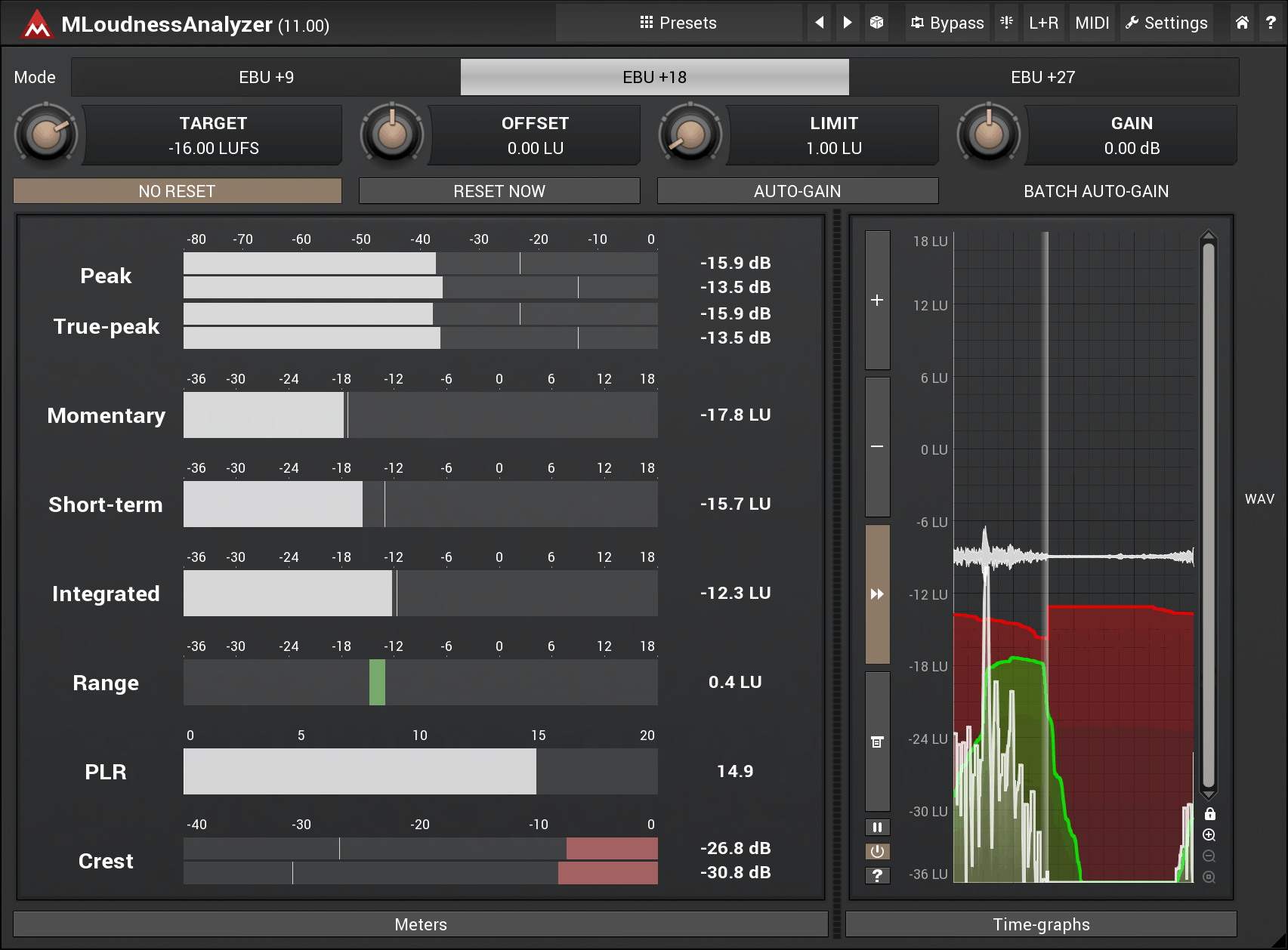
MLoudnessAnalyzer
Key Features
- EBU R128 and ITU-R BS 1770-3 compliant peak, momentary, short-term, integrated, and loudness range metering
- Built-in streaming platform presets for Spotify, YouTube, SoundCloud, and broadcast standards
- Handles mono, stereo, mid/side, surround up to 8 channels, and 7th-order ambisonics (64 channels)
- Batch auto-gain normalizes multiple files to a target loudness in a single pass
- 64-bit internal audio processing at any sample rate for maximum measurement accuracy
- Fully resizable and stylable GUI with customizable colors and layout
- Ships as part of MFreeFXBundle with dozens of additional analysis and utility plugins
Description
MLoudnessAnalyzer is an EBU R128 and ITU-R BS 1770-3 compliant loudness meter from MeldaProduction. It provides peak, momentary, short-term, and integrated loudness readouts alongside a loudness range meter, giving you everything needed to hit target levels for broadcast, streaming, and film.
The plugin supports EBU+9, EBU+18, and EBU+27 scales, with built-in presets for platforms like Spotify, YouTube, and SoundCloud. Rather than forcing you to memorize each service's loudness spec, you select a target and MLoudnessAnalyzer shows exactly how far off your signal sits.
Channel handling goes well beyond stereo. MLoudnessAnalyzer processes mono, mid/side, separate left and right, up to 8-channel surround, and even 7th-order ambisonics with 64 channels, making it a practical choice for post-production, game audio, and immersive formats.
A batch auto-gain feature lets you analyze and normalize multiple audio files to a specified target volume in one pass. This is particularly useful during delivery when an entire album or set of stems needs to meet the same loudness standard.
Users consistently praise the plugin's accuracy, noting that its LUFS readings align closely with commercial meters like Waves WLM and ToneBoosters EBULoudness. The resizable, stylable GUI typical of MeldaProduction plugins keeps the interface comfortable at any screen size.
MLoudnessAnalyzer uses 64-bit internal processing and handles any sample rate. It ships as part of the MFreeFXBundle, so installing it also gives you access to dozens of other MeldaProduction analysis and utility plugins at no cost.
Video Preview

Frequently Asked Questions
What loudness standards does MLoudnessAnalyzer support?
MLoudnessAnalyzer is fully compliant with EBU R128 and ITU-R BS 1770-3, the two most widely adopted broadcast loudness specifications. It also includes presets for Spotify, YouTube, SoundCloud, and other streaming platforms so you can quickly check your levels against each service's target.
How do I set MLoudnessAnalyzer to match a specific streaming platform's target?
Use the preset dropdown to select your target platform, or manually set the TARGET knob to the desired LUFS value. For example, set it to -14 LUFS for Spotify. After playback, hit the auto-gain button to see how much adjustment your signal needs to reach the target.
Can MLoudnessAnalyzer handle surround and immersive audio formats?
Yes. Beyond standard mono and stereo, MLoudnessAnalyzer processes mid/side encoding, separate left and right channels, up to 8 channels of surround audio, and up to 7th-order ambisonics with 64 channels. This makes it suitable for film, game audio, and spatial audio production.
Does MLoudnessAnalyzer work on Apple Silicon Macs?
Yes. MeldaProduction plugins natively support Apple Silicon alongside Intel processors. The plugin requires macOS 10.14 Mojave or newer and runs in VST, VST3, AU, and AAX hosts.