
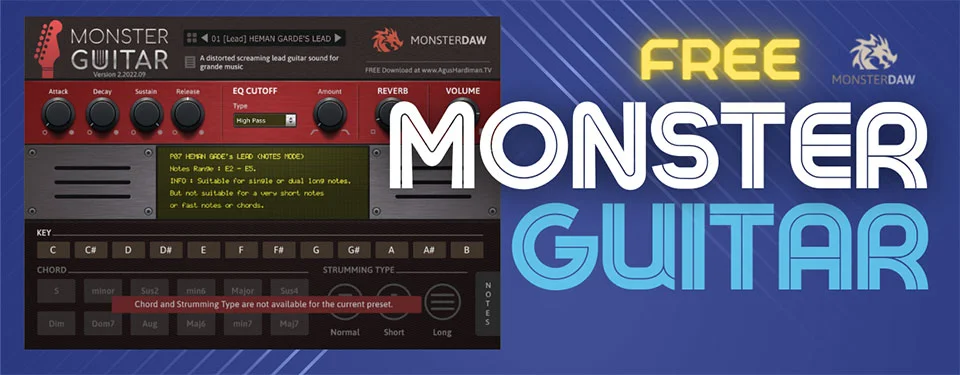
Monster Guitar
Key Features
- Three playing modes (Chord, Lead, Notes) covering strummed progressions, melodic lines, and individual note playback across 14 presets
- Chord mode with adjustable strum patterns for instant rock, pop, and reggae rhythm guitar parts
- Global control panel with master volume, ADSR envelope, delay, and reverb for shaping each preset
- Soundbank can be stored on an external drive, keeping your system drive free of large sample libraries
- Double-click parameter reset for fast knob adjustments during arrangement sessions
- Covers both acoustic and electric guitar tones, from warm fingerpicking textures to driven lead sounds
- Regular expansion sound presets released as updates to grow the instrument's palette over time
Description
Monster Guitar by MonsterDAW is a sample-based virtual guitar instrument built for producers who need quick, convincing guitar parts in their tracks. Created by Agus Hardiman, it delivers acoustic and electric tones across 14 presets organized into three distinct playing modes.
Chord mode handles strummed progressions with adjustable patterns, making it especially useful for rock, pop, and reggae rhythm parts. Lead and Notes modes let you play individual pitches for melodic lines, riffs, and even distorted solos.
The global control panel provides master volume, ADSR envelope shaping, delay, and reverb for tailoring each preset to your mix. The soundbank can live on an external drive, keeping your system drive lean, and parameter knobs reset with a double-click for fast workflow.
Version 2 introduced the preset management system that groups sounds by playing style, along with expanded presets and improved compatibility. Users across multiple production communities praise its crisp, clear tone and surprisingly natural strum behavior for a lightweight instrument.
Monster Guitar runs as VST2, VST3, and AU on both macOS and Windows, with a 32-bit Windows build also available. Installation is manual — you place the plugin file and library folder in your DAW's designated directory.
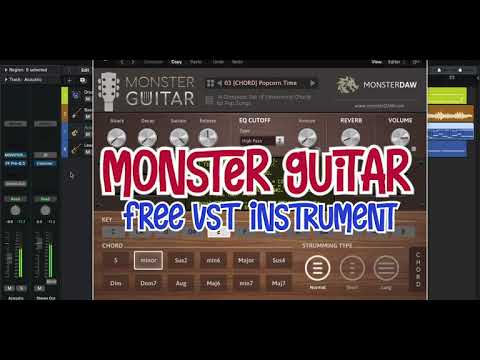
Video Preview

Frequently Asked Questions
How do I install Monster Guitar without an installer?
Monster Guitar does not include an installer. Download the plugin file and library separately, place the plugin (.dll/.vst/.component) in your DAW's plugin folder, then put the library folder in the same location and rename it to match the plugin filename with a .instruments extension. Launch your DAW, open the plugin, and click "Choose Folder" to point it to the preset directory.
What is the difference between Chord, Lead, and Notes modes?
Chord mode plays multi-note strummed chords with adjustable patterns, ideal for rhythm guitar parts. Lead mode plays individual notes with the option to add distortion for solo-style lines. Notes mode also plays single pitches but is tailored for clean melodic phrases and fingerpicking textures.
Can I use Monster Guitar in Pro Tools?
Monster Guitar is available in VST2, VST3, and AU formats but does not include an AAX version. Pro Tools users can load it through a VST host wrapper such as BlueCat PatchWork to bridge the format gap.
Is there a 32-bit version available for Windows?
Yes. Monster Guitar v2 includes a dedicated 32-bit VST build for Windows alongside the standard 64-bit versions. The 32-bit .dll is installed manually the same way as the 64-bit plugin, with the library folder placed in the same directory.


