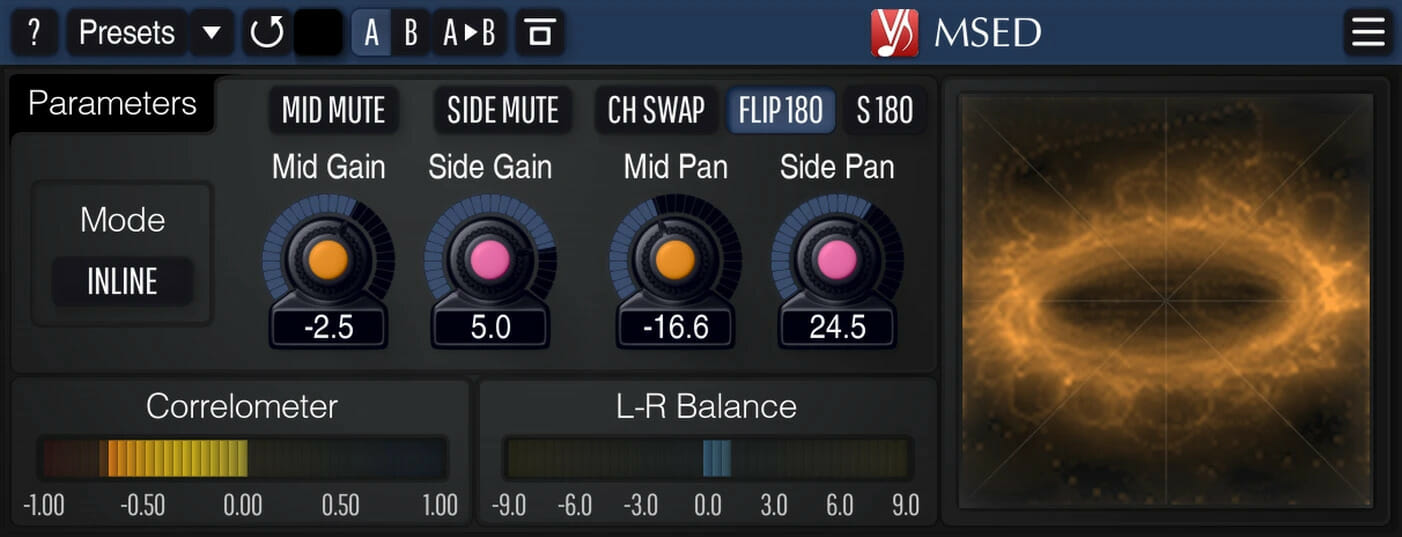
MSED

Key Features
- Mid-side encoding and decoding with inline mode for single-instance gain and pan control over mid and side channels
- Plasma vectorscope with stereo correlation and balance meters for real-time stereo field monitoring
- 180-degree phase flipping and stereo channel swapping for quick signal analysis and correction
- Zero processing latency with 64-bit floating-point internal processing at all sample rates
- Works as an encode-decode wrapper to give any stereo plugin mid-side processing capability
- Resizable interface with multiple color schemes, A/B comparison, and preset manager
- Mid and side mute switches for isolating individual signal components during mixing and mastering
Description
Voxengo MSED is a professional mid-side encoder-decoder plugin that splits a stereo signal into its mid and side components, or recombines a mid-side pair back into standard left-right stereo. It supports AAX, AudioUnit, VST, and VST3 formats on both Windows and macOS, including Apple Silicon.
Beyond simple encoding and decoding, MSED offers an inline processing mode that lets you adjust mid and side gain and panning independently without chaining two plugin instances together. This makes it a practical single-insert solution for stereo width adjustments during mixing or mastering.
The plugin can flip the phase of mid or side channels by 180 degrees, swap stereo channels, and isolate either the mid or side signal for focused monitoring. Its built-in plasma vectorscope, stereo correlation meter, and balance meter provide real-time visual feedback on stereo imaging.
Engineers frequently use MSED to add mid-side capability to plugins that lack it natively, inserting an encode instance before and a decode instance after any standard left-right processor. This technique turns any stereo EQ, compressor, or saturator into a mid-side processing chain.
MSED runs with zero processing latency and supports all sample rates, making it transparent enough for critical mastering sessions. It also features 64-bit floating-point internal processing, a preset manager, undo/redo history, A/B comparison, and customizable color schemes.
Video Preview


Frequently Asked Questions
How do I use MSED to add mid-side processing to plugins that don't support it?
Place one instance of MSED before your plugin set to Encode mode, then place a second instance after it set to Decode mode. The plugin in between will process the mid signal on the left channel and the side signal on the right channel, effectively turning any stereo processor into a mid-side tool.
What is the difference between Encode, Decode, and Inline modes?
Encode splits a stereo signal into mid and side components for downstream processing. Decode recombines a mid-side pair back into stereo. Inline mode handles both steps internally, letting you adjust mid and side gain and panning in a single plugin instance without needing a second MSED.
Does MSED introduce any latency to my signal chain?
No, MSED operates with zero processing latency. This makes it suitable for real-time monitoring and live tracking scenarios, as well as mastering sessions where latency compensation matters.
Can MSED decode mid-side microphone recordings?
Yes, MSED can decode recordings made with a mid-side microphone configuration. Set it to Decode mode with the mid mic on one channel and the side mic on the other, and use the Channel Swap or Flip 180 controls if your mic orientation differs from the default.