mvMeter2
Key Features
- Combines peak, RMS, EBU R128, VU, and BBC or EBU PPM metering in one configurable window
- Switches between single and dual meter layouts for stereo, left, right, mid, side, L/R, or M/S monitoring
- Lets you calibrate reference levels and adjust meter delay, hold behavior, and overload indication for the session
- Includes pre-gain and gain matching controls to compare level changes against a chosen reference
- Offers five themes and GUI scaling up to 400% for a readable always-on meter
- Provides GPU and non-GPU builds so the interface can suit compatible graphics hardware or CPU rendering
Description
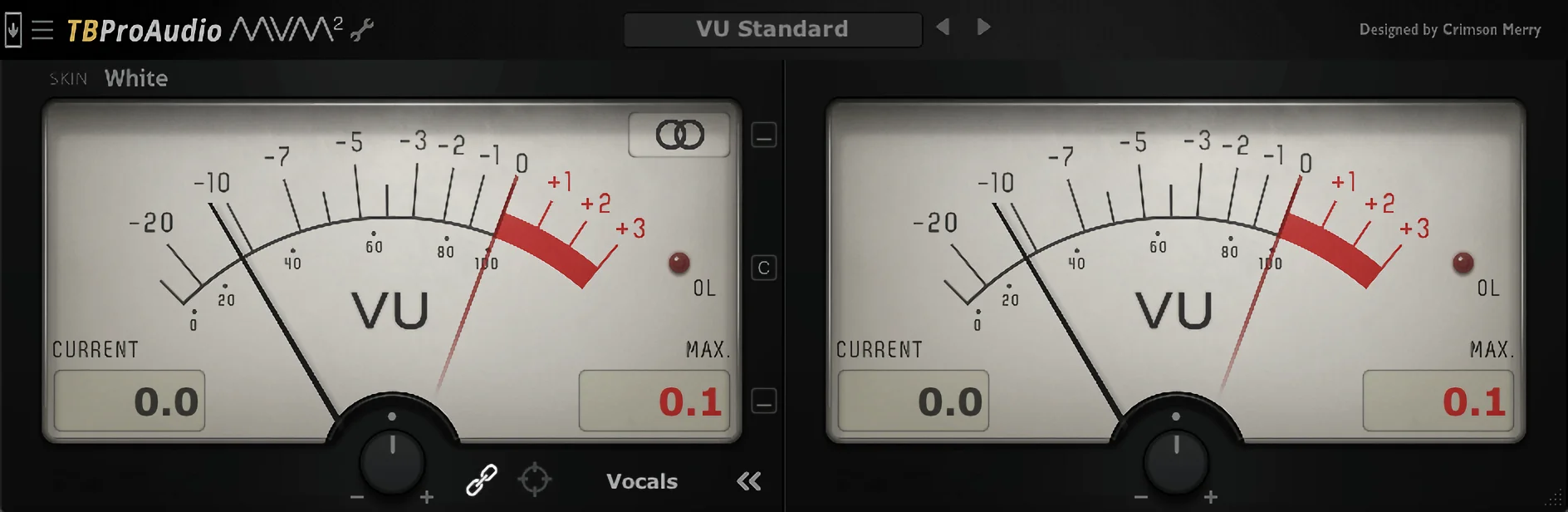
mvMeter2 is a multivariable audio meter from TBProAudio that combines peak, RMS, EBU R128, VU, and PPM readings in one plugin. It is built for checking level, loudness, and gain-staging decisions without swapping between separate meters.
The display can work as a single or dual meter and can inspect stereo, left, right, mid, or side signals. Adjustable reference levels, delay, hold, overload behavior, pre-gain, and gain matching let the meter fit different DAW routing and calibration habits.
Classic VU and PPM behavior makes it useful when balancing average energy or watching fast peaks, while EBU R128 modes add a loudness-focused view. Five meter themes, scalable graphics, and GPU and non-GPU builds make it practical to leave open on a track, bus, or master.
The current release supports current Windows and macOS ranges with VST2, VST3, AU, and AAX builds. Choose the GPU installer when the system meets TBProAudio's graphics requirement, or use the non-GPU build when CPU-rendered graphics are the safer fit.
Frequently Asked Questions
What can mvMeter2 measure?
mvMeter2 includes Peak, RMS, EBU R128, VU, and PPM measurement modes. Its PPM options cover BBC and EBU scales, while its EBU R128 options provide ML and SL loudness measurement.
Can mvMeter2 show mid/side information?
Yes. In single-meter mode it can show stereo, left, right, mid, or side, and dual-meter mode can show L/R or M/S. This makes it useful for checking both conventional stereo balance and mid/side relationships.
Why are there GPU and non-GPU installers?
TBProAudio offers a GPU build for systems with the listed OpenGL or Metal graphics support and a non-GPU build with CPU-rendered graphics. The non-GPU option is intended for systems where the graphics requirement is not a good fit.
Can the meter stay aligned with DAW latency?
Yes. mvMeter2 includes an adjustable meter delay, which TBProAudio documents as a way to time-sync meter activity with buses that have different latencies. It also provides DAW-synced measurement reset in its configuration options.