
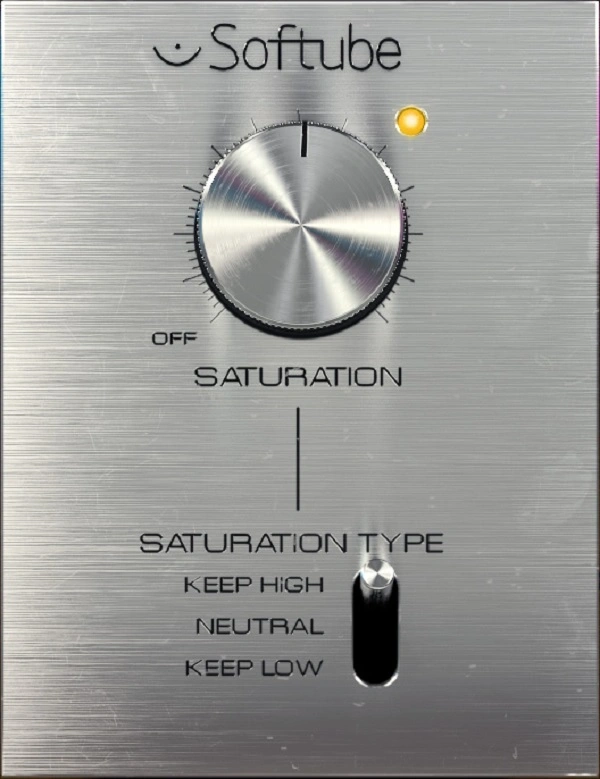
Saturation Knob

Key Features
- Single-knob saturation control modeled on analog tape and tube circuitry for instant harmonic warmth
- Three saturation modes (Keep Low, Neutral, Keep High) that target different frequency ranges for flexible tonal shaping
- Input and output gain controls with headroom adjustment for precise gain staging and level matching
- High-pass filter to remove low-frequency content before saturation, preventing muddy distortion buildup
- Professional metering with Peak, True Peak, RMS, and LUFS monitoring modes for accurate loudness management
- Phase invert control for parallel processing and creative sound design applications
- Resizable GUI with compatibility across Softube Modular and Amp Room platforms for extended functionality
Description
Saturation Knob by Softube is an analog-modeled saturation plugin that adds warmth, harmonic richness, and grit to any audio signal. Built on the same DSP expertise behind Softube's acclaimed paid processors, it delivers convincing analog character through a streamlined single-knob interface.
Three saturation modes shape how the effect interacts with different frequency ranges. Keep Low preserves bass punch while distorting mids and highs, Neutral applies saturation evenly across the full spectrum, and Keep High focuses distortion on lows and mids while keeping the top end clean and articulate.
A 2021 update introduced extended features that addressed longstanding user requests. Input and output gain controls enable precise level matching, a high-pass filter prevents unwanted low-frequency distortion buildup, and a phase invert switch aids parallel processing workflows.
Professional metering options round out the feature set with Peak, True Peak, RMS, and LUFS monitoring modes. These tools bring serious gain-staging capability to what was already a widely used mixing plugin.
Producers frequently reach for Saturation Knob on vocals to add presence, on drum buses to inject analog punch, and on bass lines to bring harmonics into the audible range. At low settings around 0.8 to 1.0 on the master bus, it functions as a harmonic exciter that adds density and sheen without obvious distortion.
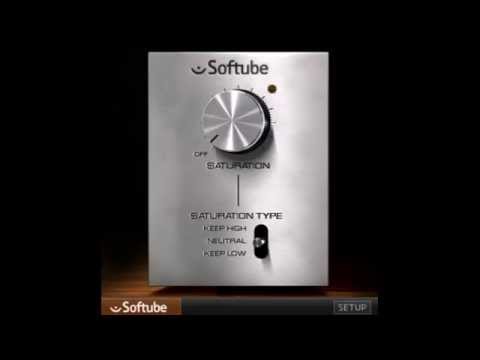
Video Preview

Tips
- Use the Keep Low mode to add saturation to drum loops while preserving the punch of the kick drum.
- Apply the Neutral mode for a balanced saturation effect across the entire frequency spectrum.
- Utilize the Keep High mode to add warmth and body to bass lines without muddying the high frequencies.
- Experiment with subtle settings on vocals to add harmonic richness and presence.
- Increase the saturation dial for more aggressive distortion effects on guitars and synths.
- Use the high-pass filter to avoid unwanted low-frequency distortion.
- Adjust the input and output levels to maintain proper gain staging and avoid clipping.
- Take advantage of the metering options to monitor and control the saturation effect precisely.
Frequently Asked Questions
What is the difference between the three saturation modes?
Keep Low focuses distortion on mids and highs while preserving the low end, making it ideal for drums where you want to keep kick punch intact. Neutral applies saturation evenly across the full frequency spectrum. Keep High distorts lows and mids while keeping the high end clean, which works well on bass lines to add body without muddying the top.
Does Saturation Knob require an iLok dongle?
No physical iLok dongle is required. You need a free iLok account and the iLok License Manager software installed to activate the license, but the license itself is machine-based. The plugin is downloaded through Softube Central, which also manages the installation.
Can Saturation Knob be used on the master bus?
Yes, many producers use it on the master bus at very low saturation settings (around 0.8 to 1.0) to add density and sheen without obvious distortion. At these subtle levels it functions more like a harmonic exciter, adding perceived loudness and cohesion to a mix.
What are the extended features added in the 2021 update?
The update added input and output gain controls, a high-pass filter, phase invert, and professional metering (Peak, True Peak, RMS, LUFS). These additions solved the most common user complaint about the original version, which lacked any way to manage output levels without a separate utility plugin.


