
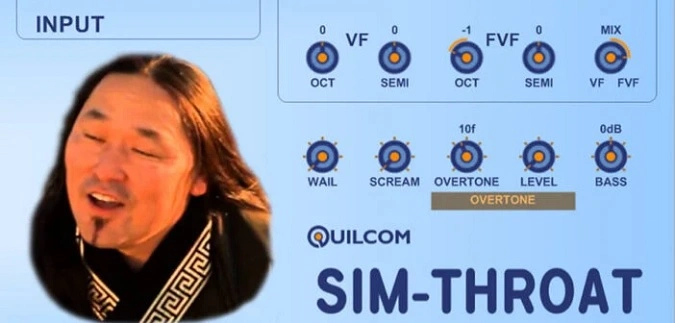
SIM-THROAT
Key Features
- Vocal-driven synthesis engine that detects pitch from live microphone input and feeds it into a vocoder
- Adjustable Tension, Rattle, and Slew parameters for shaping the timbral character of the throat-singing simulation
- Built-in Pitch, Delay, and Reverb controls for adding melodic variation and spatial depth
- Switchable glottal pulse and noise generator oscillator modes for expanded sound design
- Noise gate and Gain controls for clean microphone signal tracking without false triggering
- Extensive preset collection to explore different throat-singing timbres and experimental vocal textures
- Open FlowStone schematic included for users who want to inspect or modify the plugin's internal signal flow
Description
SIM-THROAT by Quilcom is a vocal effect plugin that transforms your singing voice into sounds reminiscent of traditional throat singing. It works by detecting the fundamental frequency of your vocal input and using it to drive an internal synthesizer, which is then processed through a vocoder to create pulsating, overtone-rich textures.
The result is an unmistakably digital interpretation rather than a realistic recreation, but that is entirely by design. The plugin leans into its synthetic character, producing sounds that range from deep rumbling drones to buzzy, harmonically complex vocal tones.
Adjustable parameters like Tension, Rattle, and Slew let you shape the core timbral character of the vocoder output. Additional Pitch, Delay, and Reverb controls add spatial depth and melodic possibilities, while a built-in noise gate keeps unwanted background noise from triggering the synth engine.
A switchable oscillator section lets you alternate between glottal pulse waveforms and a noise generator, opening up further sound design territory. The Gain control ensures your microphone signal hits the processor at the right level for consistent tracking.
Built with FlowStone and sporting a well-organized GUI with clearly labeled controls, SIM-THROAT invites experimentation. Whether you use it to sing bass lines, create alien vocal textures, or add an unusual sonic layer to a production, it brings a genuinely unique tool to your plugin collection.
Video Preview


Tips
- Experiment with the Tension, Rattle, and Slew controls to find unique sound textures.
- Use the Pitch control to create interesting harmonies or bass lines.
- Apply Delay and Reverb to add depth and space to the throat-singing effect.
- Utilize the noise gate to minimize unwanted background noise during recording.
- Adjust the Gain control to ensure the microphone signal is at the optimal level for processing.
- Try switching between glottal pulses and the noise generator to explore different sound possibilities.
- Consider using the plugin on non-vocal tracks, such as percussion, for creative sound design.
Frequently Asked Questions
Do I need a microphone to use SIM-THROAT?
Yes, SIM-THROAT is designed to process live vocal input. It detects the fundamental frequency of your singing voice to drive the internal synthesizer and vocoder chain, so a microphone connected to your audio interface is required.
Does SIM-THROAT accurately recreate traditional throat singing?
No, and the developer is upfront about that. SIM-THROAT produces a distinctly digital interpretation that implies throat-singing characteristics like pulsating overtones and deep drones, but it is not aiming for an authentic recreation of Mongolian or Tuvan throat-singing techniques.
Can I use SIM-THROAT on non-vocal audio sources?
While it is designed for vocal input, you can experiment with feeding other monophonic audio sources through it. Percussion and sustained tones can produce interesting results, though the pitch tracking works best with clear, single-note vocal signals.
What is the FlowStone schematic included with the download?
FlowStone is the visual programming environment Quilcom uses to build plugins. The included .fsm schematic file lets you open and inspect the plugin's entire signal flow if you own FlowStone, and you can modify or reuse components in your own projects.


