
Vinyl
Key Features
- Six independent degradation controls covering mechanical noise, electrical hum, record wear, dust, scratches, and warp for precise vinyl character shaping
- Lo-fi effect module that instantly applies the saturated, resampled tone of late-1980s hip-hop production
- Spin-down feature that simulates a turntable stopping, gradually dropping pitch and tempo for dramatic transitions
- NKS-compatible for hands-on preset browsing and parameter control via MASCHINE and KOMPLETE KONTROL hardware
- Extremely low CPU footprint allowing dozens of simultaneous instances even in complex sessions
- Clean, straightforward interface that keeps all controls visible on a single panel for fast workflow
- Broad DAW support including Logic Pro, Pro Tools, Ableton Live, FL Studio, Cubase, Studio One, Reaper, and Reason
Description
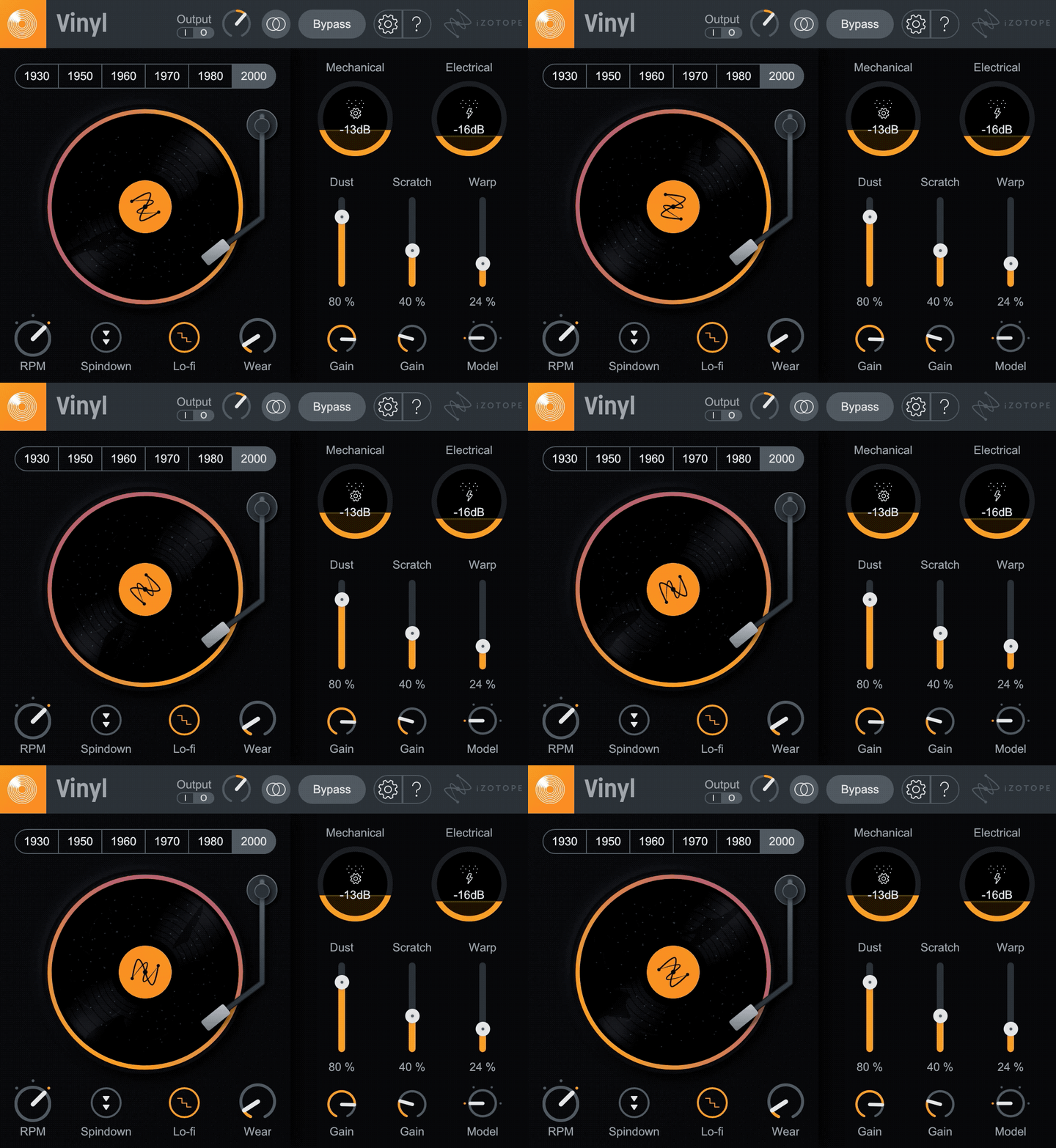
iZotope Vinyl recreates the imperfections of vinyl playback, simulating dust, scratches, warp, and mechanical noise from turntables and records. Originally released in 2000, it has been a staple in lo-fi production for over two decades, earning a devoted following among beatmakers and sound designers.
The plugin offers six degradation controls: mechanical noise (turntable motor rumble), electrical noise (60 Hz grounding hum), record wear, dust accumulation, scratch depth, and warp amount. Each parameter can be dialed in independently, letting you craft anything from subtle warmth to heavily weathered textures.
A dedicated Lo-fi effect applies the saturated, resampled character of late-1980s hip-hop production in a single click. The spin-down feature adds a dramatic tape-stop-style slowdown, dropping pitch and tempo as the virtual record grinds to a halt.
Vinyl uses minimal CPU resources and runs comfortably across dozens of instances in a session. NKS integration means MASCHINE and KOMPLETE KONTROL users can browse presets and tweak parameters directly from their hardware without touching a mouse.
Version 1.13.0 added Windows HiDPI support and updated DAW compatibility, supporting Logic Pro 11, Pro Tools 2024, Ableton Live 12, FL Studio 2024, Cubase 14, and Studio One 7 among others. The plugin ships in AU, AAX, VST2, and VST3 formats, all 64-bit only.
Video Preview


Frequently Asked Questions
Does iZotope Vinyl work natively on Apple Silicon Macs?
Yes, Vinyl runs natively on Apple M-series chips as well as under Rosetta 2 on Intel-based Macs. The minimum supported macOS version is Ventura (14.7.x), with full support for Sonoma and Sequoia.
Can I sync the vinyl noise and scratches to my DAW's tempo?
No, the noise and scratch elements in Vinyl are not tempo-synced and cannot be locked to MIDI clock. The artifacts are generated continuously, which gives them a realistic random quality but limits precise rhythmic control over crackle placement.
What is the Lo-fi feature and how does it differ from the other controls?
The Lo-fi effect is a separate module that applies the saturated, resampled timbre characteristic of late-1980s hip-hop production. While the other six controls simulate physical turntable imperfections individually, Lo-fi adds a combined tonal coloration inspired by the sound of records being sampled through low-budget gear.
How do I install Vinyl since it moved to Native Access?
Vinyl is now managed through Native Instruments' Native Access application. Download Native Access from the iZotope website, create or sign in to your account, and Vinyl will appear as an available product to install. Note that earlier VST2 builds are only available via Rosetta on Apple Silicon Macs.


