WarpCore
Key Features
- Multiband spectral inversion that divides the audio spectrum into individually invertible segments for robotic, metallic, and negative harmony effects
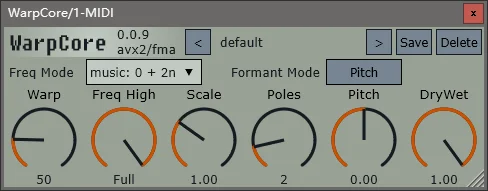
- Six adjustable parameters (Warp, Freq High, Scale, Poles, Pitch, Dry/Wet) providing deep control over the spectral warping character
- Filter pole count configuration where lower values create rough gritty textures and higher values produce smooth metallic resonances
- Formant shifting mode that changes vocal formants without altering pitch, enabling alien and robot voice transformations
- Zero-latency processing with dynamic SIMD dispatch for efficient CPU usage across modern processors
- Open-source codebase hosted on GitHub with active development and frequent releases
- Full cross-platform support including Windows, macOS (Intel and Apple Silicon native), and Linux
Description
WarpCore by ManasWorld is a multiband spectral inversion plugin that divides your audio spectrum into segments and individually inverts each one, producing robotic voice tones, metallic textures, and negative harmony effects. It recreates the spectral warping algorithm found in Zynaptiq's Wormhole and Prosoniq's PiWarp, both of which are discontinued or expensive.
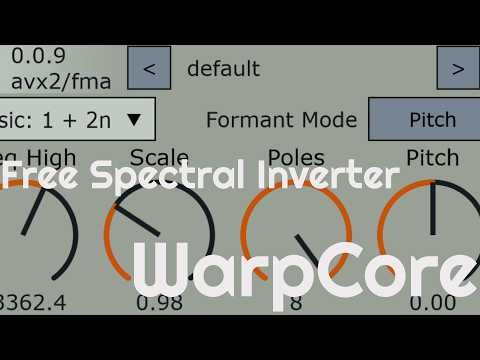
The plugin operates through six core parameters that shape the spectral inversion together. The Warp control sets how many frequency bands are split and inverted, while Freq High determines the ceiling frequency for the effect.
Scale adjusts the filter cutoff within the inversion engine, creating comb-filtering and resonator effects at values below 1.0 and overlapping spectra above 1.0. Poles controls the filter order, where lower values produce rough, gritty textures and higher values create smooth metallic resonances.
A Formant mode routes pitch processing before or after the oscillator stage, enabling formant shifting without changing pitch. The dry/wet mix at different blend points creates phase cancellations that add further tonal character.
WarpCore runs with zero latency using dynamic SIMD dispatch for efficient CPU usage. It supports VST3, AU, and LV2 formats across Windows, macOS (Intel and Apple Silicon), and Linux.
Video Preview

Frequently Asked Questions
How does WarpCore compare to Zynaptiq Wormhole?
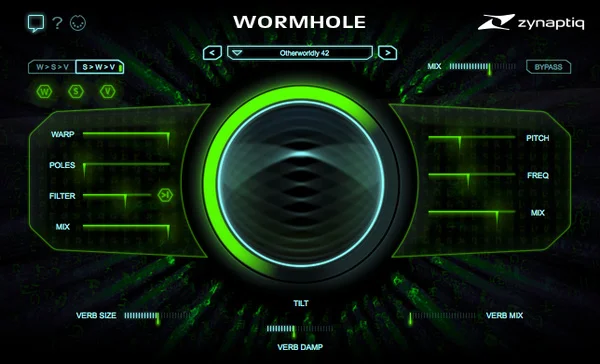
WarpCore recreates the spectral inversion algorithm from Wormhole, producing similar robotic and metallic effects. Wormhole includes additional features like dual reverbs, pitch shifting modes, and a more polished GUI, while WarpCore focuses specifically on the spectral warping core with formant shifting and is completely open-source.
What does the Poles parameter do?
Poles controls the filter order in the spectral inversion engine. The developer recommends values between 2 and 4. Lower values produce rougher, grittier textures reminiscent of circuit-bent gear, while higher values create smoother, more metallic resonances.
Does WarpCore require removing macOS quarantine attributes?
Yes. Since WarpCore is distributed outside the Mac App Store, macOS may block it from loading. Run the terminal command 'sudo xattr -dr com.apple.quarantine' followed by the path to the plugin file to remove the quarantine flag before first use.
Can WarpCore be used for vocal processing?
Yes. The spectral inversion combined with the formant shifting mode is particularly effective on vocals, producing robotic, alien, and otherworldly voice transformations. The dry/wet mix lets you blend the processed signal for subtle or extreme effects.