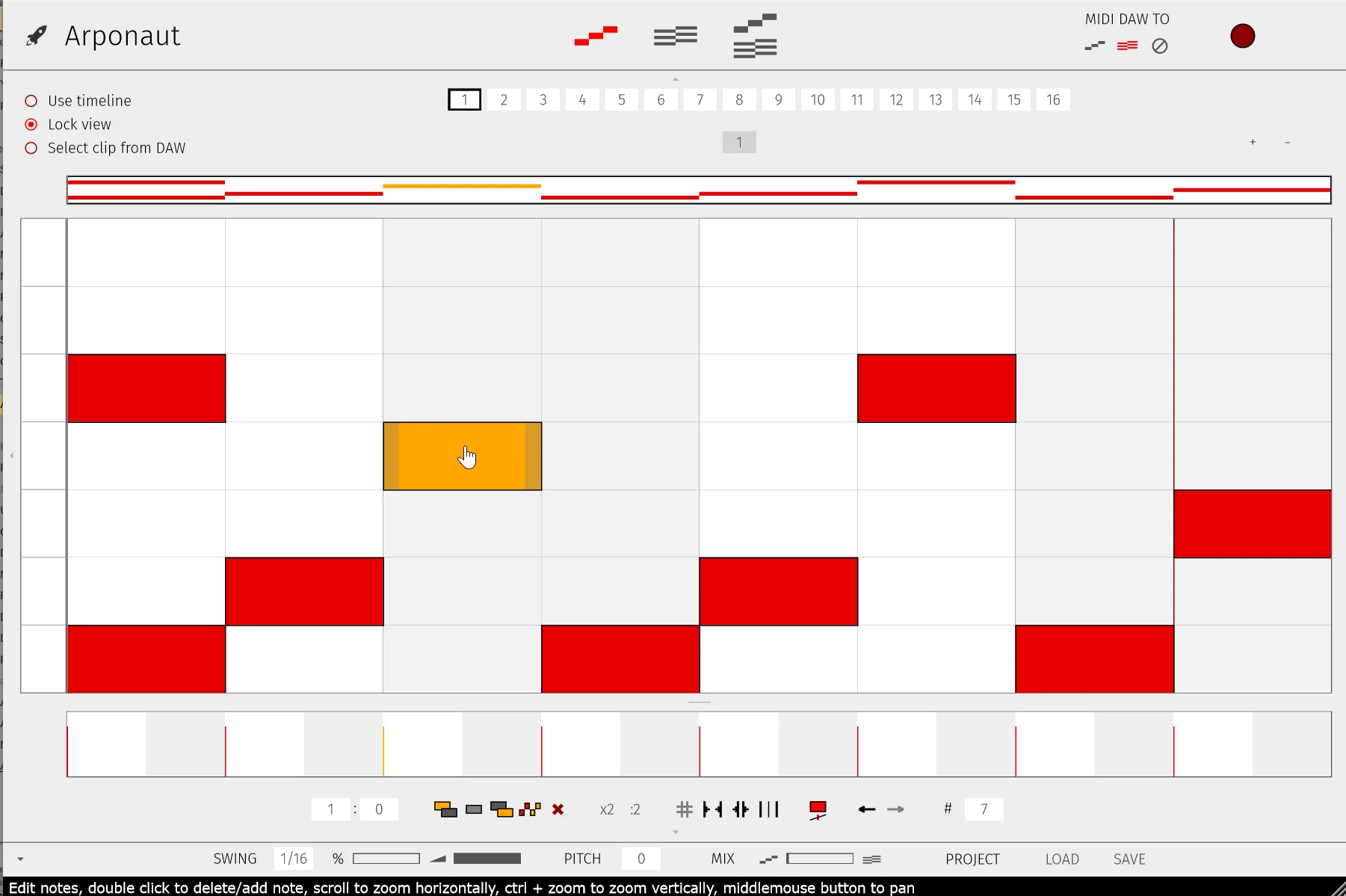
Arponaut
Key Features
- Pattern and Chords lanes are editable separately, so you can shape rhythmic movement and harmonic motion at the same time instead of locking everything into one fixed arp mode
- Piano-roll style note editing makes it easy to resize notes, move groups, duplicate passages, and build more deliberate sequences than a simple up/down arpeggiator
- Chord view can be drawn by hand, fed from DAW MIDI, or populated by dragging in an existing MIDI file when you want to reharmonize a pattern quickly
- Flexible MIDI routing lets you send incoming notes to the pattern lane, the chord lane, or both, opening workflows that standard arpeggiators usually cannot handle
- Dedicated swing handling and per-note velocity editing help patterns feel less robotic and make it easier to dial in groove without leaving the plugin
- Multiple views, including a combined Pattern+Chord mode, keep the plugin useful for both fast sketching and more detailed sequence editing
Description
Arponaut is a pattern-based MIDI arpeggiator for macOS and Windows that gives you direct control over both the note pattern and the chord progression inside one plugin. Instead of relying on a fixed up/down arp mode, it lets you sketch rhythmic note shapes and harmonic movement in a piano-roll style workflow that feels closer to editing MIDI in a DAW.
The standout idea is the separate Pattern and Chords lanes. You can draw or edit the arp rhythm in one view, build the harmonic sequence in another, then combine them so one pattern can travel across changing chords without constant manual rewriting.
That makes Arponaut more flexible than a basic stock arpeggiator when you want evolving riffs, tighter melodic control, or fast experimentation from a single held note or simple chord input. The plugin also supports routing MIDI from your DAW into the pattern lane, the chord lane, or both, plus dragging MIDI into the chord section when you want to adapt an existing progression quickly.
At this stage the scope is focused rather than bloated: Arponaut ships as a VST3 MIDI effect with dedicated macOS and Windows builds, and the official itch.io release is still name-your-price with a zero-dollar option. If you want a lightweight creative arp that can move from straightforward pulse patterns to more deliberate chord-driven sequences, it already looks like a practical writing tool rather than a throwaway tech demo.
Video Preview


Frequently Asked Questions
What makes Arponaut different from a basic DAW arpeggiator?
Most stock arpeggiators focus on the note order and rhythm only. Arponaut also gives you an editable chord lane, so the same rhythmic pattern can move across a programmed harmonic sequence without rebuilding the arp by hand every time the chords change.
Can Arponaut use MIDI you already wrote in your DAW?
Yes. The official workflow supports routing DAW MIDI into the pattern lane, the chord lane, or both, and the chord section also accepts dragged-in MIDI files. That makes it practical for reshaping an existing progression rather than starting from scratch on every project.
Is Arponaut an instrument with its own sounds?
No. Arponaut is a MIDI arpeggiator effect, so you route its output into another instrument or synth in your session. Its job is to generate and reshape note patterns, not provide an internal sound engine.
How does the free download work right now?
The official itch.io release is set up as name-your-price, and the page still exposes a zero-dollar download path for both macOS and Windows builds. You can tip the developer if you want, but the current release does not require a paid checkout to access the installers.