
B8 Organ

Key Features
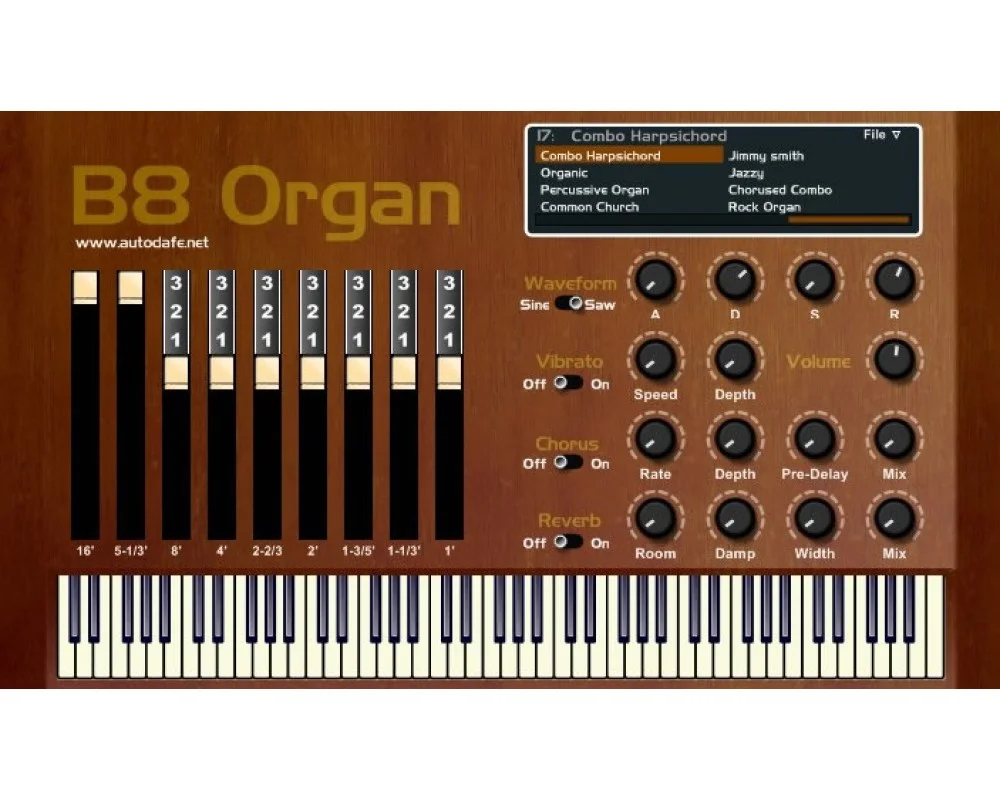
- Build organ tones with nine oscillators and drawbar controls.
- Switch between sine and saw waveforms for different vintage organ characters.
- Shape the harmonic balance with the instrument's drawbars.
- Add movement using built-in vibrato and chorus.
- Give organ parts space using the integrated reverb.
- Start from named presets and adjust the visible envelope controls.
Description
B8 Organ is a Windows VST instrument by Autodafe that recreates the character of organs from the 1960s and 1970s. Its nine oscillators, drawbars and built-in effects provide a compact starting point for vintage keyboard parts.
A waveform switch changes the underlying character: sine waves produce church and Hammond-style tones, while saw waves move toward the sound of vintage combo organs. Adjusting the drawbars lets you change the harmonic balance before adding modulation or ambience.
Vibrato, chorus and reverb are available on the instrument itself, making it possible to shape a complete organ part without first adding separate effects. The interface also presents an envelope and a selection of named presets, giving players a starting point for exploring different sounds.
The developer describes B8 Organ as a Windows-only VST and instructs users to put the DLL in their VST folder. The discovery listing identifies it as a 32-bit plug-in, so check whether your host can load 32-bit VST instruments before planning a project around it.
This is a straightforward vintage-flavored instrument rather than a detailed recreation of one particular console. It suits keyboard players who want to explore drawbar settings and switch between rounded and brighter organ colors within a single plug-in.
Frequently Asked Questions
What is the difference between the sine and saw settings?
Autodafe describes the sine setting as suitable for church and Hammond-style tones. The saw setting aims at brighter vintage combo-organ sounds such as Farfisa-style parts.
Does B8 Organ include effects?
Yes. Vibrato, chorus and reverb are built into the instrument, so those treatments can be adjusted from its interface.
How is B8 Organ installed?
Autodafe says to place the downloaded DLL in your VST folder. Your host must then scan that folder and be able to load this older 32-bit VST instrument.


