LoFi Flux Light
Key Features
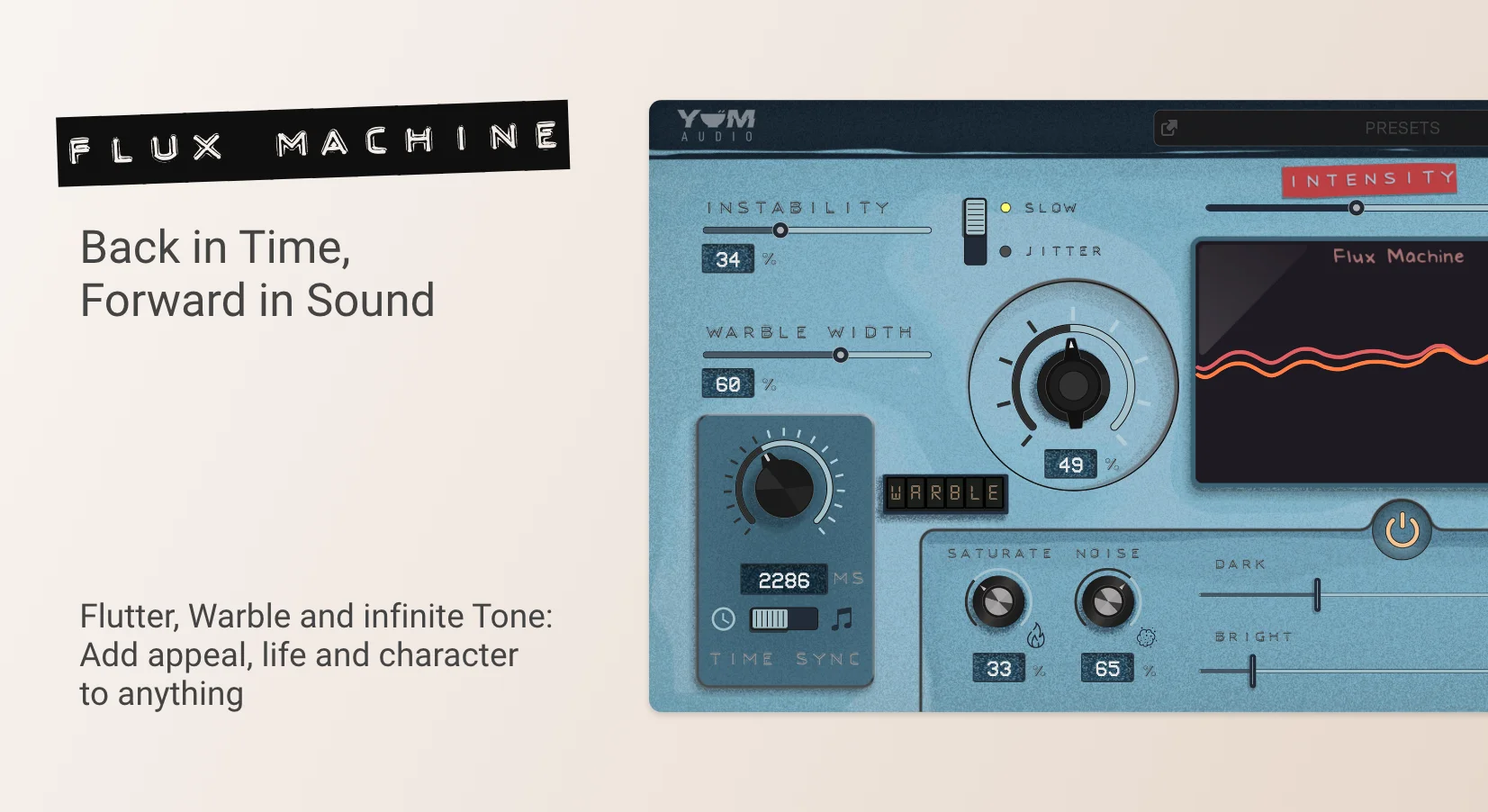
- Analog-modeled tape warble engine derived from the full LoFi Flux Machine circuit
- Adjustable Instability slider for dialing in anything from precise pitch drift to chaotic tape degradation
- Slow and Jitter modes offering smooth gradual modulation or fast erratic pitch fluctuations
- Time sync option that locks warble modulation to your DAW session tempo
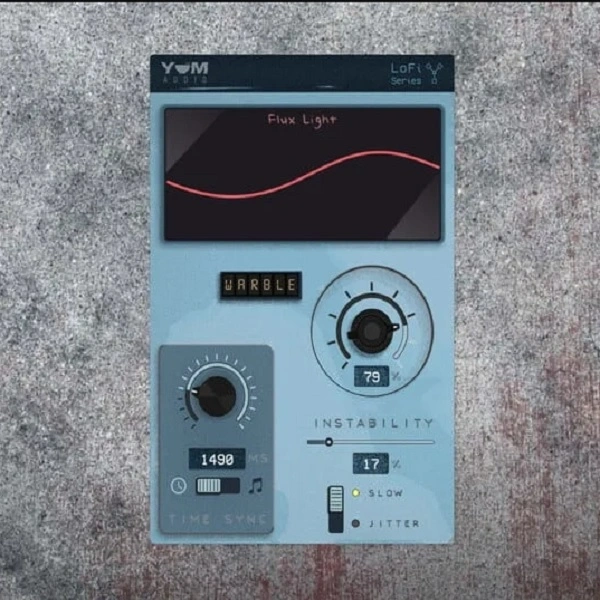
- Real-time waveform display for visual feedback on the active modulation curve
- Lightweight single-purpose design with low CPU overhead across extended sessions
Description
LoFi Flux Light by Yum Audio is an analog-modeled tape warble plugin that recreates the pitch instability and drift of vintage tape machines. It distills the core warble engine from the full LoFi Flux Machine into five focused controls, delivering everything from subtle VHS-style wobble to pronounced detuned modulation.
The plugin centers on two main knobs controlling pitch modulation speed and intensity, plus an Instability slider that governs how irregular and unpredictable the warble behavior becomes. A time sync switch locks modulation to your DAW tempo for rhythmic effects, while the Slow/Jitter toggle switches between smooth, gradual pitch drift and rapid, erratic micro-fluctuations.
A real-time waveform display visualizes the modulation curve as it runs, making it easy to dial in exactly the right amount of movement. Grammy-nominated producer Rob Kleiner has praised Yum Audio's Flux plugins for bringing "sweet little imperfections into the digital world," and the consensus across reviews is that Flux Light excels at injecting analog character quickly without overcomplicating the signal chain.
The plugin runs at 64-bit resolution in VST3, AU, and AAX formats on both macOS 10.11+ and Windows 10. It requires at least 4 GB of RAM (16 GB recommended) and 200 MB of free disk space, with verified compatibility across Ableton Live, Logic Pro, FL Studio, Cubase, Pro Tools, Bitwig, Studio One, Digital Performer, Reaper, and GarageBand.
Video Preview


Tips
- Use the pitch modulation speed and intensity controls to add subtle or dramatic pitch variations to synth pads or guitar chords.
- Experiment with the instability slider to introduce more erratic pitch fluctuations for a more vintage, lo-fi sound.
- Utilize the time synchronization switch to sync the modulation effects with your session tempo for rhythmic consistency.
- Try the slow/jitter button to switch between smooth and fast pitch modulations, depending on the desired effect.
- Use the waveform display to visually monitor and adjust the modulation curve for precise control over the effect.
- Combine LoFi Flux Light with other plugins to create unique and complex sound textures.
- Apply the plugin to different audio sources, such as vocals, drums, or ambient sounds, to explore its full creative potential.
Frequently Asked Questions
What is the difference between LoFi Flux Light and LoFi Flux Machine?
LoFi Flux Light includes the Warble section from the full Flux Machine but omits the Flutter engine, Tone section (saturate, noise, dark/bright), and the Warble Width stereo control. If you only need tape-style pitch modulation without additional tone shaping or stereo widening, Flux Light covers that use case entirely.
What does the Slow vs Jitter toggle actually do?
Slow mode produces smooth, gradual pitch fluctuations similar to a worn cassette deck running slightly off-speed. Jitter mode introduces rapid, nearly random pitch micro-changes that sound closer to a damaged or unstable tape transport mechanism.
Can LoFi Flux Light sync its modulation to my DAW tempo?
Yes. The Time Sync switch locks the warble modulation rate to your session BPM, which is useful for creating rhythmic pitch movement that stays musically coherent with your project. When disabled, the warble runs freely at whatever speed the knob is set to.
Which DAWs are officially supported?
Yum Audio lists verified compatibility with Ableton Live 10.1+, Logic Pro 9+, FL Studio 12+, Cubase 8+, Pro Tools 11+, Bitwig 2+, Studio One 4+, Digital Performer 10+, Reaper 5+, and GarageBand 10+. The plugin ships as VST3, AU, and AAX.