LVC-Meter

Key Features
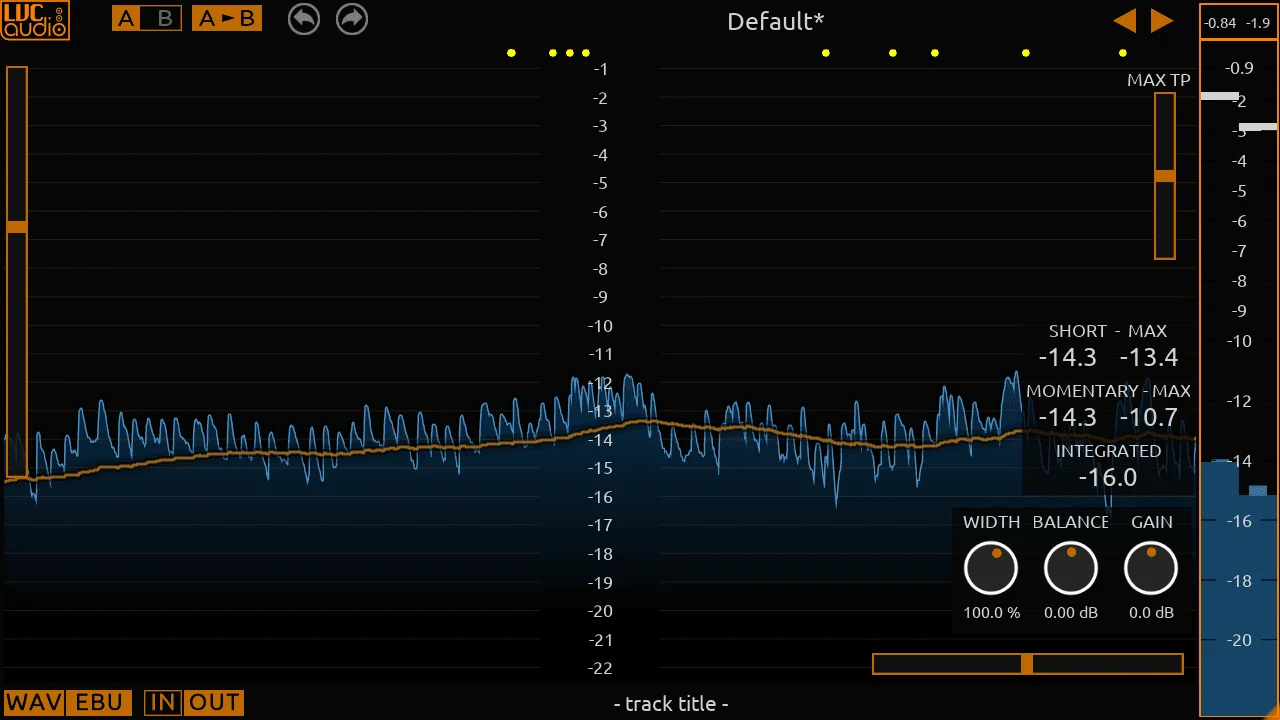
- Combines peak metering with a spectrum analyzer, stereo vectorscope, and waveform-history display in one plug-in
- Uses true-peak monitoring with an adjustable threshold to make intersample overs easier to spot
- Offers EBU, K-System, and dBFS metering modes for different mixing and delivery checks
- Includes Gain, Balance, and Width controls for careful final-stage level and stereo adjustments
- Provides right-click fine adjustment for the Gain and Balance controls when smaller changes are needed
- Lets you configure analyzer window type, FFT size, and overlap, then save settings through XML presets
- Uses a resizable, color-customizable interface; the 2.0.1 beta adds native Apple-silicon support
Description
LVC-Meter is a mixing and mastering meter plug-in from LVC-Audio that combines level monitoring with a spectrum analyzer, stereo vectorscope, and waveform history display. Its true-peak monitoring helps reveal intersample overs, while EBU, K-System, and dBFS modes make it useful for checking a mix from several perspectives.
Unlike a display-only meter, LVC-Meter also provides Gain, Balance, and Width controls, so it can sit at the end of a chain for careful final adjustments. Right-click fine settings on the Gain and Balance controls are intended for more precise moves rather than broad processing.
The interface is resizable and its colors can be customized for the way you work. Spectrum options include window type, FFT size, and overlap, and the XML preset system lets you retain or share a preferred meter layout.
LVC-Audio’s 2.0.1 beta refresh is native on Apple silicon while retaining Intel Mac compatibility; the developer notes that the beta needs a newer macOS version and may still have undiscovered issues. The established 1.0.12 builds remain listed on the same official download page, which also supplies the current Windows and macOS installers.
Frequently Asked Questions
What does LVC-Meter show?
LVC-Meter combines conventional level meters with a spectrum analyzer, stereo vectorscope, and waveform-history view. It also supports true-peak monitoring, so it can help identify intersample overs as well as ordinary peak levels.
Can LVC-Meter adjust the signal as well as monitor it?
Yes. The plug-in includes Gain, Balance, and Width controls, making it useful for cautious final-stage adjustments as well as observation. The developer provides finer Gain and Balance control through right-click access.
Which metering modes are available?
The official product page lists EBU, K-System, and standard dBFS operation. It also lists configurable spectrum settings such as window type, FFT size, and overlap.
Should I use the 2.0.1 beta or the older build?
LVC-Audio lists both the 2.0.1 beta and 1.0.12 downloads on the product page. The beta is native on Apple-silicon Macs and compatible with Intel Macs, but the developer cautions that it requires a newer macOS version and may still have undiscovered issues.