MS Widener


Key Features
- Line and Route views show the stereo field or signal path in version 2.0.0.
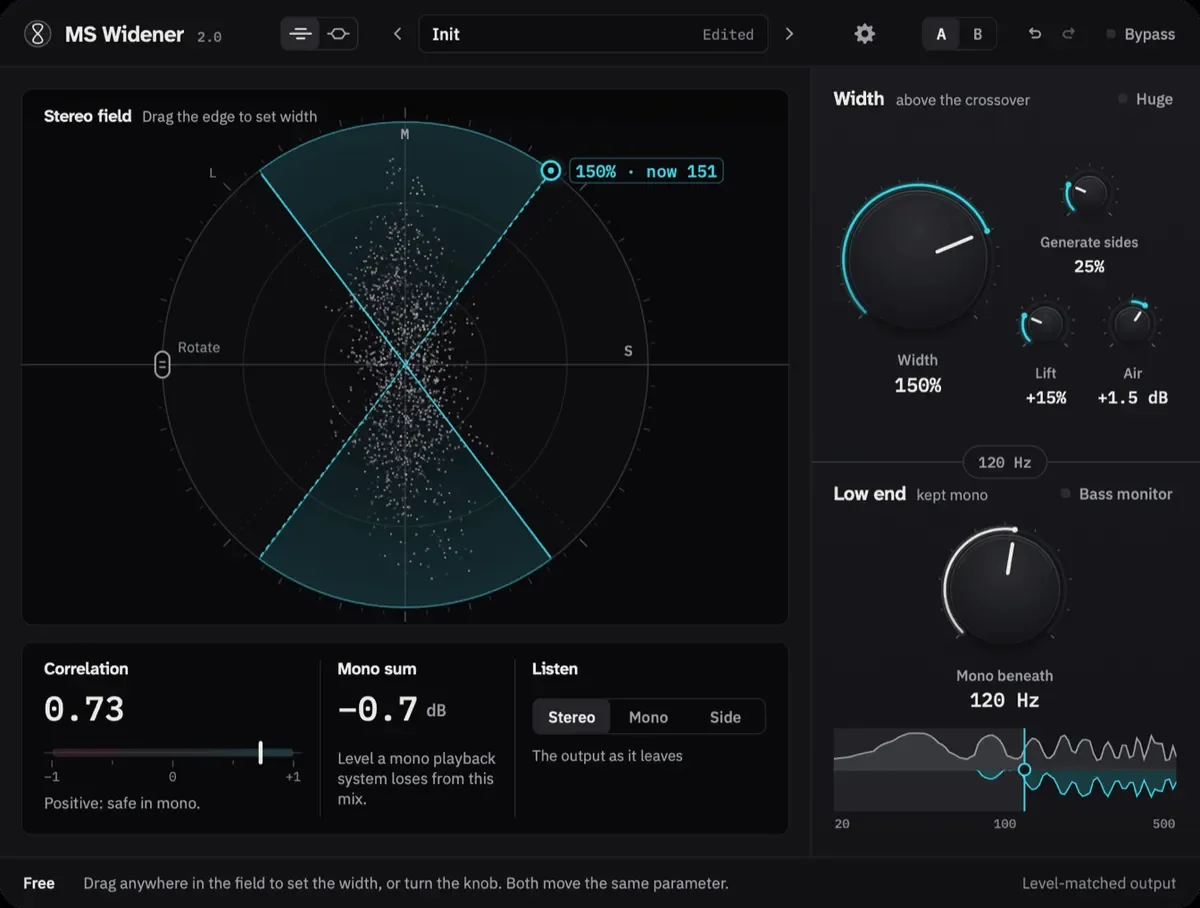
- Width adjustment by knob or field-edge dragging, with Huge mode reaching 300% and correlation-aware pull-back below -0.3.
- Mono Beneath keeps frequencies below a selectable crossover of up to 500 Hz centered, with Bass Monitor auditioning.
- Generate sides creates width from mono material above 150 Hz and cancels the generated side signal in mono.
- Lift adds width in louder passages, Air shapes the side-channel highs, and Rotation turns the field before widening.
- Correlation and Mono sum meters plus Stereo, Mono and Side listening modes help check the result.
- Nine presets, A/B comparison, undo and redo, bypass and level-matched output.
Description
MS Widener is a free stereo-width effect from ModulTone that expands the upper part of a mix while keeping the bass centered below a chosen crossover. Version 2.0.0 adds more ways to shape the stereo image, with Line and Route views for adjusting the field or following the signal path.
The Width control narrows toward mono or expands the source's spread, and you can also drag the stereo field's edge to set it. Mono Beneath sums the low end to mono below a crossover of up to 500 Hz.
Huge mode can extend width to 300%, with extra widening pulled back when correlation falls below -0.3. Generate sides creates side information from the mid signal above 150 Hz, so mono sources can gain width while the generated signal cancels in mono.
Lift adds width during louder passages, Air adjusts a high shelf on the sides, and Rotation turns the stereo field before widening. Correlation and Mono sum meters help you check compatibility, while Stereo, Mono, Side and Bass Monitor listening modes let you audition the result.
Nine presets, A/B comparison, undo and redo support quick comparisons. The VST3 and AU builds cover Windows and macOS as appropriate, and existing 1.x sessions retain their settings and sound with the new controls at zero.
Frequently Asked Questions
How does MS Widener keep the bass centered?
Mono Beneath sets a crossover below which the signal is collapsed to mono. The widening is then applied above that point, allowing the low end to stay in the center while the upper range opens outward.
What does Huge mode do?
Huge is the plug-in's more aggressive widening character. It can extend the width to 300%, but ModulTone notes that it is obviously processed and may introduce phase problems on material that cannot support that amount of expansion.
Does MS Widener require an account or a card?
ModulTone states that the download requires one email address and no card. Its FAQ says MS Widener is the full plug-in, will remain that way, and has no paid version to upgrade to.
Can MS Widener 2.0 widen a mono source?
Yes. Generate sides creates side information from the mid signal above 150 Hz. ModulTone states that the generated sides cancel when summed to mono.
Will version 2.0 change my existing 1.x sessions?
ModulTone states that existing sessions load with the same settings and sound. The new controls start at zero. You can install the latest download over version 1.x.