NopeScope
Key Features
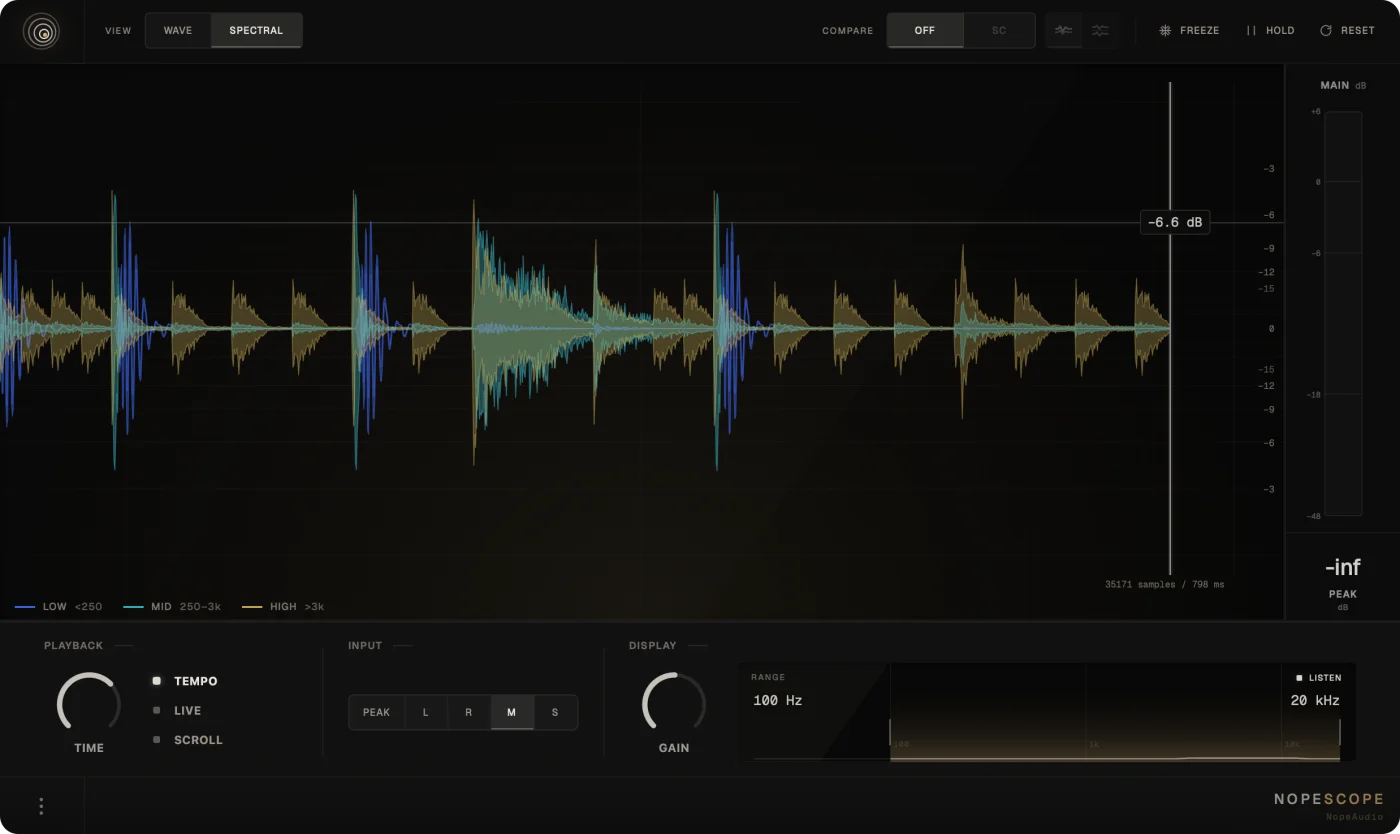
- Wave view shows the complete waveform, while Spectral view separates low, mid, and high waveform layers over time.
- Sidechain Overlay and Split modes compare a main signal and a second input on the same timeline.
- Tempo-synced windows, free millisecond windows, Live mode, and Scroll mode suit different monitoring workflows.
- Freeze, Hold, and Reset controls help inspect a detail and compare repeated passes without stopping playback.
- Peak, left, right, mid, and side input selections reveal different channel perspectives from one signal.
- Range and Listen connect a visible 20 Hz–20 kHz region with an audible check before an EQ decision.
- Switchable Peak, RMS, and Crest metering provides quick level and transient-contrast feedback at zero latency.
Description
NopeScope is a zero-latency oscilloscope plugin from NopeAudio for inspecting waveform shape, transient timing, low-end movement, and the relationship between two signals inside a DAW. Its Wave view shows the complete signal, while Spectral view draws separate low, mid, and high waveforms over time rather than turning the display into a conventional spectrogram.
The sidechain tools are especially practical for mix decisions. Overlay places a main signal and sidechain on shared axes, while Split keeps them in time-aligned lanes, making it easier to inspect kick-and-bass timing or the start of sidechain ducking.
Tempo windows can follow the DAW grid from sixteenth notes to four bars, and Live or Scroll modes cover stopped transport and continuous-history situations. Freeze stops the graph without interrupting audio, while Hold leaves a dim prior pass behind the current capture for quick repeat comparisons.
Input selection covers Peak, left, right, mid, and side views, with graph gain, a selectable 20 Hz–20 kHz range, and Listen for hearing the range currently under inspection. Peak, RMS, and Crest meter modes add a concise readout of level and transient contrast without changing the normal output signal.
NopeScope is a focused visual utility rather than a processing effect: it passes audio through unchanged except when Listen is enabled. The official page provides the complete release for current macOS and Windows systems in VST3, with AU included on macOS.
Frequently Asked Questions
What is the difference between Wave and Spectral view?
Wave shows the complete incoming waveform. Spectral view divides that same signal into low, mid, and high bands, then draws each band as its own waveform over time rather than presenting a spectrogram.
How can NopeScope help with kick and bass timing?
Route one signal to the sidechain input and use Wave mode. Overlay puts both signals on shared axes, while Split shows them in separate but time-aligned lanes, so you can see their timing and shape together.
Does NopeScope change the sound passing through it?
Normally it passes audio through unchanged and adds no latency. The exception is Listen: when enabled, it auditions only the frequency range selected in the Range control.
What do Freeze and Hold do?
Freeze stops the graph while leaving audio alone, so you can study a captured detail. Hold keeps the prior pass as a dim trace behind the current pass, which helps compare repeating hits or phrases.