
SMS-Anville Sampler

Key Features
- Capture and divide incoming stereo audio into successive pads in real time
- Trigger recording and chops with MIDI notes or the computer keyboard
- Import WAV files and refine slice boundaries or split samples
- Shape individual pads with start and end points, envelopes, and mixing controls
- Reverse samples and adjust global tuning and filters
- Add reduced-resolution character with Dirty mode
- Save samples and settings in your DAW project
Description
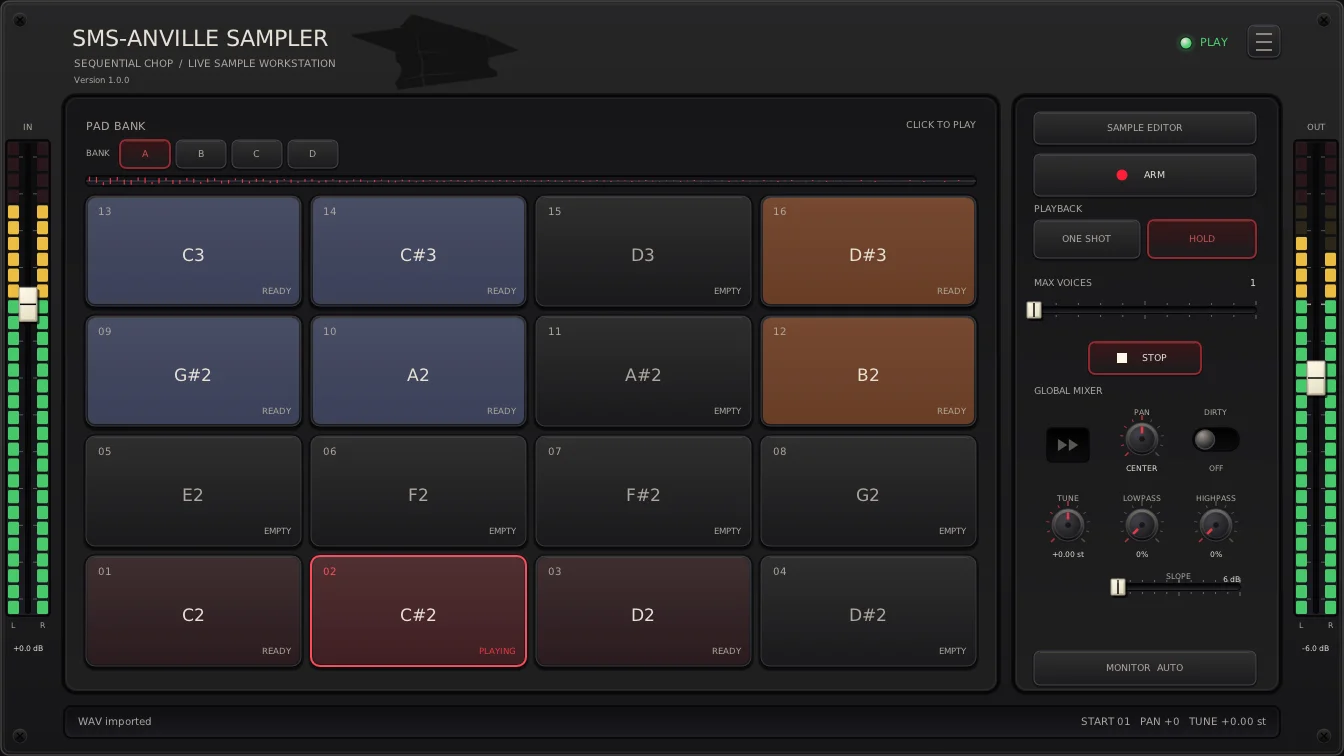
SMS-Anville Sampler is a stereo sampling plugin for capturing incoming audio and chopping it onto playable pads as you listen. Route a turntable, instrument, or other source through your DAW, arm the sampler, and trigger successive cuts with MIDI or the space bar.
Each trigger closes the current slice and starts the next, so you can build a set of phrases by ear without first preparing a loop. You can also import WAV files, adjust boundaries between neighboring slices, and split a captured sample into smaller pieces.
The sample editor provides start and end controls, an amplitude envelope, and pad mixing, while global tuning and filters help reshape the result. Reverse playback and a Dirty mode offer additional ways to turn clean recordings into rougher textures.
Pad layouts and bank modes let you organize and play the results from a controller, with one-shot and hold playback options. Save the DAW project to retain your samples and settings for another session.
The plugin is available for 64-bit Windows and Linux, with VST3 builds for both and an LV2 build for Linux. Its developer recommends VST3 as the more extensively tested format; Windows builds are unsigned and Linux builds are tested on Ubuntu 24.04.
Frequently Asked Questions
How do I chop incoming audio?
Route stereo audio to the plugin input or sidechain in your DAW, enable ARM, and select Sequential capture. A MIDI note or the space bar starts recording, and subsequent triggers create new slices.
Can I fix a slice after recording it?
Yes. Use Adjust cut points to move boundaries between neighboring slices, or Split Sample to divide a sample into smaller pieces.
Can I use audio files instead of recording live?
Yes. Right-click a pad and choose Import WAV to load an existing WAV file; the sample editor can then adjust its playback boundaries.
Are samples saved with my project?
Yes. The developer says DAW projects retain the samples and settings, and supported hosts can also store arrangements in presets.


