
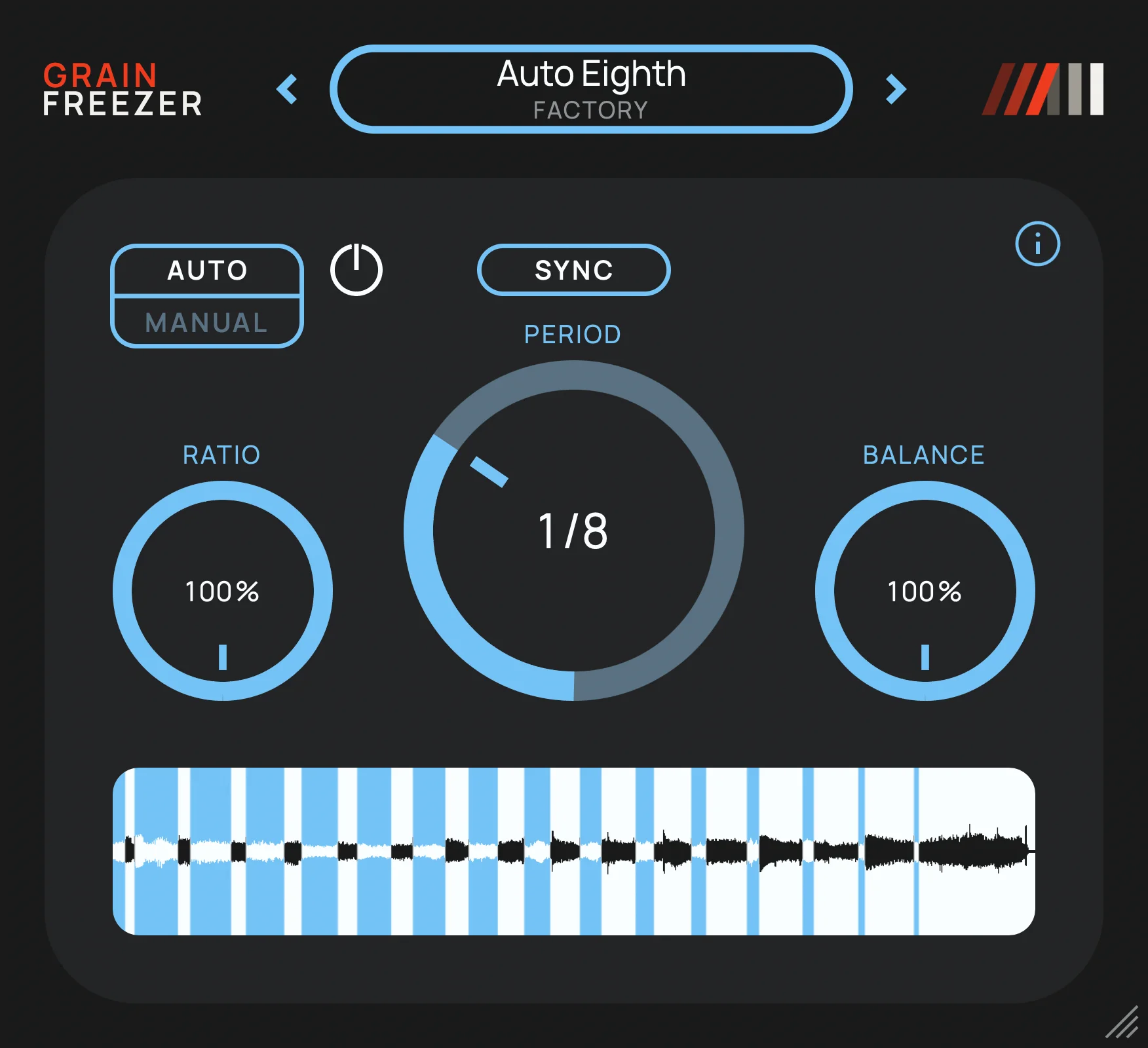
Grain Freezer

Key Features
- Captures a 150 ms moment from the incoming track and sustains it as a layered granular texture with up to 64 simultaneous grains.
- Uses Manual Freeze controls with Toggle, Hold, and Preload options, so you can decide exactly how and when a source moment is captured.
- Auto mode repeatedly renews the fragment during playback, with free-running intervals or DAW-sync choices from 1/64 of a bar to eight bars.
- Balances the granular texture against the live input, making it practical to add a frozen layer while retaining the original performance underneath.
- Keeps stereo inputs intact and spreads mono material across the stereo field when the output is stereo.
- Offers DAW automation for Freeze plus nine factory presets and support for saving and recalling your own presets.
Description
Grain Freezer is a granular freeze effect from Amazing Noises for turning a passing moment of audio into a sustained texture. It captures a 150 ms fragment from the track, layers up to 64 grains, and lets you blend that cloud back with the live signal rather than replacing the source outright.
Manual mode is built around a direct Freeze control: Toggle holds the capture until you release it, Hold works while the control is pressed, and Preload shifts the capture window around the moment you trigger. That makes the effect a compact way to pull pads, drones, and small rhythmic details out of vocals, instruments, field recordings, or a full mix.
Auto mode renews the captured fragment while the DAW is playing, either in seconds or locked from 1/64 of a bar to eight bars. Ratio controls how much of each cycle is texture, while Balance moves from dry input to the frozen sound; the developer also supplies nine factory presets and user-preset saving.
The official page warns that a fully wet Balance setting can be louder than the incoming signal because overlapping grains accumulate. Independent coverage confirms the deliberately simple, no-account direct-download workflow and the macOS/Windows format split, making Grain Freezer especially approachable when you want a quick frozen layer without a larger granular workstation.
Frequently Asked Questions
What does Grain Freezer capture?
It captures a 150 ms fragment of the audio arriving on its track and sustains that fragment as overlapping grains. The resulting texture can be mixed with the live source or heard on its own with the Balance control.
How do Manual and Auto modes differ?
Manual mode freezes a moment when you trigger it, with Toggle, Hold, and Preload behaviors for shaping the capture. Auto mode takes a new fragment repeatedly while the DAW plays, either after a time interval or in sync with the project tempo.
Can Grain Freezer create tempo-synced granular rhythms?
Yes. In Auto mode, its capture period can follow musical divisions from 1/64 of a bar to eight bars, while Ratio determines how much of the cycle contains the granular texture. Freeze itself can also be automated from the DAW.
Why can Grain Freezer sound louder at full Balance?
The granular layer can build level as multiple grains overlap, so the developer cautions that a fully wet Balance setting may be louder than the original input. Start lower and watch the track level when building dense textures.


