
SoundMagic Spectral
Key Features
- A 23-effect Audio Unit suite built around real-time FFT spectral processing rather than a single fixed processor
- Spectral DroneMaker, Blurring, Averaging, Freezing, Granulation, and Weave tools for turning source material into evolving textures
- Pitch-focused effects including Bin Shift, Pitch Shift, Harmonizer, and Stretch for inharmonic or transformed tonal movement
- Spectral Tracing and Filterbank processors for retaining, removing, or emphasizing selected frequency components
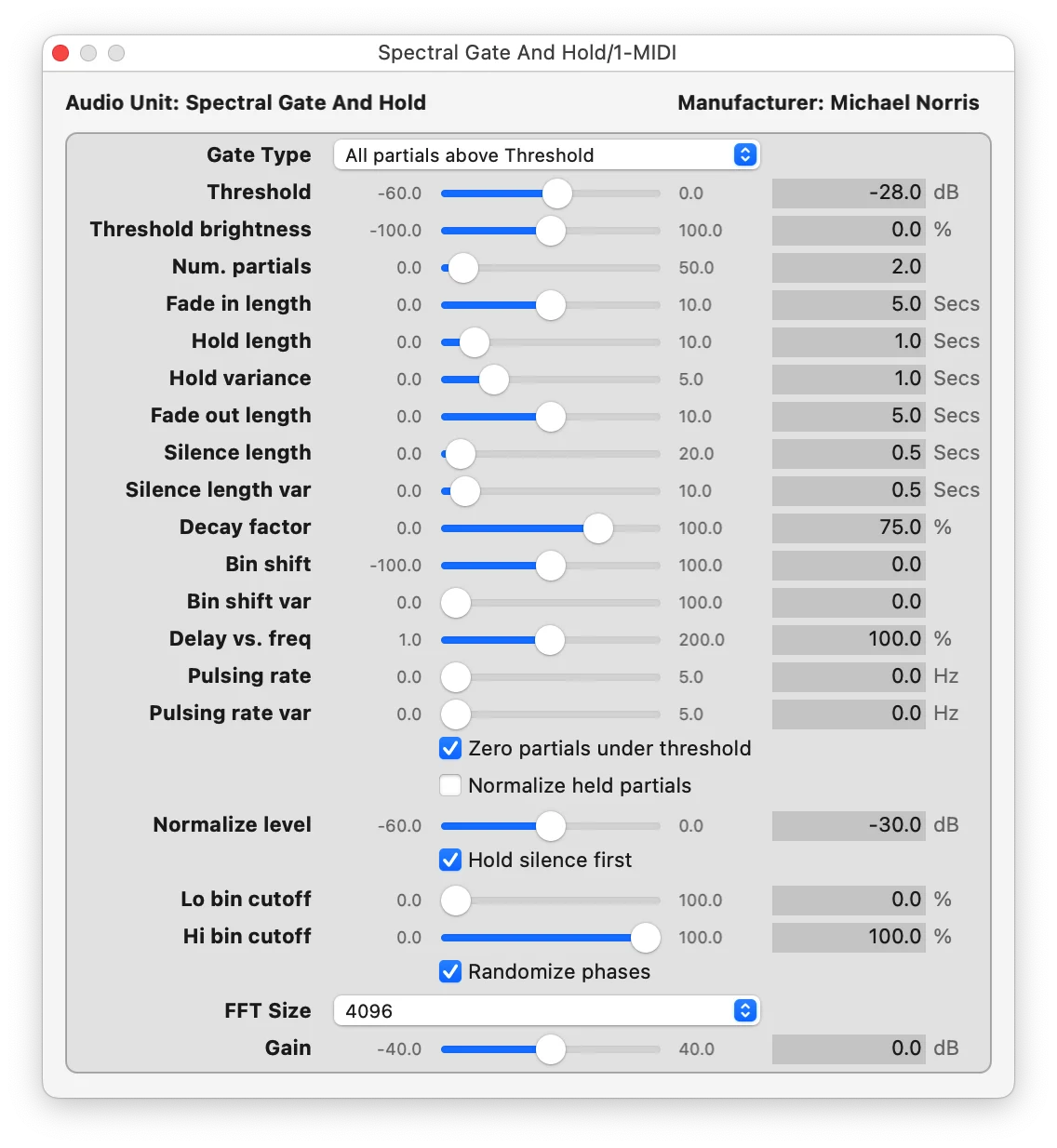
- Gate and Hold, Pulsing, Shuffle, and Gliding processes for rhythmic, fragmented, and animated frequency-domain treatments
- Shared controls such as FFT size, brightness, bin cutoffs, feedback, gain, and phase randomization for dialing in the character of the transformation
- Current v1.5 download is a 3.6 MB Universal Binary DMG for macOS Audio Unit workflows
Description
SoundMagic Spectral is Michael Norris's suite of 23 macOS Audio Unit effects for transforming recorded or live audio with real-time spectral processing. Its FFT-based tools can blur, freeze, granulate, filter, shift, and reorganize frequency content instead of treating a signal like a conventional delay or EQ.
The collection is especially rewarding when you want to pull an ordinary source toward drones, suspended textures, inharmonic movement, or unusual transitions. Spectral DroneMaker, Granulation, Freezing, Gate and Hold, and Weave provide several ways to retain and reshape fragments of a source rather than simply layering another effect on top.
There are also more directed tools for pitch and tonal manipulation: Bin Shift and Pitch Shift move frequency content, while Stretch, Harmonizer, Tracing, and Filterbank alter its structure or focus. Shared controls such as FFT size, brightness, bin cutoffs, feedback, gain, and phase randomization make the suite a hands-on laboratory for subtle timbral change as well as heavy sound design.
This is a macOS-only AU collection, so it suits producers using an Audio Unit host such as Logic Pro, GarageBand, Ableton Live, or Max/MSP. Expect latency from the spectral process, and start with short or controlled moves when preserving the punch of transients matters.
Frequently Asked Questions
Is SoundMagic Spectral a single plugin?
No. It is a collection of 23 Audio Unit effects, each aimed at a different spectral or time-domain transformation. The suite includes processing for blurring, dronemaking, freezing, filtering, pitch changes, granulation, and more.
What kinds of sounds work well with SoundMagic Spectral?
It is particularly useful for ambient beds, experimental transitions, transformed vocals, synth layers, and resampled material. A third-party spectral-processing tutorial notes that stronger FFT treatments can smear drum transients, so subtle settings or parallel processing are often more suitable when punch is important.
What does FFT size change?
The guide describes a trade-off: larger FFT sizes provide smoother frequency detail but use more CPU, while smaller sizes preserve time accuracy more closely. Try larger settings for drone-like results and smaller settings when the changing detail of the source should remain clearer.
Can SoundMagic Spectral run in a VST3-only DAW?
Not in its current release. The official page identifies the suite as macOS Audio Units and says a JUCE port is in progress for future VST, AAX, Mac, and PC support.


