HYLL Pressure
Key Features
- Soft clipping and soft-ceiling behavior for rounding sharp peaks before they turn into harsh digital clipping.
- Pressure and Density controls let you move from light harmonic movement to firmer saturation and heavier transient rounding.
- Blend control supports parallel pressure on drums, vocals, bass, loops, and buses without committing fully to the driven signal.
- Level control is built into the main workflow so users can match bypass volume and avoid choosing settings only because they are louder.
- Eleven factory presets cover subtle control, bus glue, warm density, drum crushing, tape-style push, and heavy 808 pressure.
- Manual install packages keep the format simple: macOS users copy the AU component, while Windows users copy the VST3 file.
Description
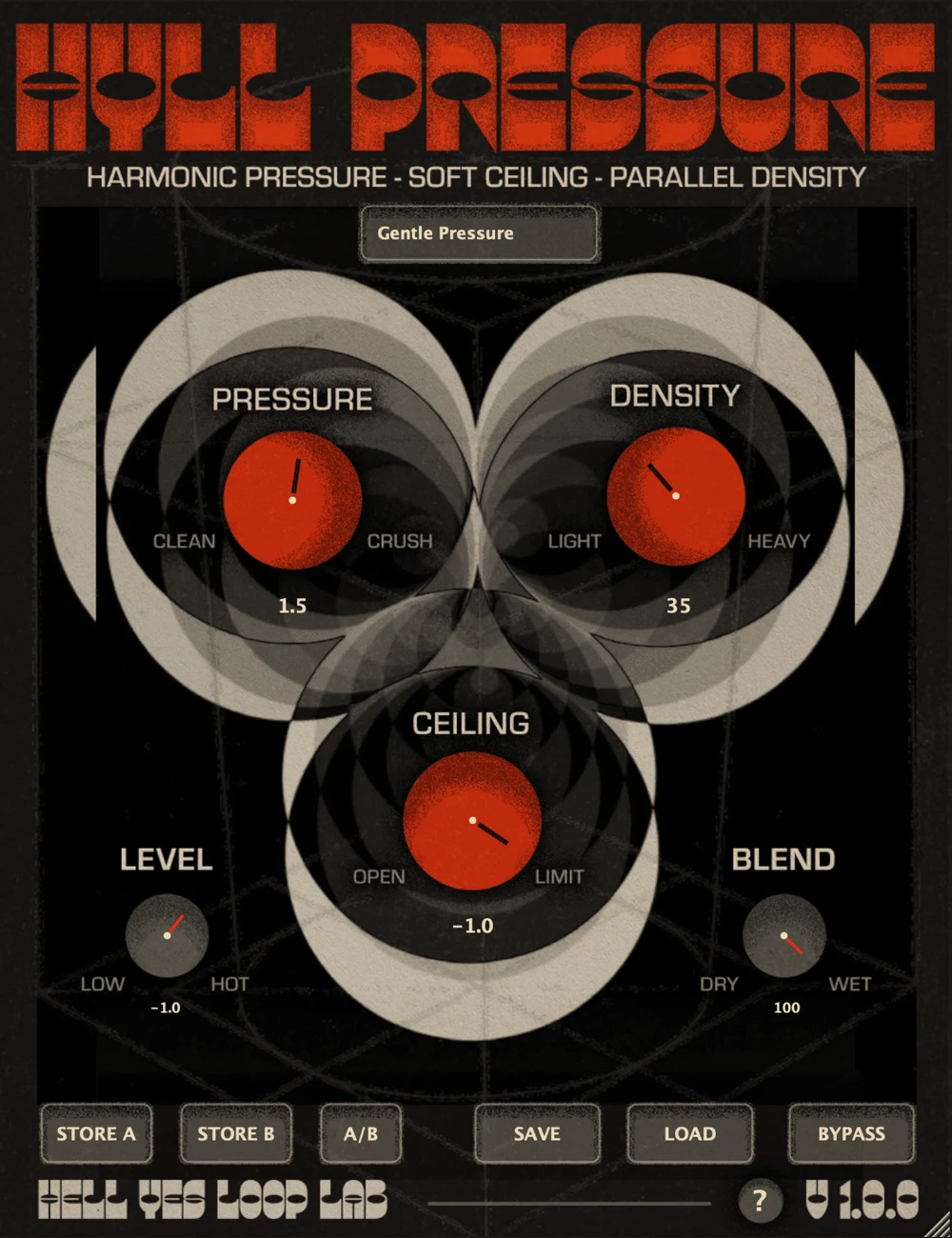
HYLL Pressure is a soft clipper, saturation, and density plugin from Hell Yes Loop Lab for pushing tracks forward without jumping straight into harsh digital clipping. It is built around peak shaping, harmonic pressure, soft ceiling control, and dry/wet blending for parallel processing.
The official workflow is simple enough for quick beatmaking but still gives useful gain-staging controls. Pressure drives the saturation core, Density changes how thick and harmonically loaded the result feels, Ceiling catches processed peaks, Level handles output matching, and Blend lets you pull the processed signal back into the dry sound.
That combination makes HYLL Pressure useful on drums, bass, 808s, synths, vocals, loops, buses, and occasional gentle master-bus moves. The included presets cover subtle starting points like Gentle Kiss and Master Glue as well as more aggressive options such as Drum Crush, Drum Destruction, Bass Punisher, and 808 Wallbreaker.
The product is currently listed by Hell Yes Loop Lab as free/pay-what-you-want with a $0+ Sellfy checkout and separate macOS AU and Windows VST3 packages. The files are delivered through the store checkout flow rather than a stable public archive URL.
Frequently Asked Questions
What does HYLL Pressure do differently from a basic clipper?
It still works as a soft clipper, but the workflow adds Density and Blend controls around the clipping stage. That makes it easier to use the plugin as a saturation and parallel pressure tool instead of only shaving peaks.
Can HYLL Pressure be used on a master bus?
The developer says it can be used on a master, but gently. The manual positions it as a tool for soft peak control and density, not as a replacement for a final true-peak limiter.
How do you install HYLL Pressure?
There is no installer. The official instructions say to copy HYLL Pressure.component to the macOS Audio Units components folder or HYLL Pressure.vst3 to the Windows VST3 folder, then rescan plugins in the DAW if needed.
What formats are included?
The official page lists a macOS Audio Unit .component package and a Windows VST3 .vst3 package. No AAX, CLAP, Linux, or standalone version is listed on the checked product page.