
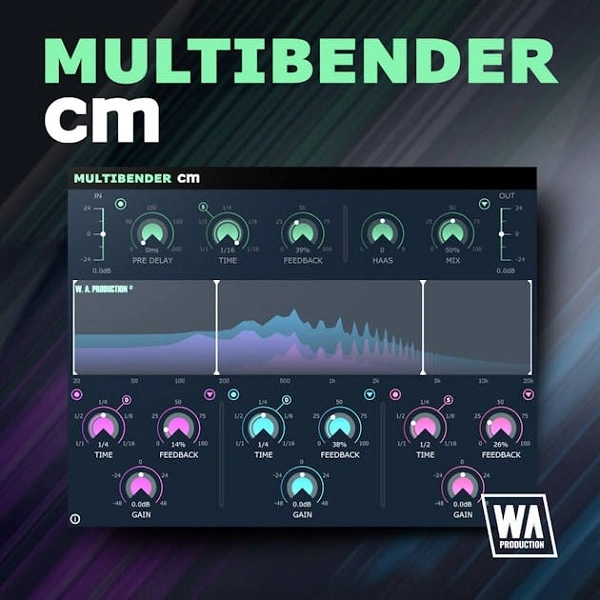
MultiBender Lite (CM)
Key Features
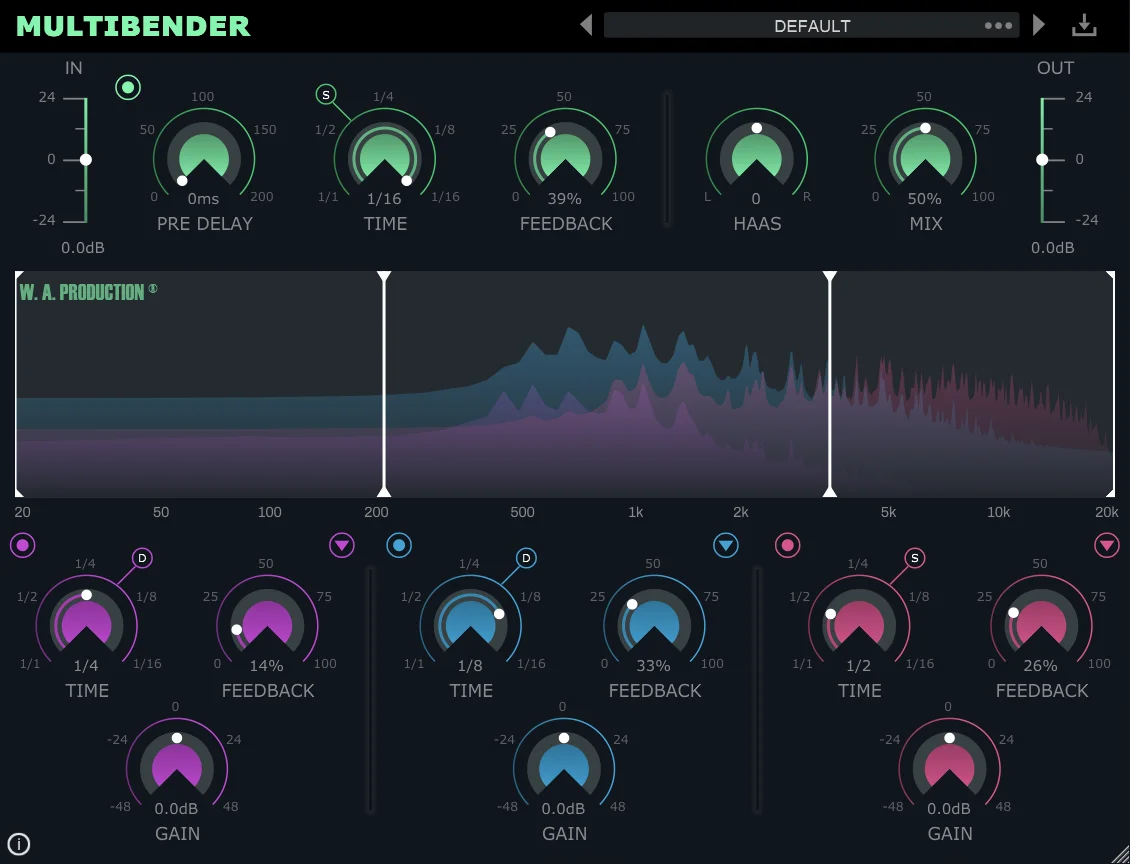
- Three independent multiband delay modules with adjustable crossover frequencies set by dragging points in the waveform display
- Per-band saturation, bitcrushing, and detuning effects for creative sound shaping beyond standard delay
- Tempo-synced delay times with straight, dotted, and triplet subdivisions for rhythmic variety
- Individual on/off switches per band to keep selected frequency ranges clean while processing others
- Per-band feedback and gain controls for precise tuning of echo density and level across the spectrum
- Real-time frequency waveform display providing visual feedback of delay activity across all three bands
Description
MultiBender Lite (CM) is a multiband delay plugin from WA Production and Computer Music magazine that splits your signal into three independent frequency bands, each with its own delay module. It is the stripped-down version of the paid MultiBender, offering the same core multiband engine without the extra presets and advanced features.
The three delay stages can be tuned independently with separate time, feedback, and gain controls, plus adjustable crossover points you drag directly in the waveform display. Each band also includes saturation, bitcrushing, and detuning effects that run independently, turning a straightforward delay into a multiband distortion and sound-design tool.
Producers praise the plugin for generating complex rhythmic patterns and stereo ping-pong delays from simple source material with minimal effort. Users on forums describe it as easy to dial in, latency-free, and surprisingly capable for a lite release.
The real-time frequency display in the center of the interface lets you assign and resize frequency ranges for each delay module by dragging the crosspoints. On/off buttons for each band let you disable processing on ranges you want to keep clean, such as the low end.
MultiBender Lite (CM) is available in VST, VST3, AU, and AAX formats for Windows 8 and later and macOS 10.15 and later. M1/ARM Mac users can run it via Rosetta 2, though native Apple Silicon support is not yet available.
Video Preview


Tips
- Use the independent multi-band processing to apply different delay settings to various frequency ranges, creating a more dynamic and interesting sound.
- Experiment with the Saturate, Crush, and Detune effects to add unique textures and character to your delays.
- Utilize the waveform graph to visually monitor and adjust the delay settings for each band, ensuring precise control over your sound.
- Try disabling the delay on the low-frequency band to keep your bass lines tight and avoid muddy sub-bass.
- Use the dotted and triplet time settings to create rhythmic variations and syncopated delay effects.
- Apply short delays to the low end and longer delays to the mids and highs to create a sense of depth and space in your mix.
- Save your favorite settings as presets for quick recall in future projects.
Frequently Asked Questions
What is the difference between MultiBender Lite (CM) and the full MultiBender?
MultiBender Lite (CM) uses the same multiband delay engine as the paid version but omits the preset library and some advanced features. The core three-band delay with saturation, bitcrushing, and detuning per band is identical.
Does MultiBender Lite (CM) work on Apple Silicon Macs?
It runs on M1 and later Macs through Rosetta 2, but it does not yet have a native Apple Silicon build. Performance via Rosetta is generally stable for most sessions.
Can MultiBender Lite (CM) be used as a multiband distortion effect?
Yes. By setting very short or zero delay times and pushing the saturation, bitcrushing, and detuning controls, you can use it purely as a multiband distortion and sound-mangling tool without audible echo.
What DAW hosts are supported by MultiBender Lite (CM)?
It supports any host that loads VST, VST3, AU, or AAX plugins. AAX requires Pro Tools 11 or higher. Both 32-bit and 64-bit hosts are supported.


