
Ripchord
Key Features
- Maps one input note to a custom group of output notes, turning a key press into a playable chord.
- Builds chord presets from scratch or imports MIDI files containing chord material.
- Separates performance-focused Play mode from a dedicated chord-mapping Edit mode.
- Organizes presets with favorites, text search, and user-created tags.
- Uses note and velocity strum, direction, and humanization controls to vary chord playback.
- Records MIDI internally and supports dragging the captured performance into a DAW.
- Imports MPC files and exports current presets or recorded ideas as MIDI.
Description
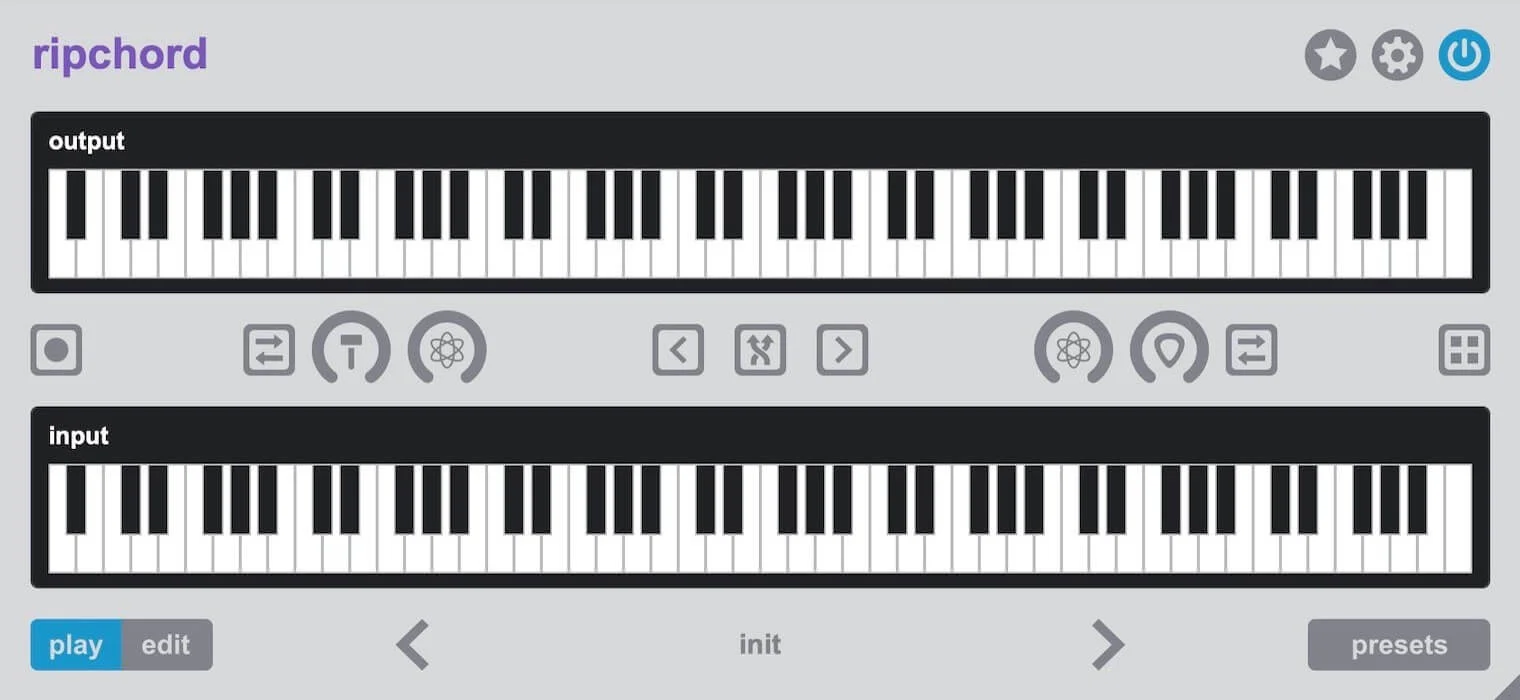
Ripchord is a MIDI chord-performance plugin from Trackbout that maps single input notes to full chords, making it quick to play, test, and rearrange chord progressions inside a compatible DAW. It can start from manually built chord maps, imported chord-containing MIDI files, or preset packs, then sends the resulting MIDI to an instrument on the next track.
The Play view is designed for trying a progression from a keyboard or the on-screen keys, while Edit mode lets you assign output notes to individual trigger keys and name chords or presets. A preset browser adds favorites, text filtering, and user-defined tags so larger collections remain manageable.
For less rigid playback, note and velocity strum controls spread a chord across time or velocity, with direction choices and humanization. Transpose controls can shift the active chord set while you play, and the built-in recorder lets you drag captured MIDI into the DAW.
Ripchord also imports MIDI and MPC files to build presets, and exports the current preset or recorded idea as MIDI. That keeps the workflow focused on supplying playable chord mappings rather than generating audio itself.
The current developer download is version 2.7.0. It is available as VST3 for Windows, and as VST3 or Audio Unit for macOS; the developer notes that the host must support the full VST3 MIDI specification.
Frequently Asked Questions
Is Ripchord an instrument that produces sound?
No. It is a MIDI plugin that turns an input note into the notes of a configured chord. Route its MIDI output to a software instrument on another track to hear the result.
Can I create a preset from an existing MIDI progression?
Yes. Ripchord can import a MIDI file containing chords and create a preset from it. It also supports importing MPC files through its menu.
Can I make the chords play less mechanically?
Yes. The plugin provides note and velocity strum controls, direction options, and humanization controls. These adjust timing and velocity relationships among the notes in a chord.
What plugin formats does Ripchord support?
Trackbout provides VST3 for Windows. On macOS, it provides VST3 and Audio Unit versions; the developer says the DAW must support the full VST3 MIDI specification when using the VST3.


