
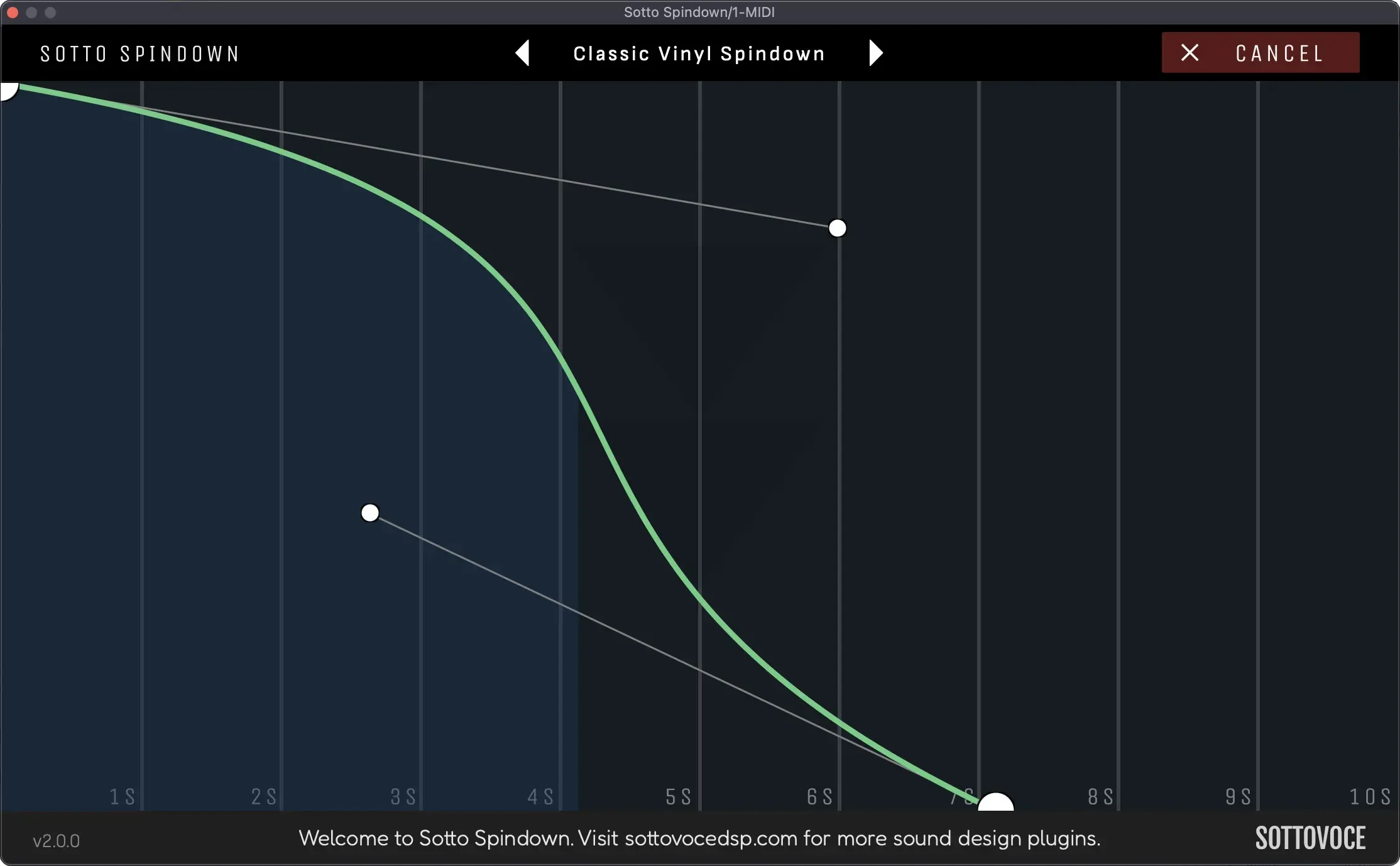
Sotto Spindown
Key Features
- Vinyl-style pitch slowdown effect for turntable stops, spin-down transitions, and pitch automation moves
- Curve editor with two anchor points for shaping the exact deceleration instead of relying on one fixed stop curve
- Spindown length can extend up to ten seconds for short DJ-style stops or longer cinematic drops
- Optional fadeout pairs the pitch movement with a volume dip when the transition needs to disappear naturally
- Preset system lets producers save custom curve shapes and reuse favorite slowdown timings across sessions
- Supports VST3, AU, and AAX formats for common Windows and macOS production setups
- Simple interface keeps the transition workflow focused on timing, curve shape, and trigger behavior
Description
Sotto Spindown is a vinyl-style slowdown plugin from Sottovoce DSP that lets you trigger pitch-down and spin-up transitions inside a DAW. Instead of a fixed tape-stop curve, it gives you a large curve editor so the pitch movement can be shaped for clean drops, exaggerated stops, or more subtle automation-style bends.
The workflow is built around two anchor points and a single spindown action. You can set the effect to last up to ten seconds, draw the deceleration curve, and use the fadeout option when the transition needs to lose volume as well as pitch.
That makes it useful beyond the obvious turntable-stop trick. It can add quick movement to vocals, pads, leads, drum fills, risers, and breakdowns without manually drawing pitch automation in the host DAW.
The official page lists VST3, AU, and AAX support for Windows and macOS, with minimum requirements covering Windows 10-11 and macOS 12.7.6 or later. Downloads are handled through the developer's free checkout flow, so users should expect to provide a valid email before receiving the plugin.
Frequently Asked Questions
What does Sotto Spindown do?
Sotto Spindown recreates the pitch drop of a vinyl record slowing down, but with a custom curve editor instead of a fixed one-shot effect. It is mainly useful for transitions, drops, breakdowns, and pitch-bend moments.
Can Sotto Spindown create spin-up effects too?
Yes. The official product title describes it as a spin-up and spin-down plugin, and the page frames it as a custom vinyl-style slowdown tool rather than only a one-direction effect. The main creative control is the drawn pitch curve.
Does Sotto Spindown require checkout before download?
Yes. The source article says it is downloaded from the developer site through a free checkout with a valid email address. The official page currently lists the product at Free and provides an Add to cart button.
Why might I hear pops or crackles when using it?
The developer's FAQ says to increase the DAW buffer size, likely to 512, if pops or crackles occur. Older computers or systems without an SSD may not stream data quickly enough at smaller buffer settings.


