
Spiral Delay
Key Features
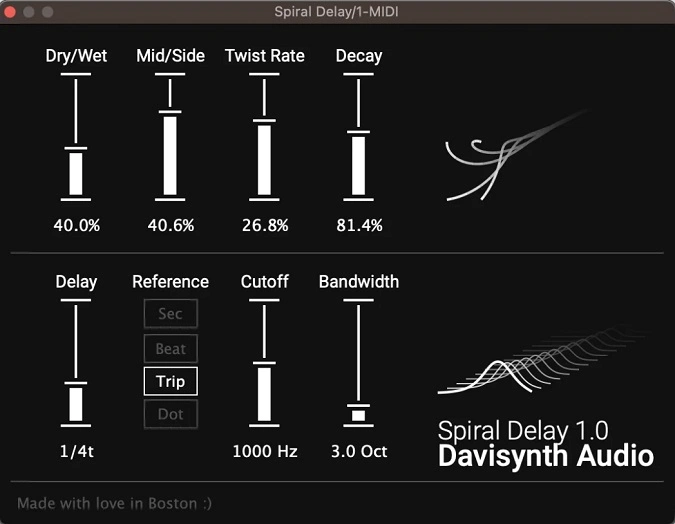
- Stepped stereo ping-pong engine that pans echoes through smooth intermediate positions instead of hard left-right switching
- Adjustable twist rate controls how quickly repeats travel across the stereo field
- Built-in bandpass filter with cutoff and bandwidth controls for shaping delay tail tone
- Advanced tempo sync supporting standard, dotted, and triplet note divisions
- Real-time animated visual feedback that tracks parameter changes without needing to read knob values
- Mid/side control for fine-tuning the stereo width of the delayed signal
- Lightweight 2.3 MB install with minimal CPU footprint
Description
Spiral Delay by Davisynth reimagines the classic ping-pong delay by replacing hard left-right panning with smooth, stepped stereo movement. Instead of echoes snapping between channels, repeats glide through intermediate panning positions at an adjustable speed, producing a fluid and spacious stereo image.
The plugin includes a bandpass filter for shaping the tonal character of each repeat, plus advanced tempo sync that extends to dotted and triplet note divisions. These controls make it easy to lock rhythmic delays to a track's groove while sculpting the frequency content of the feedback trail.
Davisynth's visual interface is a standout feature, with animated graphics that reflect parameter changes in real time. This makes automation intuitive since you can see the effect of every knob adjustment without reading numerical values.
Users praise Spiral Delay for its focused workflow and clean sound, noting that while it is not the most feature-packed delay available, the unique panning behavior makes it the go-to choice when stereo movement is the priority. One reviewer described it as a great addition to any delay toolbox with the right amount of character.
Spiral Delay is available as a 64-bit VST3 and AU plugin for Windows and macOS, including native Apple Silicon support via Universal Binary. The download weighs in at just 2.3 MB.
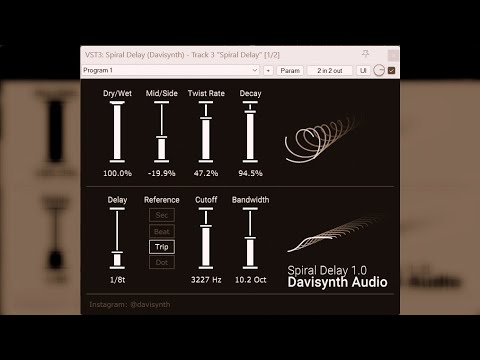
Video Preview

Tips
- Experiment with the twist rate to create unique panning effects that add movement to your tracks.
- Use the bandpass filter to shape the frequency content of the delayed signal, creating a more focused or lo-fi sound.
- Sync the delay time to your DAW’s tempo and explore dotted and triplet note settings for rhythmic variations.
- Automate the dry/wet control to blend the delay effect dynamically throughout your track.
- Utilize the mid/side control to adjust the stereo image and create a wider or more centered delay effect.
- Take advantage of the real-time visual feedback to fine-tune parameters intuitively without relying on numerical values.
Frequently Asked Questions
How does Spiral Delay differ from a standard ping-pong delay?
A traditional ping-pong delay hard-pans each echo fully left or right. Spiral Delay introduces intermediate panning steps so repeats glide smoothly across the stereo field at an adjustable speed, creating a more fluid and immersive stereo image.
Can Spiral Delay sync to my DAW's tempo?
Yes. Spiral Delay supports full tempo sync with standard, dotted, and triplet note divisions. You can also set delay time manually in milliseconds for non-tempo-locked effects.
What plugin formats does Spiral Delay support?
Spiral Delay is available as a 64-bit VST3 and AU plugin. It runs on Windows (64-bit) and macOS with a Universal Binary that supports both Intel and Apple Silicon processors.
What does the bandpass filter do in Spiral Delay?
The bandpass filter lets you shape the frequency content of each delay repeat. By adjusting the cutoff and bandwidth, you can darken the tail for a lo-fi dub feel or brighten it for crisp rhythmic echoes.


