
TurnTableSaw
Key Features
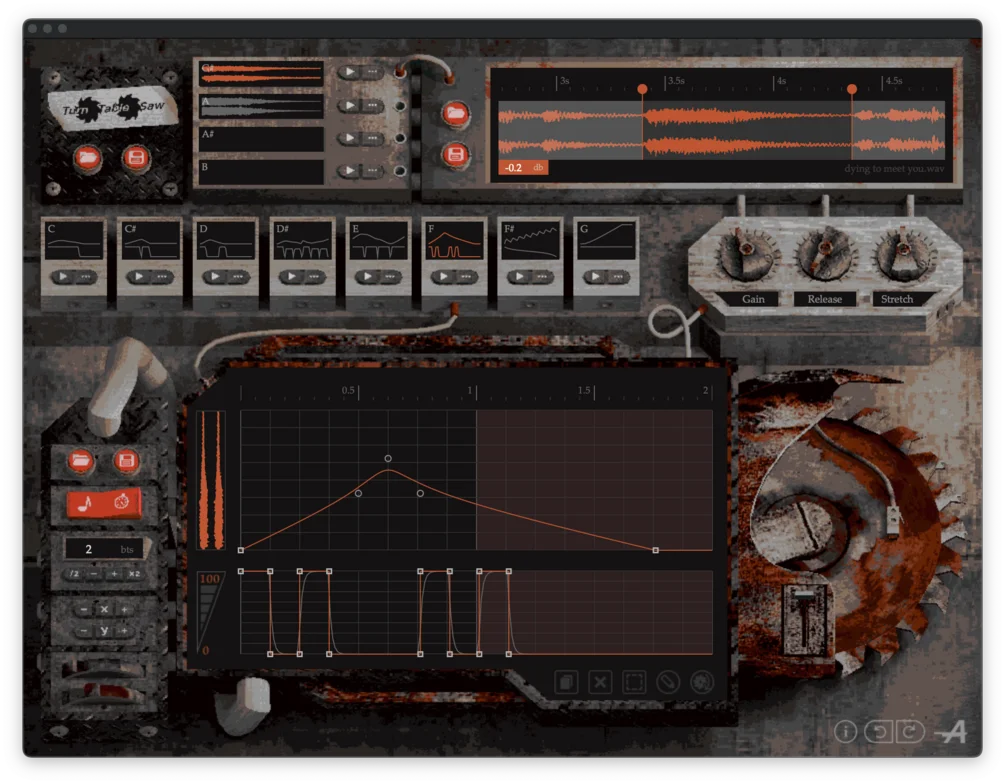
- Four editable sampler slots for loading your own audio, preset material, crop points, and gain settings
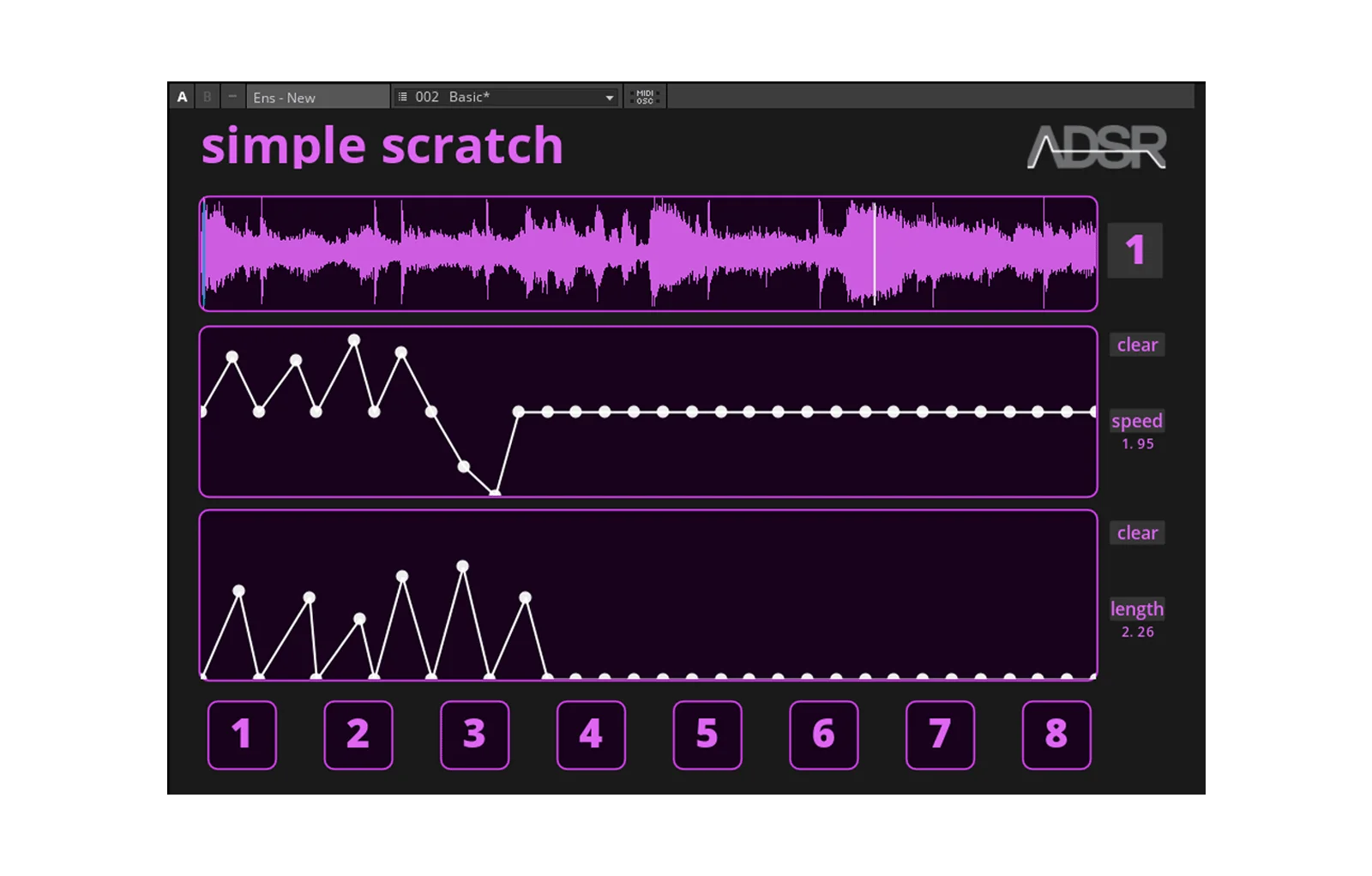
- Eight pattern slots for triggering and reordering scratch phrases from MIDI or inside the editor
- Dual-envelope pattern editor controls record position and fader movement independently for detailed scratch shapes
- Host-syncable pattern playback with adjustable pattern length, subdivision snapping, node editing, and group selection
- Pencil and Drop tools speed up common scratch moves such as fader plateaus and 100 percent-rate drop scratches
- Release and Momentum controls help rigid envelope edits feel closer to a performed scratch gesture
- Separate loading and saving for patterns, samples, and complete presets makes scratch routines reusable
Description
TurnTableSaw by Armory is a DJ scratching instrument plugin that turns loaded audio into programmable scratch performances inside a DAW. It uses four editable sampler slots and a bank of pattern slots, so producers can build scratch phrases without recording a turntable pass every time.
The main sound engine is driven by two envelopes: one for sample playback position and one for fader movement. Those envelopes can be synced to the host tempo, stretched to different pattern lengths, and edited with nodes for detailed stop-start cuts, reverses, drops, and volume chops.
TurnTableSaw is more precise than a basic vinyl-stop effect because it treats scratching as a playable instrument. The sample editor handles file loading, preset material, crop points, and gain, while separate pattern, sample, and preset saving lets you reuse scratch setups across sessions.
The workflow still leans into performance feel. Release controls how long the virtual record takes to return after note-off, and the Momentum wheels smooth sharp envelope corners for looser, more human movement when rigid grid edits sound too mechanical.
Video Preview

Frequently Asked Questions
Is TurnTableSaw an audio effect or an instrument?
The official listing presents it as a digital DJ scratching instrument. You load audio into its sampler slots, design scratch patterns, and trigger those patterns like an instrument rather than inserting it as a conventional mix effect.
Can TurnTableSaw use my own samples?
Yes. The official page describes a sample editor where you can load a file from your system or use preset material, then set crop points and gain before building scratch patterns around that source.
What do the two envelopes control?
One envelope controls the virtual record or saw position, which determines how the sample moves forward and backward. The second controls fader movement, so you can program cuts, mutes, and rhythmic volume shapes alongside the playback motion.
Why does the Gumroad page only list VST3 when the BPB article mentions AU?
The current official Gumroad structured data says the product is delivered for Windows VST3 or Mac VST3. Because the developer page is the source of truth for current specs, only VST3 is listed here even though BPB also mentions AU.


