
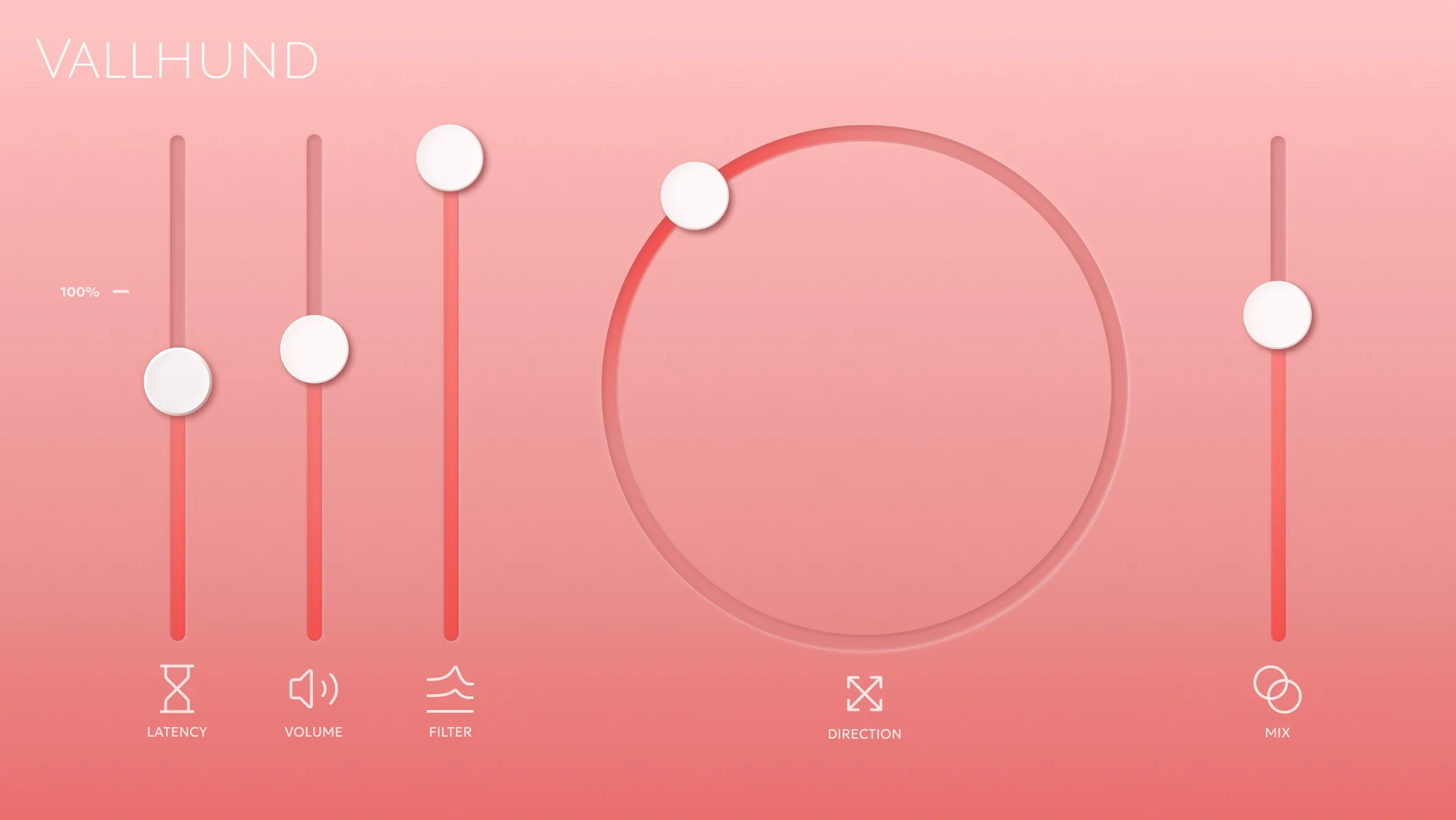
Vallhund Binaural Panner
Key Features
- Places sounds across the stereo field with binaural cues rather than simple balance panning
- Separate Direction, Latency, Volume, and Filter controls for tuning localization cues independently
- HRTF-style filtering section for adding the tonal changes associated with perceived direction
- Minimal-phase filters designed to keep transients clean while shaping spatial perception
- Lightweight implementation intended for low CPU and memory use across multiple mix elements
- Current 1.0.8 release supports VST3 and AU on Windows and macOS
Description
Vallhund Binaural Panner is a focused spatial audio effect for placing a sound source across the stereo field with binaural cues instead of a basic left-right pan. It exposes direction, timing, level, and HRTF-style filtering as separate controls, so you can dial in natural headphone placement or exaggerate the movement for sound design.
The plugin is intentionally minimal, but the control set is deeper than its playful interface suggests. Direction sets the perceived position, Latency handles the interaural timing difference, Volume reinforces the channel-level difference, and Filter shapes the pinna-style tonal cue that helps the ear localize sound.
That makes Vallhund especially useful on mono synth lines, foley layers, risers, ear candy, and cinematic details that need to sit outside the center without becoming a generic stereo widener. The latency control can create convincing Haas-style width, but it should be checked in mono when used heavily.
The current Pubbas page lists VST3 and AU support, version 1.0.8, macOS Apple Silicon requirements, and Windows 10 or 11 support on modern x86-64 CPUs. BPB and KVR both confirm the same Windows/macOS plugin positioning, with BPB also noting that no signup or activation is required.
Video Preview

Frequently Asked Questions
What makes Vallhund different from a normal pan knob?
A standard pan knob mainly changes level between the left and right channels. Vallhund also separates timing and HRTF-style filtering cues, which helps create a stronger sense of direction over headphones.
Can Vallhund create mono compatibility problems?
It can if the Latency control is pushed hard, because that control behaves like a Haas-style timing offset. Use mono checks when applying wide or exaggerated settings on important mix elements.
Is Vallhund more of a mixing utility or a creative sound-design effect?
It can work as both. Subtle settings help position sources more naturally, while stronger direction, latency, and filter settings can turn static mono sounds into animated spatial details.
Does Vallhund require an account or activation?
The official product page presents the download as no-registration-required, and BPB also reported that there is no signup or activation step. The live page generates platform-specific installers from its download button.


