
Anchor
Key Features
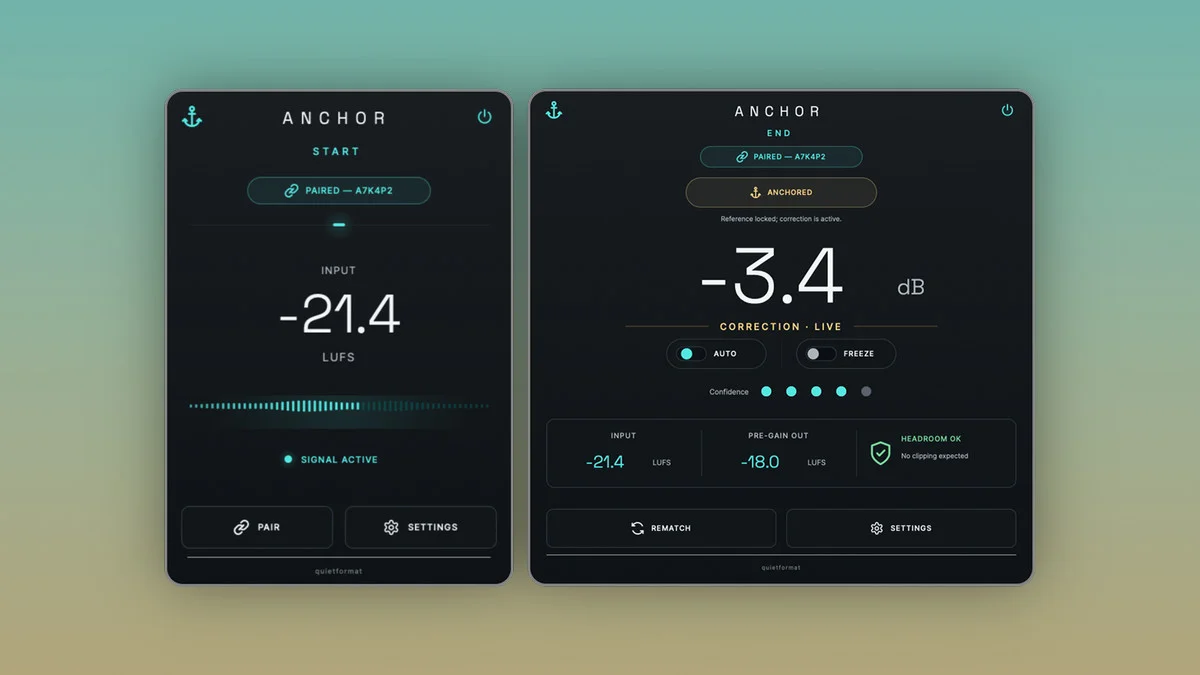
- Paired Anchor START and Anchor END workflow for checking processors or full plugin chains.
- Automatic broadband trim gain compensates for processing-related level changes.
- Bit-transparent START instance captures the reference without altering the incoming audio.
- END compares matching before-and-after sections after continuous playback builds a reference.
- Works around individual plugins, complete chains, tracks, buses, mix buses, and mastering chains.
- Preserves EQ tone, dynamics, harmonics, transients, stereo image, and spatial processing rather than flattening the mix.
- macOS and Windows support with VST3 on both platforms and AU on macOS.
Description
Anchor is a mix-balance utility from Quietformat that compensates for level shifts caused by processors and plugin chains. It is built for hearing what an EQ, compressor, saturator, clipper, limiter, or mastering chain is actually doing without being fooled by louder-or-quieter output.
The workflow uses two linked plugins: Anchor START before the processor and Anchor END after it. After continuous playback builds a reference, END compares matching sections of the before and after signal and applies one broadband trim gain.
That makes Anchor useful on individual inserts, full track chains, buses, mix buses, and mastering chains where a small level change can bias a decision. START is bit-transparent, while END adjusts the gain without trying to undo EQ moves, compression behavior, harmonics, transients, stereo imaging, or spatial processing.
The official Quietformat page lists Anchor as a free VST3 and AU plugin for macOS and Windows, with the product delivered through an email and newsletter form. No ungated installer URL was available to verify.
Video Preview

Frequently Asked Questions
Does Anchor replace a compressor or limiter?
No. Anchor is a utility for compensating level changes around other processors, not a dynamics processor. It adjusts broadband output gain so you can judge the processing chain itself.
Why does Anchor use two plugins?
Anchor START sits before the processor or chain and Anchor END sits after it. The END instance compares matching sections of the before and after signal, then trims the output level toward the reference.
Will Anchor undo EQ, saturation, compression, or stereo changes?
No. The published feature list says it preserves EQ changes, dynamics, harmonics, transients, stereo imaging, and spatial processing. Its job is level compensation, not tonal correction.


