
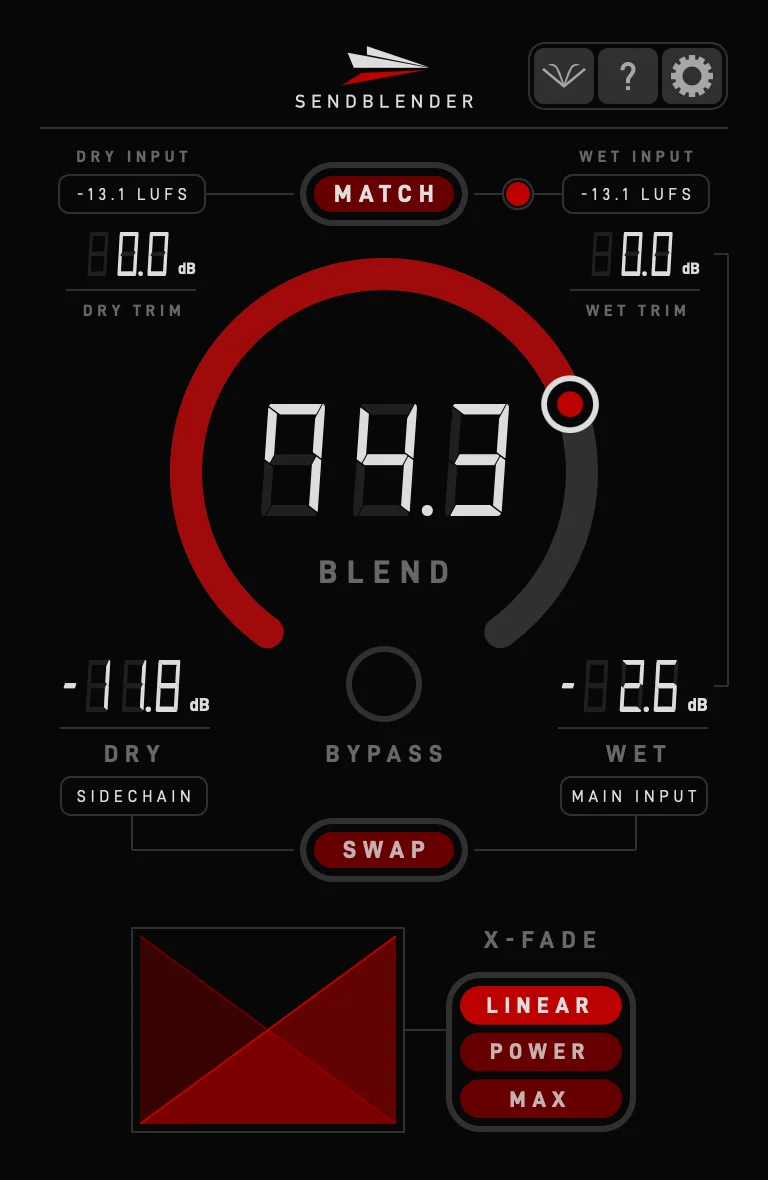
SendBlender
Key Features
- Adds a dedicated blend control to parallel FX chains and send processing setups
- Uses sidechain-based routing so dry and wet signals can be blended inside the plugin
- Automatic and manual input level matching help keep comparisons from being skewed by gain changes
- Three crossfade curves cover correlated processing, ambience effects, and unrelated signal blends
- Direct blend and attenuation value entry supports more exact repeatable mix moves
- Bypass mode routes the dry signal only, making it easier to judge the parallel chain's contribution
Description
SendBlender is a utility mixing plugin that adds a level-matched dry/wet control to parallel FX chains. It sits at the end of a send or parallel processing path, uses sidechain-based routing to access both dry and wet signals, and lets you adjust the blend without constantly balancing mixer faders.
The workflow is built for situations where one processor's mix knob is not enough, such as compression followed by EQ, saturation into clipping, or delay and reverb chains that need one repeatable blend control. Version 1.1 added input level matching, including automatic and latching workflows, so blend decisions can stay focused on tone instead of loudness jumps.
SendBlender also includes three crossfade curves for different source relationships: Linear for correlated material, Power for mostly uncorrelated effects, and Max for longer reverbs, delays, or unrelated signals. The standard version keeps the feature set intentionally narrow, while SendBlender Pro adds frequency-domain and mid/side blend controls as a separate paid upgrade.
Use it when your DAW routing can handle sidechain inputs and you want a clean, repeatable way to audition parallel processing on buses, returns, and creative FX chains.
Frequently Asked Questions
Where should SendBlender go in a parallel effects chain?
The manual describes placing SendBlender after the processors on the FX track. That lets the plugin receive the processed wet signal from the main input and the dry signal through the sidechain route.
Why does SendBlender use sidechain routing?
Most DAWs expose one main plugin input plus an optional sidechain input. SendBlender uses that extra input to receive the second signal needed for internal dry/wet blending.
What changed in recent versions?
Minor Drama's release notes list version 1.2.0 as the current release and note that Windows now requires AVX2 support. Version 1.1 introduced input signal level matching for the standard and Pro editions.
How is SendBlender different from SendBlender Pro?
The standard version focuses on level-matched dry/wet blending, crossfade curves, attenuation values, and bypass. The Pro edition adds wet-signal EQ, dry boost compensation, make-up gain, oversampling, and mid/side blend controls.


