
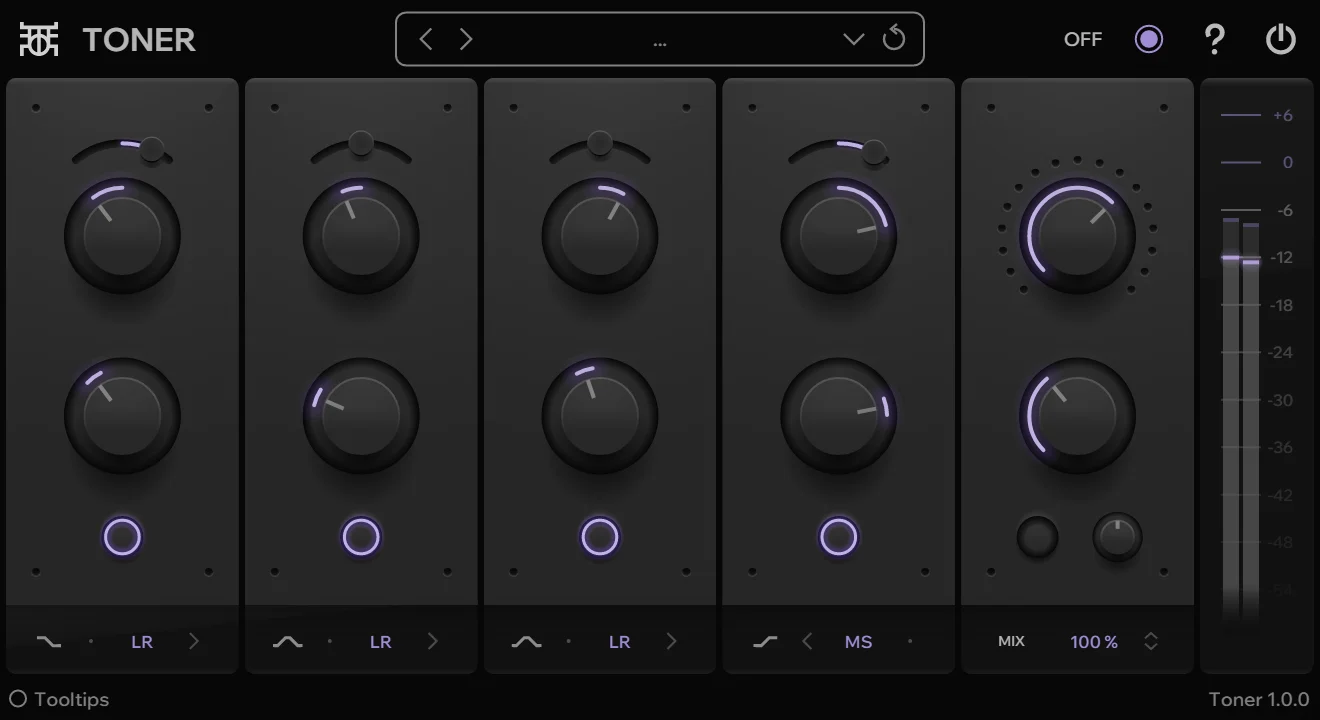
Toner
Key Features
- Four-band tone-shaping EQ for broad tonal moves on tracks, buses, and resampled material
- Low and high shelving bands plus two midrange bell bands for simple full-spectrum shaping
- Left-right and mid-side band modes for stereo-aware balancing without a complex routing setup
- Odd-harmonic saturation control after the EQ stage for adding warmth and extra color
- De-emphasis control that applies an inverted EQ setting for quick corrective or contrast moves
- Delta monitoring that subtracts the dry signal from the wet signal so processing changes are easier to hear
- Minimal Windows VST3 interface with selectable color schemes and a dry/wet mix control
Description
Toner is a Windows VST3 tone-shaping EQ from Outobugi built for broad spectral moves, stereo-aware balancing, and quick color changes. Its four bands pair frequency and gain controls with balance and left-right or mid-side modes, so it can brighten, thicken, narrow, or reposition a sound without turning into a surgical analyzer-style EQ.
The low and high bands use shelving filters while the two middle bands use bell filters, giving the plugin a simple mastering-style layout for reshaping complete sounds. After the EQ stage, Toner adds an odd-harmonic saturation control for warmth, plus de-emphasis and delta controls that make it useful for checking what the processing is adding or subtracting.
This is best treated as a fast character EQ rather than a transparent corrective tool. It suits producers who want to make synths, drums, guitars, buses, or resampled loops feel clearer, warmer, wider, or more focused with a compact interface and a single Windows VST3 download.
Frequently Asked Questions
What kind of EQ is Toner?
Toner is a four-band tone-shaping EQ rather than a surgical corrective equalizer. It is designed for broad balance changes, stereo-aware shaping, and adding color with its post-EQ saturation control.
How does Toner handle stereo processing?
Each band includes a balance control and can operate in left-right or mid-side mode. That makes it useful for changing the center and side balance of a sound without setting up separate mid-side routing in the DAW.
What do the De-EQ and Delta controls do?
Outobugi describes De-EQ as de-emphasis, which applies an inverted EQ setting. Delta subtracts the dry signal from the wet signal, helping you hear the part of the sound that Toner's processing is changing.
Where should the VST3 file be installed?
Outobugi's FAQ says their VST3 plugins can be uninstalled by deleting the plugin from Program Files\Common Files\VST3. The Toner download contains a Toner.vst3 file inside the Toner 1.0.0 folder.


