
Tymee
Key Features
- Delay engine with tempo-synced and free-running timing for rhythmic echoes, throws, and ambience
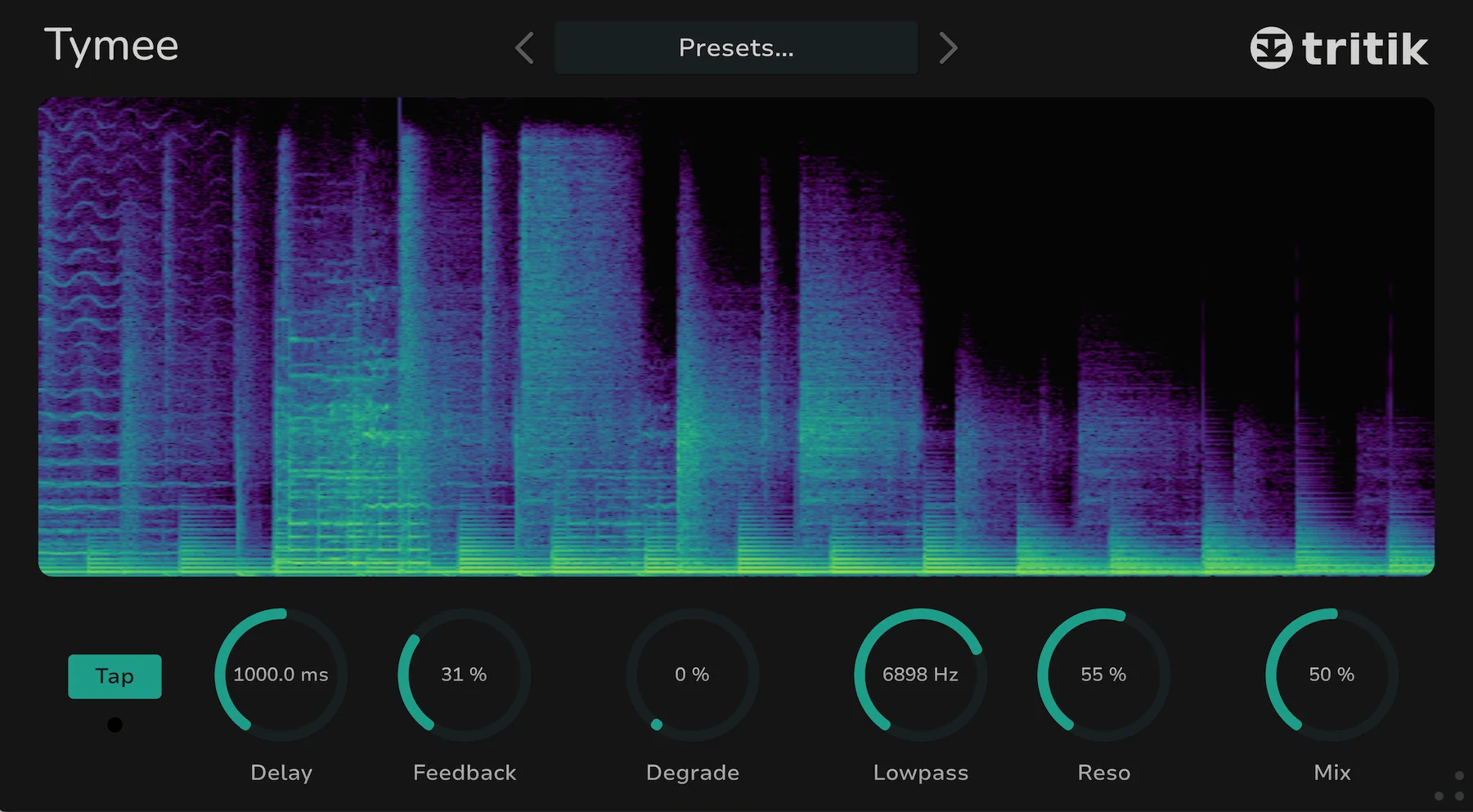
- Built-in real-time spectrogram for seeing how repeats, filters, and degradation move over time
- Stereo feedback controls for widening delay patterns without loading a separate utility plugin
- High-pass and low-pass filtering to keep repeats out of the way of the dry signal
- Degrade section for adding lo-fi texture and digital edge to otherwise clean delay trails
- Onboard limiter to help control feedback peaks during more aggressive sound-design settings
Description
Tymee is a delay effect from Tritik built around a clear time-based workflow, a real-time spectrogram, and a small set of tone controls for shaping repeats quickly. It gives producers tempo-synced or free-running echoes with stereo feedback, filtering, downsampling, and an onboard limiter in VST, VST3, AU, and AAX formats for macOS and Windows.
The visual feedback is the main hook. The spectrogram makes it easier to see how delay time, feedback, filters, and degradation change the repeat trail, which is useful when designing rhythmic echoes that need to stay musical rather than muddy.
Tymee is not trying to be a huge multi-engine delay. Its strength is the combination of fast core controls, creative dirt from the degrade section, and practical safety from the limiter, making it useful for vocal throws, synth movement, guitar ambience, and lo-fi transitions.
As checked on May 29, 2026, Tritik still lists Tymee as a zero-price product on the official page with direct macOS and Windows downloads. The official page does not use limited-time language, and both installer links were available without account registration.
Video Preview

Frequently Asked Questions
What makes Tymee different from a basic stock delay?
Tymee adds a real-time spectrogram to the delay interface, so users can see how the repeat trail changes as timing, feedback, filtering, and degradation are adjusted. That visual feedback makes it easier to tune rhythmic echoes and lo-fi delay movement by eye and ear together.
Does Tymee work for clean mixing or only creative effects?
It can handle straightforward delay duties, but its strongest use case is creative echo shaping. The filter, degrade, stereo feedback, and limiter controls make it especially useful for vocal throws, synth ear candy, and transition effects.
Where can I download Tymee?
Tritik provides current macOS and Windows downloads from the official Tymee product page.
Does Tymee require a Tritik account or newsletter signup?
No account was required during this review. The official page exposed direct macOS and Windows installer links, and both links returned successful download responses.


